Theme
Updated
e-Learn
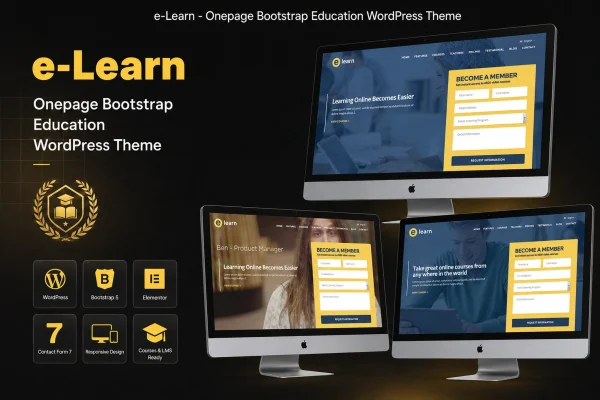
e-Learn is a one-page education WordPress theme built on the Bootstrap framework. It gives schools, online course creators and educational institutions a single scrolling site where visitors can read about courses, meet instructors and get in touch through built-in forms.
- Version
- 1.0
- Released
- Feb 11, 2025
- Developer
- vergatheme
- Type
- WordPress theme
- Licence
- GPL
- Included in
- Every plan, or $3.99 on its own
What’s new in e-Learn 1.0.0
Version 1.0.0 · May 24, 2023
Latest
- ChangedMaintenance release.
What it does
Many schools and course providers need a site that presents the basics clearly: what they teach, who teaches it and how to enroll or ask a question. A sprawling multi-page site can bury that information. This theme puts everything on one page, so visitors scroll through course listings, instructor profiles and contact details in order, without hunting through menus. The responsive layout adjusts to desktops, tablets and phones, which matters when prospective students often browse on mobile.
The theme is built on Bootstrap, a mobile-first framework, and comes with a clean, modern design that aims to feel professional and approachable. You can change colors, fonts and layouts to match your institution's branding. Contact and enrollment forms handle inquiries and applications, and social media links connect the site to your networks. Documentation walks you through setup and customization. It fits small schools, tutoring services, training centers and independent educators who want a focused site.
Best for
- Schools and educational institutions wanting a simple website
- Online course creators presenting a focused course catalog
- Tutors and training centers introducing their instructors
Features
Responsive one-page layout
All your content sits on a single scrolling page that adapts to desktops, tablets and smartphones, so visitors can move through sections easily.
Built on Bootstrap
The theme uses the Bootstrap framework, giving it a mobile-first structure and consistent behavior across common browsers.
Course listings section
Present your course offerings with descriptions and enrollment options so prospective students can see what you teach and how to sign up.
Instructor profiles
Introduce your teaching staff with bios and photos, giving visitors a clear picture of the people behind your courses.
Customizable colors and fonts
Adjust colors, fonts and layouts so the site reflects your school or brand rather than a generic template look.
Contact and enrollment forms
Built-in forms let visitors send inquiries or start an application directly from the page.
Social media integration
Link the site to your social network profiles so students and parents can follow and connect with you elsewhere.
Setup documentation
Step-by-step documentation explains how to set up the theme and customize its appearance and content.
Questions about e-Learn
Is e-Learn a multi-page theme or a single page?
It is a one-page theme. Course listings, instructor profiles, contact forms and other sections are arranged on a single scrolling page, which keeps navigation simple for visitors looking for the essentials.
Will the theme look right on phones?
Yes. The layout is responsive and built on the mobile-first Bootstrap framework, so it adjusts to desktops, tablets and smartphones and works consistently across common browsers.
Can I change the design to match my school's branding?
You can modify colors, fonts and layouts to align the site with your institution's style. The included documentation explains how to customize the appearance and content step by step.
How do students contact us or apply through the site?
The theme includes contact and enrollment forms, so visitors can send questions or begin an application right from the page. Course listings can also show enrollment options alongside each course description.
Is e-Learn free?
The code of e-Learn is licensed under the GPL, so anyone may use, change and share it. GPL Feast is a paid service: a plan or a single purchase gives you the download and automatic updates. The developer's own support, licence key and online services are not included.
Which version of e-Learn is this?
Version 1.0, released Feb 11, 2025. New versions appear here when the developer publishes them, and members get them as automatic updates.
How do I update e-Learn?
Install the free GPL Feast Updater on your site and connect it with your API key. It installs new versions of e-Learn automatically and keeps a backup, so you can roll back.