Theme
Updated
Hostio
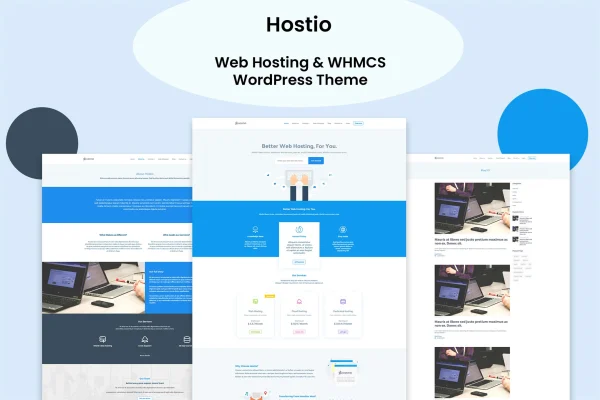
Hostio is a WordPress theme built for web hosting providers and domain registrars. It gives you layouts for presenting hosting plans and services, and it connects your WordPress site to WHMCS so client billing, support tickets and subscriptions can run through the software many hosting businesses already use.
- Version
- 1.0
- Released
- Feb 11, 2025
- Developer
- vergatheme
- Type
- WordPress theme
- Licence
- GPL
- Included in
- Every plan, or $3.99 on its own
What’s new in Hostio 1.0.0
Version 1.0.0 · Nov 5, 2024
Latest
- NewFirst release.
What it does
Hosting companies usually need two things at once: a marketing site that explains plans clearly and a billing system that handles clients and subscriptions. This theme brings those together by connecting WordPress with WHMCS, the client management and billing software. Visitors can browse your packages on a site that looks like the rest of your brand, while billing, support ticketing and subscription management stay in WHMCS where your team already works.
Setup starts with a one-click demo import that loads designed demo content and layouts, which you then adjust to fit your business. A theme options panel controls colors, fonts, layouts and homepage sections without coding, and you can pick from several header and footer styles. For custom pages, the theme works with WPBakery Page Builder and its drag-and-drop editor. The design is responsive and retina ready, and the theme is translation ready for sites that serve visitors in more than one language.
Best for
- Web hosting companies using WHMCS for billing
- Domain registrars presenting domain and hosting services
- Hosting resellers launching a branded storefront site
Features
WHMCS integration
Connect your WordPress site to WHMCS to handle client billing, support ticketing and subscription management alongside your public hosting website.
Hosting plans and pricing tables
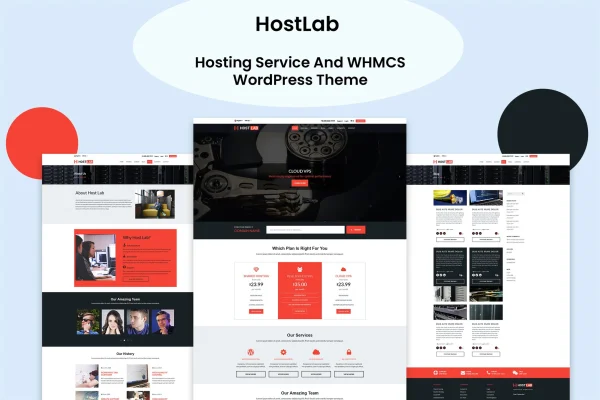
Pre-built pricing tables lay out your hosting packages side by side so visitors can compare plans and pick the one that suits them.
One-click demo import
Import fully designed demo content and layouts in one step, then replace the sample text and images with your own plans and branding.
Theme options panel
Change colors, fonts, layouts and homepage sections from a theme options panel, with no code needed for everyday design adjustments.
Multiple header and footer styles
Choose from several header and footer styles to shape your site's navigation and footer area so they match your brand.
WPBakery Page Builder compatible
Build custom pages with WPBakery Page Builder's drag-and-drop editor, which suits site owners who prefer not to work with code.
Responsive and retina ready
Layouts adapt to desktops, tablets and smartphones, and visuals are prepared for high-resolution retina screens.
Translation ready
The theme is translation ready and supports multilingual setups, so you can offer your hosting site in more than one language.
Questions about Hostio
Does Hostio work with WHMCS?
Yes. The theme integrates with WHMCS, so you can link your WordPress site to the WHMCS client management and billing software for client billing, support ticketing and subscription management.
Can I display my hosting packages with prices?
Yes. The theme includes pre-built hosting plan sections and pricing tables, which let you list your packages clearly so visitors can compare features and choose a plan.
Which page builder does this theme use?
It is compatible with WPBakery Page Builder, so you can design custom pages with drag-and-drop editing. Colors, fonts, layouts and homepage sections can also be changed through the theme options panel.
Can I run my hosting site in several languages?
The theme is translation ready and offers multilingual support, so you can translate your site's content into the languages your customers speak.
Is Hostio free?
The code of Hostio is licensed under the GPL, so anyone may use, change and share it. GPL Feast is a paid service: a plan or a single purchase gives you the download and automatic updates. The developer's own support, licence key and online services are not included.
Which version of Hostio is this?
Version 1.0, released Feb 11, 2025. New versions appear here when the developer publishes them, and members get them as automatic updates.
How do I update Hostio?
Install the free GPL Feast Updater on your site and connect it with your API key. It installs new versions of Hostio automatically and keeps a backup, so you can roll back.