Theme
Updated
Editor Blog
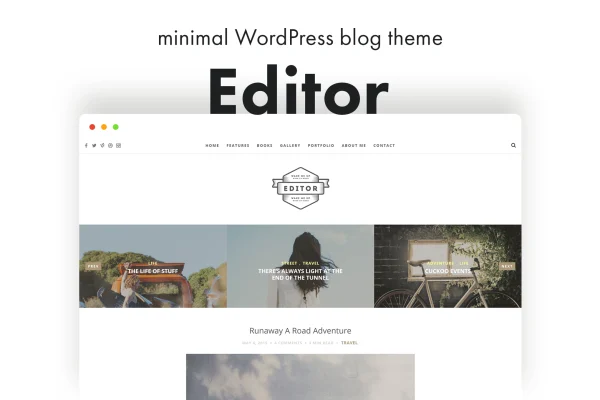
Editor Blog is a minimal WordPress blog theme by pixelwars, built for writers who want a clean, distraction-free place to publish. It focuses on readability, supports every common post format and lets you adjust fonts, colors and layouts through the WordPress Theme Customizer.
- Version
- 1.6.0
- Developer
- pixelwars
- Type
- WordPress theme
- Licence
- GPL
- Included in
- Every plan, or $3.99 on its own
What’s new in Editor Blog 1.6.0
Version 1.6.0
Latest
What it does
Many blog themes pile on visual clutter that pulls attention away from the writing. Editor Blog takes the opposite approach with a simple, uncluttered design that keeps posts at the center of the page. It works for personal stories, professional articles or creative projects, and the responsive, retina ready layout adapts to desktops, tablets and phones so readers get a clear view of your content on any screen.
Under the clean surface you get a full blog system. You can choose from three blog layouts with sidebar options, build unlimited sidebars and place custom widgets for Flickr, Instagram, Pinterest, Dribbble, Picasa and YouTube. A featured posts slider puts selected articles up front, and responsive video embeds handle various aspect ratios. Styling happens in the Theme Customizer with a live preview, so you can pick from over 600 Google Fonts and set colors without writing code.
Best for
- Personal bloggers who want a clean, minimal reading layout
- Writers sharing professional articles or opinion pieces
- Creative bloggers posting photos, videos and social feeds
Features
Three blog layouts
Pick from three blog layouts, each with sidebar options, so the front page and archives match the way you like to present your posts.
Full post format support
Publish standard posts, galleries, videos, quotes and other post formats, each handled by the theme's built-in blog system.
Featured posts slider
A slider at the top of your blog displays chosen posts, giving selected articles a prominent spot for visitors who arrive on the page.
Responsive video embeds
Embed videos that scale with the screen in various aspect ratios, alongside flexible images that resize cleanly across devices.
Social feed widgets
Custom widgets bring in feeds from Flickr, Instagram, Pinterest, Dribbble, Picasa and YouTube, letting you display your social content in sidebars.
Unlimited sidebars
Create as many sidebars as you need and fill them with widgets, so different parts of your blog can carry different content.
Live Customizer styling
Change fonts, colors and settings in the WordPress Theme Customizer with an instant preview, choosing from more than 600 Google Fonts.
Translation ready
The theme includes a .po file, so you can translate its text and run your blog in another language.
Questions about Editor Blog
Can I change the fonts and colors without coding?
Yes. Editor Blog supports the WordPress Theme Customizer, where you can adjust fonts, colors and other settings with a live preview. You can choose from more than 600 Google Fonts, so typography changes take a few clicks instead of custom CSS.
Does the theme work well on phones and tablets?
The design is responsive and retina ready, so layouts adapt to smaller screens and images stay sharp on high resolution displays. Video embeds are also responsive and support various aspect ratios.
Can I show my Instagram or YouTube content on my blog?
The theme includes custom widgets for Instagram and YouTube, plus Flickr, Pinterest, Dribbble and Picasa. You can place them in any of your sidebars, and since the theme supports unlimited sidebars you can arrange them however you like.
What types of posts can I publish with this theme?
It supports a full range of post formats, including standard posts, galleries, videos and quotes. You can also highlight selected posts in the featured posts slider and display them in one of three blog layouts.
Is Editor Blog free?
The code of Editor Blog is licensed under the GPL, so anyone may use, change and share it. GPL Feast is a paid service: a plan or a single purchase gives you the download and automatic updates. The developer's own support, licence key and online services are not included.
Which version of Editor Blog is this?
Version 1.6.0. New versions appear here when the developer publishes them, and members get them as automatic updates.
How do I update Editor Blog?
Install the free GPL Feast Updater on your site and connect it with your API key. It installs new versions of Editor Blog automatically and keeps a backup, so you can roll back.