Theme
Updated
Oliver
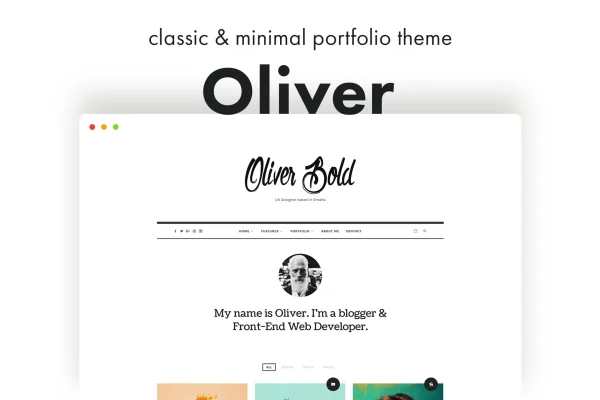
Oliver is a classic and minimal WordPress theme by pixelwars, built for creatives, freelancers and professionals who want to present a portfolio or blog with a clean look. It pairs a simple design with WPBakery Page Builder, WooCommerce compatibility and several blog layouts.
- Version
- 1.2.5
- Released
- Aug 13, 2026
- Developer
- pixelwars
- Type
- WordPress theme
- Licence
- GPL
- Included in
- Every plan, or $3.99 on its own
What’s new in Oliver 1.2.5
Version 1.2.5 · Aug 13, 2026
Latest
What it does
Many portfolio sites end up crowded, with design elements competing with the work itself. This theme takes the opposite approach. Its classic, minimal layout keeps your images, videos and writing in front, which suits photographers, designers, artists and developers who want visitors to focus on what they made. You can adjust layouts, fonts and colors through the live Customizer and see each change as you make it, so matching the site to your brand stays simple.
For page building, the theme works with WPBakery Page Builder, letting you arrange pages with drag and drop tools and no coding. It is also WooCommerce compatible, so you can add a shop alongside your portfolio. Content options are broad: post formats include Standard, Lightbox Image, Lightbox Gallery, Audio, Video and Custom URL, and the blog can display in Regular, Grid, Masonry or List layouts. A featured area with a post slider, link boxes and intro widgets sits at the top for highlighting chosen content.
Best for
- Photographers, designers and artists building a portfolio site
- Bloggers who prefer a clean, minimal reading layout
- Freelancers who want a portfolio with a small shop
Features
Drag and drop page building
Works with WPBakery Page Builder so you can arrange and customize page layouts visually, without writing any code.
WooCommerce compatible
Supports WooCommerce, letting you run an online shop on the same site as your portfolio and blog.
Responsive and retina ready
The layout adapts to different screen sizes and displays sharp graphics on retina screens, with touch gesture support on mobile devices.
Flexible media handling
Handles images, videos and audio in various formats and aspect ratios, so mixed media portfolios display properly.
Multiple post formats
Choose from Standard, Lightbox Image, Lightbox Gallery, Audio, Video and Custom URL post formats to present different kinds of work.
Live Customizer settings
Preview and adjust colors, fonts and layout settings in the WordPress Customizer and see changes before publishing them.
Featured area with slider
A featured area at the top of the site can hold a post slider, link boxes and intro widgets for highlighting selected content.
Four blog layouts
Display posts in Regular, Grid, Masonry or List layouts, depending on how you want your updates and articles to read.
Questions about Oliver
Do I need to know how to code to build pages with Oliver?
No. The theme works with WPBakery Page Builder, which gives you drag and drop tools for building and arranging pages. Colors, fonts and layout settings can also be changed through the live Customizer, where you preview the changes as you go.
Can I sell products from my portfolio site?
Yes. The theme is WooCommerce compatible, so you can set up an online store on the same site that holds your portfolio and blog. This suits creatives who want to sell prints, digital goods or other products next to their work.
What kinds of media can I add to my portfolio posts?
You can add images, videos and audio in various formats and aspect ratios. Post formats include Standard, Lightbox Image, Lightbox Gallery, Audio, Video and Custom URL, which lets you present each project in the way that fits it best.
How can I lay out my blog posts?
The theme offers four blog layouts: Regular, Grid, Masonry and List. You can also use the featured area, with its post slider, link boxes and intro widgets, to highlight specific posts at the top of the site.
Is Oliver free?
The code of Oliver is licensed under the GPL, so anyone may use, change and share it. GPL Feast is a paid service: a plan or a single purchase gives you the download and automatic updates. The developer's own support, licence key and online services are not included.
Which version of Oliver is this?
Version 1.2.5, released Aug 13, 2026. New versions appear here when the developer publishes them, and members get them as automatic updates.
How do I update Oliver?
Install the free GPL Feast Updater on your site and connect it with your API key. It installs new versions of Oliver automatically and keeps a backup, so you can roll back.
More from pixelwars