Theme
Updated
Helax
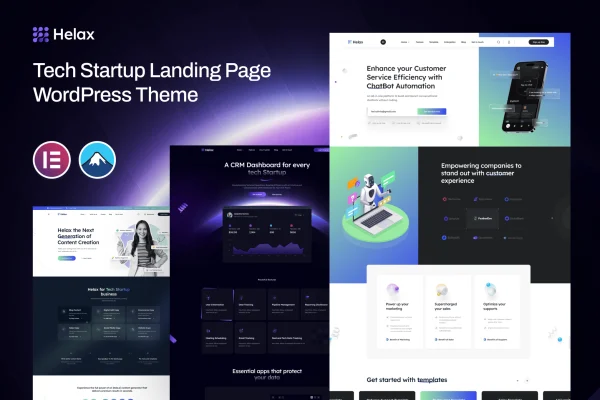
Helax is a WordPress theme made for tech startups and innovative businesses. It gives you pre-built startup templates, a drag-and-drop page builder and color and typography controls, so you can put together a professional site for an app, a tech product or a service without writing code.
- Version
- 1.0.3
- Released
- Apr 19, 2024
- Developer
- XpressBuddy
- Type
- WordPress theme
- Licence
- GPL
- Included in
- Every plan, or $3.99 on its own
What’s new in Helax 1.0.3
Version 1.0.3 · Apr 19, 2024
Latest
What it does
Young tech companies usually need a credible website quickly, often before there is time or budget for custom design. This theme handles that with ready-made templates built around the startup niche. You start from a layout that already suits a product launch or a service offering, then adjust the content, colors and fonts to match your brand. A demo import option brings in the demo content and settings, which gives you a working starting point to edit.
Layouts and content are edited with a drag-and-drop page builder, so rearranging sections does not require coding skills. The design is responsive, adapting to desktops, tablets and phones, and it is built to work across major web browsers. A built-in blog section gives you a place to publish company news, product updates and articles. It fits founders, small teams and agencies building sites for tech clients who want a clean, modern look.
Best for
- Tech startups launching an app, product or service
- Innovative small businesses wanting a modern company website
- Agencies and freelancers building sites for tech clients
Features
Pre-built startup templates
Ready-to-use page templates designed for tech startups give you a professional layout to start from instead of building every page from a blank canvas.
Drag-and-drop page builder
Arrange layouts and edit content visually by dragging elements into place, which lets you customize pages without any coding knowledge.
Responsive layout
The design adapts to different screen sizes, so pages display and work properly on desktops, tablets and smartphones.
Custom colors and typography
Adjust color schemes and fonts to match your brand identity and keep a consistent visual style across the whole site.
Integrated blog section
Publish tech news, product updates and thought leadership articles from a blog section that is part of the theme.
One-click demo import
Import the demo content and settings in one step, giving you a complete sample site that you can start editing right away.
Cross-browser compatibility
The theme is built to look and behave consistently across major web browsers, so more visitors see your site as intended.
Built-in SEO tools
Included SEO features help you set up your pages with search engines in mind as you build out your content.
Questions about Helax
Do I need coding skills to build a site with Helax?
No. The theme includes a drag-and-drop page builder for editing layouts and content, plus controls for colors and typography. Combined with the pre-built startup templates and demo import, you can create and customize pages without writing code.
Will my site work on phones and tablets?
Yes. The theme uses a fully responsive design that adjusts to different devices, from desktop monitors to smartphones. It is also built for compatibility with major web browsers, so the layout stays consistent for most visitors.
Can I run a blog alongside my product pages?
Yes. There is an integrated blog section where you can post tech news, product updates and articles. It sits alongside your main pages, so your company site and your content live in one place.
Can I match the theme to my brand?
You can. The theme offers customizable color schemes and typography, so you can apply your brand colors and preferred fonts. The drag-and-drop builder also lets you change the layout of the templates to suit your content.
Is Helax free?
The code of Helax is licensed under the GPL, so anyone may use, change and share it. GPL Feast is a paid service: a plan or a single purchase gives you the download and automatic updates. The developer's own support, licence key and online services are not included.
Which version of Helax is this?
Version 1.0.3, released Apr 19, 2024. New versions appear here when the developer publishes them, and members get them as automatic updates.
How do I update Helax?
Install the free GPL Feast Updater on your site and connect it with your API key. It installs new versions of Helax automatically and keeps a backup, so you can roll back.