Theme
Updated
Hunted
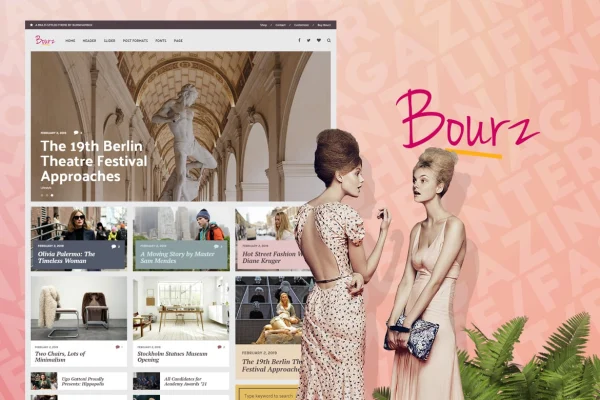
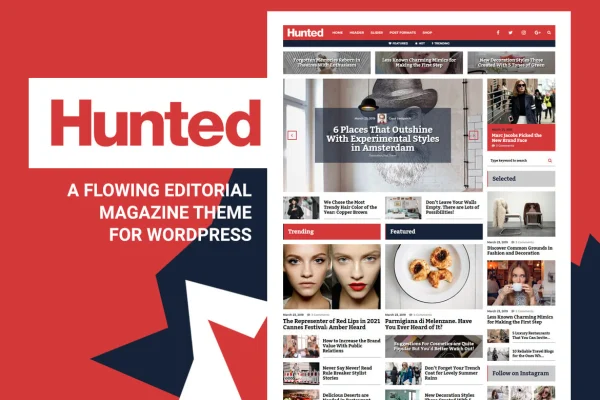
Hunted is an editorial magazine and blog theme for WordPress by Burnhambox. It is built for content-heavy sites such as magazines, news portals and personal blogs, and it gives you a responsive design, a featured content slider, several blog layouts and detailed header controls.
- Version
- 8.0.12
- Released
- Aug 14, 2026
- Developer
- Burnhambox
- Type
- WordPress theme
- Licence
- GPL
- Included in
- Every plan, or $3.99 on its own
What’s new in Hunted 8.0.12
Version 8.0.12 · Aug 14, 2026
Latest
What it does
Editorial sites publish a lot of stories, and readers need a clear way to find them. This theme is designed for that kind of publishing, from news articles and fashion pieces to lifestyle tips and travel writing. It presents posts in a clean, organized layout and adapts to phones, tablets and desktops, so your archive stays readable on whatever screen your visitors use.
You shape the look through layout and header options. Pick from seven blog structures with one to three columns, with or without sidebars, or go fullwidth. Add a featured slider in one of three styles and place it fullwidth, as a cover or among your posts. The theme works with the block editor (Gutenberg) and with WooCommerce, so you can write in the standard editor and add a shop to your editorial site.
Best for
- Online magazines covering fashion, lifestyle or travel
- News portals publishing articles daily
- Personal bloggers, journalists and creative writers
Features
Responsive, mobile friendly design
Layouts adjust to smartphones, tablets and desktops, keeping articles and navigation readable for visitors on any device.
Featured slider with three styles
Highlight chosen stories with a built-in slider that comes in three distinct styles to match the tone of your publication.
Three slider positions
Place the slider fullwidth, as a cover at the top of the page, or among your posts, depending on how you want to feature content.
Seven blog layout options
Choose from one to three column layouts, with or without sidebars, plus fullwidth versions to fit the way you present posts.
Detailed header settings
Adjust header paddings and scale the logo size so the top of your site matches your brand and stays consistent across pages.
Sticky header with custom timing
Turn on a sticky header and set when it triggers, so navigation stays within reach as readers scroll through long articles.
Block editor and WooCommerce support
Write and lay out posts in the WordPress block editor, and use WooCommerce if you want to sell products alongside your content.
Setup documentation
Detailed guides walk you through setup and configuration, which helps both beginners and experienced users get the site running.
Hunted older versions
- 8.0.11Jul 5, 2025
- 8.0.7Feb 10, 2024
- 8.0.6May 4, 2023
Members and buyers of this product can download older versions.
Questions about Hunted
Can I use this theme for a news site with lots of articles?
Yes. Hunted is designed for content-heavy editorial websites, including daily news portals and magazines. Its multi-column blog layouts and featured slider help you organize a large number of stories and draw attention to the ones you want readers to see first.
How many blog layouts does the theme offer?
There are seven blog layout options. They include one to three column structures, versions with or without sidebars, and fullwidth versions, so you can choose the arrangement that suits your content and change it as your site grows.
Does it work with the block editor and WooCommerce?
The theme is compatible with the WordPress block editor (Gutenberg) for creating posts and pages. It is also compatible with WooCommerce, which lets you add a store to your editorial site if you want to sell products.
How much control do I get over the header?
You can adjust header paddings, scale the logo size and enable a sticky header. The sticky header has a custom trigger timing setting, so you decide when it appears as visitors scroll down the page.
Is Hunted free?
The code of Hunted is licensed under the GPL, so anyone may use, change and share it. GPL Feast is a paid service: a plan or a single purchase gives you the download and automatic updates. The developer's own support, licence key and online services are not included.
Which version of Hunted is this?
Version 8.0.12, released Aug 14, 2026. New versions appear here when the developer publishes them, and members get them as automatic updates.
How do I update Hunted?
Install the free GPL Feast Updater on your site and connect it with your API key. It installs new versions of Hunted automatically and keeps a backup, so you can roll back.