Theme
Updated
Kayleen
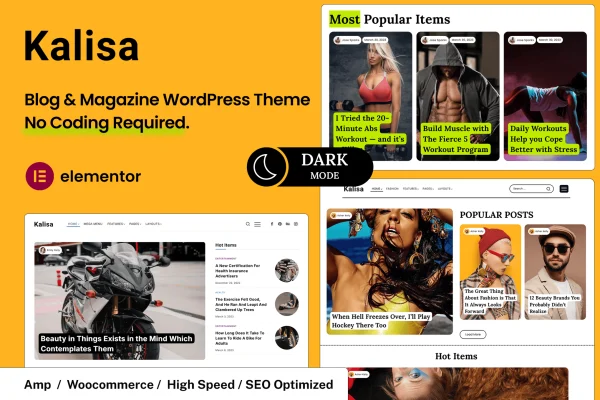
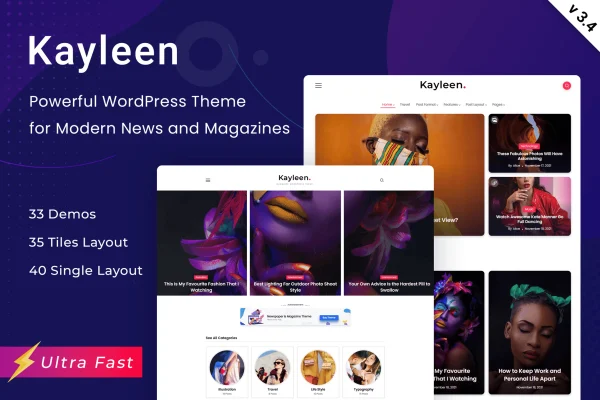
Kayleen is a blog and magazine WordPress theme by RivaxStudio. It gives bloggers, journalists and magazine publishers a clean, modern layout for publishing articles and stories, with page and post templates you can adjust through the theme customizer.
- Version
- 3.4
- Released
- Jun 22, 2026
- Developer
- RivaxStudio
- Type
- WordPress theme
- Licence
- GPL
- Included in
- Every plan, or $3.99 on its own
What’s new in Kayleen 3.4
Version 3.4 · Jun 22, 2026
Latest
- FixedLong Divider Heading Text In Mobile.
- ImprovedCompatibility: WordPress 7.0.
- ImprovedCompatibility: WooCommerce 10.8.
- ImprovedEnvato Market Plugin 2.0.14.
What it does
Running a blog or online magazine means presenting a lot of articles in a way readers can scan and follow. This theme handles that with a clean, modern design built around readability and easy navigation. It includes a range of page and post layouts, so personal essays, in-depth features and regular news posts can each get a presentation that suits them. The layout is responsive, which means your content adapts to desktops, tablets and phones.
Most of the styling happens in the theme customizer, where you can change colors, fonts and layouts and see the result in a real-time preview before saving. No coding is needed for these adjustments. Widget-ready sidebars and footers let you add items such as recent posts, categories or ad blocks. Social sharing support helps readers pass articles along, and the theme is translation ready for sites published in other languages.
Best for
- Personal bloggers sharing stories and ideas
- Online magazines and editorial publications
- Journalists publishing in-depth articles
Features
Clean, modern design
A tidy, professional look built around readability, giving long articles and short posts alike a calm, easy-to-read presentation for your audience.
Responsive layout
Pages adapt to desktops, tablets and smartphones, so readers get a properly sized layout whatever device they use to visit your blog or magazine.
Multiple page and post templates
A variety of customizable page and post layouts lets you match the presentation to each type of content you publish, from personal stories to features.
Live theme customizer
Adjust colors, fonts and layouts in the customizer with a real-time preview, so you can see design changes instantly without writing any code.
Widget-ready sidebars and footers
Place widgets such as recent posts, categories or advertising blocks in the sidebars and footer areas to add useful content around your articles.
Social media sharing
Built-in social media support makes it simpler for readers to share your posts across various social platforms.
Translation ready
The theme is prepared for translation, so you can run your blog or magazine in another language or build a multilingual site.
Questions about Kayleen
Can I change the colors and fonts without coding?
Yes. The theme customizer lets you adjust colors, fonts and layouts through settings, and a real-time preview shows each change as you make it. You can refine the look of your site without editing any code.
Will my site work well on phones?
The layout is fully responsive, so pages adjust to fit desktops, tablets and smartphones. Readers on smaller screens get a layout sized for their device rather than a shrunken desktop page.
Can I use this theme for a site in a language other than English?
Yes. Kayleen is translation ready, which means its text can be translated and it supports multilingual sites aimed at readers in different languages.
Can I add things like recent posts or ads to the sidebar?
The sidebars and footers are widget ready, so you can add widgets such as recent posts, category lists or advertising blocks to those areas and arrange them to suit your site.
Is Kayleen free?
The code of Kayleen is licensed under the GPL, so anyone may use, change and share it. GPL Feast is a paid service: a plan or a single purchase gives you the download and automatic updates. The developer's own support, licence key and online services are not included.
Which version of Kayleen is this?
Version 3.4, released Jun 22, 2026. New versions appear here when the developer publishes them, and members get them as automatic updates.
How do I update Kayleen?
Install the free GPL Feast Updater on your site and connect it with your API key. It installs new versions of Kayleen automatically and keeps a backup, so you can roll back.