Theme
Updated
Kristo
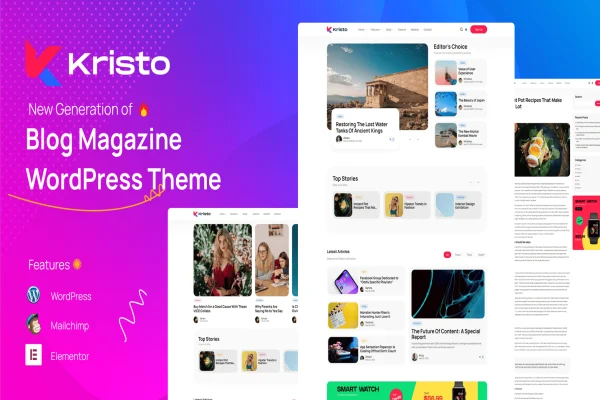
Kristo is a modern magazine WordPress theme built for publishers, bloggers and digital content creators. It gives you a clean, responsive layout for presenting articles, interviews, reviews and multimedia posts, with design controls that let you shape the look to fit your brand.
- Version
- 3.6
- Released
- Feb 11, 2025
- Developer
- Promising-Themes
- Type
- WordPress theme
- Licence
- GPL
- Included in
- Every plan, or $3.99 on its own
What’s new in Kristo 3.6
Version 3.6 · Feb 11, 2025
Latest
What it does
Running an online magazine means juggling many kinds of content on one site: long reads, quick news items, video pieces and photo galleries. Kristo gives that content a clean structure so stories stay front and center without clutter around them. Multiple homepage and article layouts let you choose how posts are arranged, and the responsive design adapts pages to desktops, tablets and phones so readers get a consistent experience wherever they open your site.
The theme is meant to be approachable for beginners and experienced developers alike. A drag-and-drop builder lets you arrange content without writing code, and typography settings give you a range of fonts and styles for branding and readability. Widget-ready sidebar and footer areas hold items like recent posts, popular articles and ad spots, while built-in social sharing makes it easy for readers to pass your stories along. It fits blogs, digital magazines and content-heavy publishing sites.
Best for
- Digital magazines and online news publications
- Bloggers publishing reviews, interviews and long-form articles
- Content creators mixing video, audio and gallery posts
Features
Responsive magazine layout
Pages adjust to smartphones, tablets and large desktop screens, so your articles and homepage remain readable and well arranged on any device.
Multiple layout options
Choose from several homepage and article layout configurations to give your magazine its own structure and reading experience.
Drag-and-drop builder
Arrange content blocks visually on your pages without coding, which makes building and adjusting layouts quicker for non-developers.
Support for many post formats
Publish standard articles, videos, galleries and audio posts, each presented in a format suited to that type of content.
Social media sharing
Built-in sharing options let readers post your articles to popular social platforms directly from the page.
Typography settings
Pick from a variety of fonts and text styles to match your brand identity and keep long articles comfortable to read.
Widget-ready sidebar and footer
Add widgets such as recent posts, popular articles and advertisements to the sidebar and footer areas of your site.
Questions about Kristo
Can I build a magazine homepage without coding?
Yes. Kristo includes a drag-and-drop builder for arranging content without code, plus multiple homepage layout configurations to start from. You can choose a structure and then adjust how sections and posts are placed to suit your publication.
Does the theme handle video and audio posts?
It does. The theme supports several post formats, including standard articles, videos, galleries and audio posts. This lets you mix multimedia content with written stories while giving each type a presentation that suits it.
Will my site work well on phones and tablets?
The layout is fully responsive, so pages adapt to smartphones, tablets and desktop displays. Readers get the same content in a format that fits their screen, which matters for magazines with a large mobile audience.
Can I place ads in the sidebar?
Yes. The sidebar and footer are widget-ready, so you can add advertisements along with widgets like recent posts and popular articles. This gives you flexible spots for monetization and content discovery alongside your stories.
Is Kristo free?
The code of Kristo is licensed under the GPL, so anyone may use, change and share it. GPL Feast is a paid service: a plan or a single purchase gives you the download and automatic updates. The developer's own support, licence key and online services are not included.
Which version of Kristo is this?
Version 3.6, released Feb 11, 2025. New versions appear here when the developer publishes them, and members get them as automatic updates.
How do I update Kristo?
Install the free GPL Feast Updater on your site and connect it with your API key. It installs new versions of Kristo automatically and keeps a backup, so you can roll back.
You might also like