Theme
Updated
Lexicon
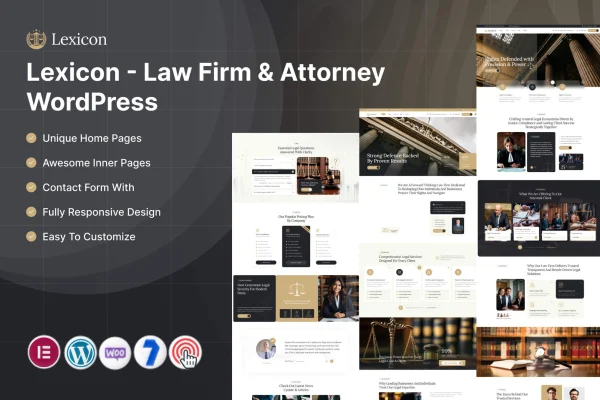
Lexicon is a WordPress theme built for law firms, attorneys and legal consultants. It gives you layouts and sections made for legal websites, so you can present practice areas, attorney profiles and client testimonials, then let visitors contact you or book appointments.
- Version
- 1.0
- Released
- Feb 11, 2025
- Developer
- ThemeMascot
- Type
- WordPress theme
- Requires
- Elementor
- Licence
- GPL
- Included in
- Every plan, or $3.99 on its own
What’s new in Lexicon 1.0
Version 1.0 · Feb 11, 2025
Latest
What it does
A general purpose theme leaves a law firm doing a lot of design work to make pages feel right for legal clients. This theme starts from the legal side, with layouts and sections already shaped around practice areas, attorney profiles and testimonials. It works with Elementor, so you build and edit pages with drag and drop tools and no coding. The design is responsive and retina ready, which means pages adapt to desktops, tablets and phones.
Beyond the core pages, the theme covers the other parts a practice site usually needs. Appointment booking and contact forms let prospective clients reach you directly. A blog lets you post legal insights and firm news. WooCommerce compatibility gives you the option to sell legal documents or consultations, and the theme is translation ready and works with WPML for multilingual sites. You can also pick from several header and footer styles to match your firm's branding.
Best for
- Law firms presenting several practice areas
- Solo attorneys building a professional website
- Legal consultants offering online bookings or documents
Features
Legal industry layouts
Tailored layouts and sections highlight legal services, practice areas and attorney profiles, giving a law firm site a ready structure from the start.
Practice area sections
Dedicated sections present each area of expertise clearly, so potential clients can see what your firm handles at a glance.
Attorney profiles
Profile layouts let you present each team member's qualifications and experience, helping visitors learn who they would be working with.
Appointment booking and contact forms
Built-in booking and contact forms let visitors schedule appointments and send inquiries directly through your website.
Drag and drop page building
Page builder integration with Elementor lets you create and modify pages with drag and drop tools, without writing any code.
Multiple header and footer styles
Choose from several professional header and footer layouts to give your firm's website a distinct look that fits your branding.
WooCommerce compatibility
If you want to sell legal documents, consultations or other services online, the theme works with WooCommerce for that purpose.
Translation ready with WPML
The theme is translation ready and compatible with WPML, so you can offer your site content in multiple languages.
Questions about Lexicon
Do I need a page builder to use this theme?
Yes, the theme requires Elementor. Its page builder integration gives you drag and drop tools to create and edit pages, so you can adjust layouts and content to match your firm's branding without coding.
Can clients book appointments through the site?
Yes. The theme includes appointment booking and contact forms, so prospective clients can schedule a meeting or send an inquiry directly from your website instead of calling or emailing separately.
Can I sell consultations or legal documents with Lexicon?
The theme is compatible with WooCommerce, which lets you sell items such as legal documents, consultations or other services online. This is optional, so you can skip it if your firm only needs an informational site.
Will it work for a multilingual law firm website?
Yes. The theme is translation ready and compatible with WPML, so you can offer your pages in more than one language and reach clients who prefer to read in their own language.
Is Lexicon free?
The code of Lexicon is licensed under the GPL, so anyone may use, change and share it. GPL Feast is a paid service: a plan or a single purchase gives you the download and automatic updates. The developer's own support, licence key and online services are not included.
Which version of Lexicon is this?
Version 1.0, released Feb 11, 2025. New versions appear here when the developer publishes them, and members get them as automatic updates.
How do I update Lexicon?
Install the free GPL Feast Updater on your site and connect it with your API key. It installs new versions of Lexicon automatically and keeps a backup, so you can roll back.
What does Lexicon need?
Lexicon needs Elementor installed and active.