Theme
Updated
Medikale
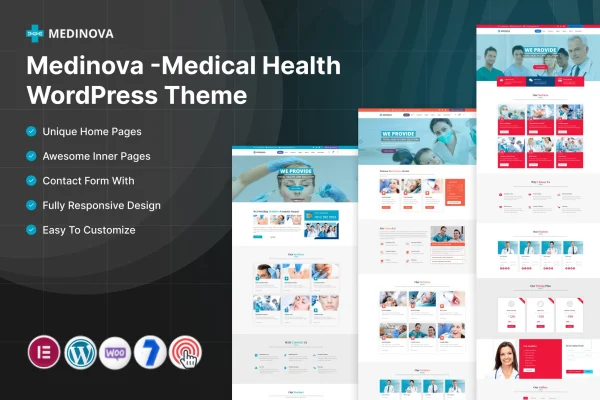
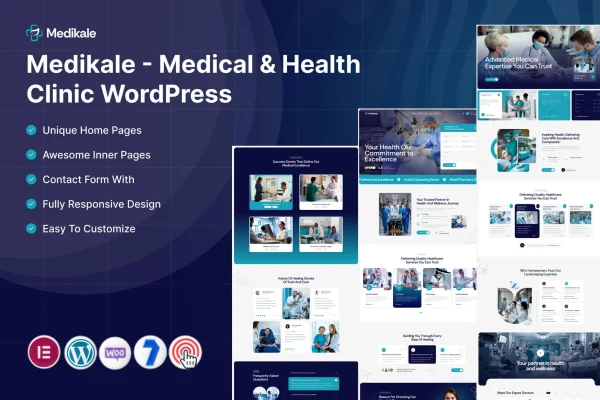
Medikale is a WordPress theme by ThemeMascot built for medical and health clinics. It gives clinics a clean, professional layout for presenting services, medical departments, doctors and patient testimonials, and it works with the Elementor page builder for editing layouts.
- Version
- 1.0
- Released
- Feb 11, 2025
- Developer
- ThemeMascot
- Type
- WordPress theme
- Requires
- Elementor
- Licence
- GPL
- Included in
- Every plan, or $3.99 on its own
What’s new in Medikale 1.0
Version 1.0 · Feb 11, 2025
Latest
What it does
Clinic websites need to answer a few practical questions quickly: what treatments are offered, who the doctors are and how to book a visit. This theme is organized around those needs. It includes layouts for medical departments, detailed service listings, doctor and staff profiles and a testimonials section, so visitors can move from learning about a treatment to reading about the people who provide it without hunting through menus.
The theme requires Elementor, and its drag and drop page builder compatibility lets clinic staff adjust page layouts without writing code. A responsive layout adapts to desktops, tablets and phones, and multiple header and footer styles give you options for navigation and branding. It suits a range of practices, from small family clinics to larger medical centers that need room for many departments and specialists.
Best for
- Small family practices and local health clinics
- Large medical centers with multiple departments
- Agencies building websites for healthcare clients
Features
Clean, professional design
A tidy, welcoming layout suited to healthcare, giving clinics a trustworthy look that presents their services and care in a clear, orderly way.
Customizable service pages
Build service pages with detailed descriptions of medical treatments and health services so patients can understand what your clinic offers before they get in touch.
Doctor and staff profiles
Introduce your team with profiles that list each person's credentials, specialties and biography, helping patients learn who will be treating them.
Medical department listings
Display your clinic's medical departments so visitors can see how your practice is organized and find the area of care they need.
Patient testimonials section
A dedicated section for displaying patient reviews, letting new visitors read about the experiences of people your clinic has already treated.
Appointment booking integration
Supports appointment booking through your website, giving patients a direct way to schedule a visit from the pages they are already browsing.
Responsive mobile layout
Pages adjust to desktops, tablets and smartphones, so patients can read about services and doctors comfortably on whatever device they use.
Multiple header and footer styles
Choose from several header and footer styles to match your clinic's branding and set up navigation that fits the structure of your site.
Questions about Medikale
Do I need Elementor to use this theme?
Yes. Medikale requires the Elementor plugin. Elementor provides the drag and drop editing that lets you adjust page layouts visually, so you can change pages without touching code.
Can I show profiles for each doctor at my clinic?
Yes. The theme includes doctor and staff profiles where you can list credentials, specialties and a biography for each team member. This helps patients get to know your practitioners before booking a visit.
Will the theme work for a clinic with many departments?
It is designed for clinics of different sizes, from small family practices to large medical centers. It includes layouts for displaying medical departments alongside detailed service listings, which suits practices offering many types of care.
Can patients book appointments through the site?
The theme supports appointment booking integration, so patients can schedule visits directly through your website. This sits alongside your service pages and doctor profiles, letting visitors book after reading about your care.
Is Medikale free?
The code of Medikale is licensed under the GPL, so anyone may use, change and share it. GPL Feast is a paid service: a plan or a single purchase gives you the download and automatic updates. The developer's own support, licence key and online services are not included.
Which version of Medikale is this?
Version 1.0, released Feb 11, 2025. New versions appear here when the developer publishes them, and members get them as automatic updates.
How do I update Medikale?
Install the free GPL Feast Updater on your site and connect it with your API key. It installs new versions of Medikale automatically and keeps a backup, so you can roll back.
What does Medikale need?
Medikale needs Elementor installed and active.