Theme
Updated
Metize
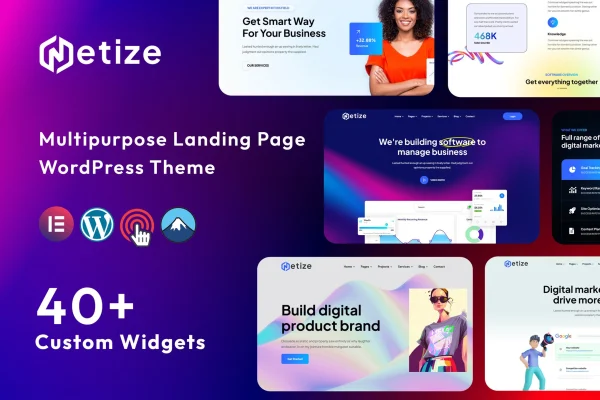
Metize is a WordPress theme built for landing pages. It gives startups, creative professionals and businesses pre-built layouts, a drag-and-drop page builder and styling controls, so you can put together a product launch page, portfolio or brand site without writing code.
- Version
- 1.0
- Released
- Apr 19, 2024
- Developer
- validthemes
- Type
- WordPress theme
- Licence
- GPL
- Included in
- Every plan, or $3.99 on its own
What’s new in Metize 1.0
Version 1.0 · Apr 19, 2024
Latest
What it does
A landing page has one job: present an offer, a product or a person clearly enough that visitors know what to do next. Building one from a blank WordPress install takes time, especially if you don't code. This theme gives you a head start with a set of pre-built templates aimed at startups, portfolios and product pages. You can import a full demo site and then replace the content with your own, which is often quicker than designing every section from scratch.
Customization happens through a drag-and-drop page builder, so you can rearrange sections and adjust layouts visually. Typography and color options let you match fonts and colors to your brand, and the responsive design adapts pages to desktops, tablets and phones. The theme is described as compatible with common WordPress plugins for contact forms, analytics and social media, so you can add those functions with the tools you already use. It fits single-purpose sites and campaign pages more than large multi-section business sites.
Best for
- Startups launching a product or service
- Freelancers and creatives building a portfolio site
- Marketers creating single product or campaign pages
Features
Drag-and-drop page builder
Arrange sections and build custom layouts visually, with no coding needed, so non-developers can shape each landing page to its goal.
Multiple pre-built layouts
Choose from a range of templates made for startups, portfolios and product pages, then adjust them to fit your brand.
One-click demo import
Bring in a full demo site in one step and use it as a starting point, editing the text, images and sections to suit your project.
Responsive design
Layouts adapt to different screen sizes, so your landing page displays properly on desktops, tablets and smartphones.
Typography and color controls
Set fonts and colors across the theme to give your pages a consistent look that matches your brand identity.
Works with common plugins
Designed to be compatible with popular WordPress plugins for contact forms, analytics and social media, so you can extend what your site does.
SEO-minded structure
The theme is built following common SEO practices for its page structure, giving you a clean base to add your own content and optimization.
Questions about Metize
Do I need coding skills to customize this theme?
No. Metize includes a drag-and-drop page builder, so you can rearrange sections and build layouts visually. Typography and color settings are also available without editing code, which makes it workable for site owners who aren't developers.
Can I start from a ready-made design instead of a blank page?
Yes. The theme offers a one-click demo import that brings in a complete demo site. You can also pick from multiple pre-built layouts aimed at startups, portfolios and product pages, then swap in your own content and branding.
Will my landing page look right on phones?
The theme uses a responsive design, so its layouts adjust to different screen sizes. Pages are meant to display properly on desktops, tablets and smartphones without you building separate mobile versions.
Can I add contact forms or analytics?
The theme is described as compatible with popular WordPress plugins for contact forms, analytics and social media. You add those functions through the plugins of your choice rather than through features built into the theme itself.
Is Metize free?
The code of Metize is licensed under the GPL, so anyone may use, change and share it. GPL Feast is a paid service: a plan or a single purchase gives you the download and automatic updates. The developer's own support, licence key and online services are not included.
Which version of Metize is this?
Version 1.0, released Apr 19, 2024. New versions appear here when the developer publishes them, and members get them as automatic updates.
How do I update Metize?
Install the free GPL Feast Updater on your site and connect it with your API key. It installs new versions of Metize automatically and keeps a backup, so you can roll back.