Theme
Updated
Mivaan
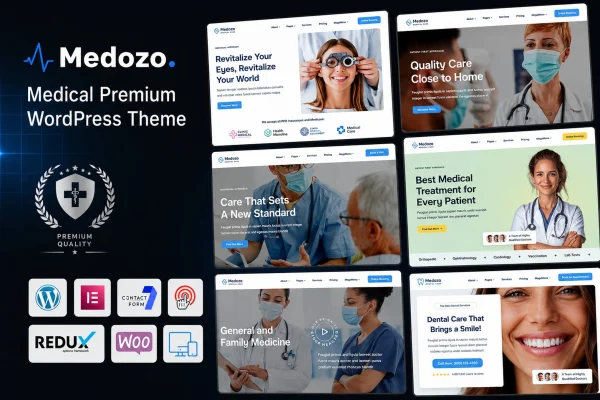
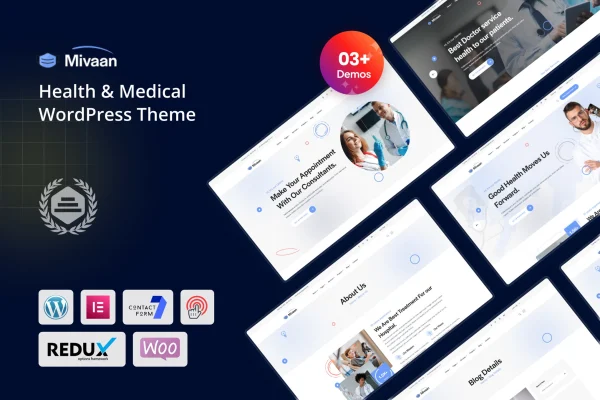
Mivaan is a WordPress theme designed for healthcare providers, clinics, dentists and medical professionals. It gives you a clean, professional design built with the Elementor page builder, plus demo content you can import in one click and then adjust to fit your practice.
- Version
- 1.0
- Developer
- shtheme
- Type
- WordPress theme
- Licence
- GPL
- Included in
- Every plan, or $3.99 on its own
What’s new in Mivaan 1.0.0
Version 1.0.0 · Oct 19, 2023
Latest
- NewFirst release.
What it does
Building a medical website from scratch takes time, and most clinics need the same basics: a clear way to present services, sections for patient testimonials, a place for appointment booking and room to share health information. This theme packs those pieces into a design made for the health and medical niche, so the site looks orderly and trustworthy to patients from the start. You can shape layouts and content without writing code, which suits practice owners and freelancers alike.
The theme works with Elementor, the drag-and-drop page builder, so you edit pages visually. A one-click demo importer loads pre-built content you can rework with your own text, images and branding. Layouts are responsive across desktops, tablets and phones, and graphics are retina ready for high-resolution screens. It is compatible with WooCommerce if you want to sell medical products or services, WPML for multilingual sites, and plugins such as Gravity Forms, BuddyPress, bbPress and WP EasyCart. Documentation is included.
Best for
- Medical clinics and hospitals building a professional website
- Dentists and independent health practitioners
- Freelancers and agencies creating sites for healthcare clients
Features
Design for medical sites
A clean, modern look made for clinics, hospitals, dentists and health professionals, with sections for services, testimonials and appointment booking.
Elementor page building
Edit layouts and content with the Elementor drag-and-drop builder, so you can change pages without touching code.
One-click demo import
Import the pre-built demo content in a single step, then replace the text and images with your own practice details.
Responsive and retina ready
Layouts adapt to desktops, tablets and smartphones, and visuals stay sharp on high-resolution screens.
WooCommerce compatibility
Set up an online store with WooCommerce to sell medical products or services directly from your healthcare website.
Multilingual with WPML
The theme supports WPML, so you can publish your site in more than one language for a wider patient base.
Works with popular plugins
Compatible with Gravity Forms, BuddyPress, bbPress and WP EasyCart, letting you add forms, community features, forums or a cart.
Questions about Mivaan
Do I need coding skills to customize this theme?
No. The theme is built to work with Elementor, a drag-and-drop page builder, so you can change layouts, text and images visually. The one-click demo importer also gives you a ready starting point that you edit instead of building every page yourself.
Can I take appointment bookings with Mivaan?
The theme's design includes appointment booking sections alongside testimonial and service areas. It is also compatible with Gravity Forms, which you can use for contact or request forms if you need more form options on your site.
Can I sell products or run a multilingual site?
Yes. The theme is compatible with WooCommerce, so you can set up a store for medical products or services. It also supports WPML for building a multilingual website, which helps if your patients speak different languages.
Will the site look right on phones and tablets?
The layouts are fully responsive, adjusting to desktops, tablets and smartphones. The theme is also retina ready, so images and graphics display crisply on high-resolution screens.
Is Mivaan free?
The code of Mivaan is licensed under the GPL, so anyone may use, change and share it. GPL Feast is a paid service: a plan or a single purchase gives you the download and automatic updates. The developer's own support, licence key and online services are not included.
Which version of Mivaan is this?
Version 1.0. New versions appear here when the developer publishes them, and members get them as automatic updates.
How do I update Mivaan?
Install the free GPL Feast Updater on your site and connect it with your API key. It installs new versions of Mivaan automatically and keeps a backup, so you can roll back.