Theme
Updated
Monji
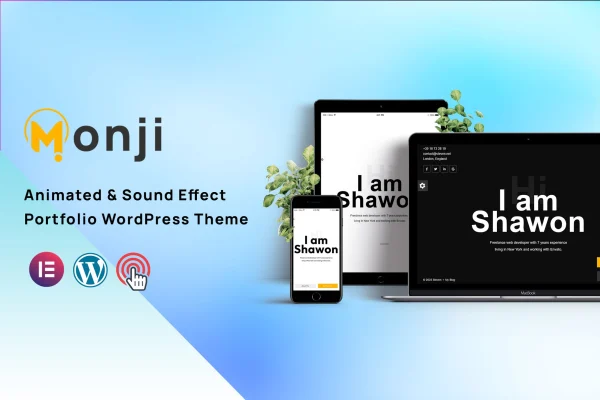
Monji is a personal portfolio WordPress theme built for creatives, freelancers and digital professionals. It gives you a minimal, modern layout with ready sections for services, projects, an about page and a blog, so you can present your work and skills in a clean, organized way.
- Version
- 1.0
- Developer
- validthemes
- Type
- WordPress theme
- Licence
- GPL
- Included in
- Every plan, or $3.99 on its own
What’s new in Monji 1.0
Version 1.0
Latest
What it does
A portfolio site has one main job: show who you are, what you do and what you have made, without clutter getting in the way. This theme takes a minimalist approach, keeping the design quiet so your projects and personal brand stay in front. It suits designers, photographers, artists, developers, programmers and small consultancies who need a professional web presence and would rather spend time on their work than on building layouts from scratch.
The theme works with the Elementor page builder, so you can adjust pages with drag and drop editing and no coding. It is built on the Bootstrap framework with a responsive, retina-ready layout that adapts to desktops, tablets and phones, and it is designed to display consistently across major browsers. Subscription and contact forms are included for gathering inquiries and growing an audience, and WPML compatibility lets you run the site in more than one language.
Best for
- Designers and photographers presenting visual portfolios
- Freelance developers and programmers marketing their services
- Small consultancies building a personal brand site
Features
Minimalist portfolio design
A clean, modern look that keeps attention on your projects and personal brand, with layouts that avoid visual distractions around your work.
Elementor compatibility
Edit pages with the Elementor drag and drop builder, changing content and layout visually without writing any code.
Ready-made content sections
Includes Services, About Us, Projects and Blog pages, giving you a structure for presenting your work, your story and your offerings.
Subscription and contact forms
Built-in subscription and contact forms let visitors reach out or sign up, helping you collect inquiries and build an audience.
Responsive and retina-ready
The layout adapts to different screen sizes and high resolution displays, so your portfolio looks sharp on desktops and smartphones alike.
Multilingual with WPML
Compatible with the WPML translation plugin, so you can create a multilingual version of your site for visitors in other languages.
Bootstrap foundation
Built on the Bootstrap framework, which provides a mobile-first base for the theme's layout and responsive behavior.
Cross-browser compatibility
Designed to display and behave consistently across all major web browsers, so visitors see the same portfolio wherever they browse.
Questions about Monji
Can I customize Monji without knowing how to code?
Yes. The theme is compatible with the Elementor page builder, which lets you edit layouts and content with drag and drop controls. That means you can rearrange sections, change text and swap images visually instead of editing code.
What pages and sections does the theme include?
It includes sections for Services, About Us, Projects and a Blog. Together these cover the usual needs of a portfolio site: explaining what you offer, telling your story, displaying past work and publishing articles or updates.
Can visitors contact me or subscribe through the site?
Yes. The theme comes with working contact and subscription forms. Visitors can send inquiries directly from your site or sign up to hear from you, which is useful for freelancers looking for new clients.
Does the theme support multiple languages?
The theme is compatible with WPML, a translation plugin for WordPress. With WPML in place, you can build a multilingual version of your portfolio and serve content to visitors in different languages.
Is Monji free?
The code of Monji is licensed under the GPL, so anyone may use, change and share it. GPL Feast is a paid service: a plan or a single purchase gives you the download and automatic updates. The developer's own support, licence key and online services are not included.
Which version of Monji is this?
Version 1.0. New versions appear here when the developer publishes them, and members get them as automatic updates.
How do I update Monji?
Install the free GPL Feast Updater on your site and connect it with your API key. It installs new versions of Monji automatically and keeps a backup, so you can roll back.