Theme
Updated
Mrigon
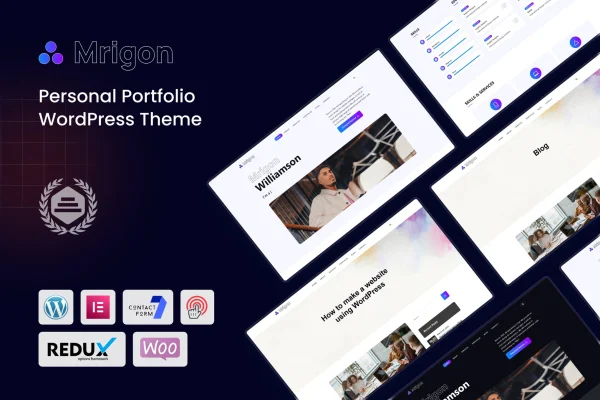
Mrigon is a personal portfolio WordPress theme for people who want to present their work, resume or personal brand online. It is built with the Elementor page builder on a Bootstrap foundation, and it includes a one-click demo importer and a dark mode design option.
- Version
- 1.0
- Developer
- shtheme
- Type
- WordPress theme
- Licence
- GPL
- Included in
- Every plan, or $3.99 on its own
What’s new in Mrigon 1.0.0
Version 1.0.0 · May 26, 2023
Latest
- NewFirst release.
What it does
Putting together a portfolio site from scratch takes time, especially if you want it to look polished on phones as well as desktops. Mrigon gives freelancers, designers, photographers and other creative professionals a ready-made starting point. You import the demo content with one click, then swap in your own projects, skills and resume details. Because the layouts are built with Elementor, you can rearrange sections and change the design with drag and drop instead of writing code.
The theme is responsive and retina ready, and it offers a dark mode friendly design for visitors who prefer darker screens. Under the hood it uses the Bootstrap framework and ships with CSS, JS, HTML, LESS and SASS files, so developers have room to adjust styling. It is listed as compatible with WooCommerce, WPML, Gravity Forms, BuddyPress, bbPress, Easy Digital Downloads and WP Easycart, which lets you add a small shop, multilingual content or community features alongside your portfolio.
Best for
- Freelancers presenting projects and services
- Designers and photographers building an online portfolio
- Professionals who want an online resume site
Features
Elementor page building
Layouts are built with the Elementor page builder, so you can edit and rearrange your portfolio pages with drag and drop and no coding.
One-click demo importer
Import the pre-built demo content in one step to get a complete portfolio layout you can then customize with your own work.
Dark mode friendly design
Includes a dark theme option that gives your site a darker look, which can be easier on visitors browsing in low light.
Responsive and retina ready
Pages adapt to desktops, tablets and smartphones, and graphics are prepared for high resolution retina screens.
Bootstrap framework base
The theme is built on the Bootstrap framework, giving it a familiar, flexible structure for layout and front-end development.
Developer source files
Comes with CSS, JS, HTML, LESS and SASS files, giving developers more control when adjusting styles and customizing the theme.
Wide plugin compatibility
Works with WooCommerce, WPML, Gravity Forms, BuddyPress, bbPress, Easy Digital Downloads and WP Easycart for shops, translations, forms and communities.
Questions about Mrigon
Can I build my portfolio without knowing how to code?
Yes. Mrigon is built with the Elementor page builder, so you edit pages with drag and drop. You can also start from the demo content using the one-click importer and replace the text and images with your own.
Can I sell products from my portfolio site?
The theme is listed as compatible with WooCommerce, Easy Digital Downloads and WP Easycart. That means you can add a small online store for physical goods or digital products next to your portfolio pages.
Does the theme support a dark look?
Yes. Mrigon includes a dark mode friendly design option, giving your portfolio a darker appearance that suits visitors browsing in low-light settings and creative work that looks good on dark backgrounds.
Can I run a multilingual portfolio with this theme?
The theme is listed as compatible with WPML, a plugin used for translating WordPress sites. With it, you can offer your portfolio and resume content in more than one language.
Is Mrigon free?
The code of Mrigon is licensed under the GPL, so anyone may use, change and share it. GPL Feast is a paid service: a plan or a single purchase gives you the download and automatic updates. The developer's own support, licence key and online services are not included.
Which version of Mrigon is this?
Version 1.0. New versions appear here when the developer publishes them, and members get them as automatic updates.
How do I update Mrigon?
Install the free GPL Feast Updater on your site and connect it with your API key. It installs new versions of Mrigon automatically and keeps a backup, so you can roll back.