
Theme
Updated
Nashville
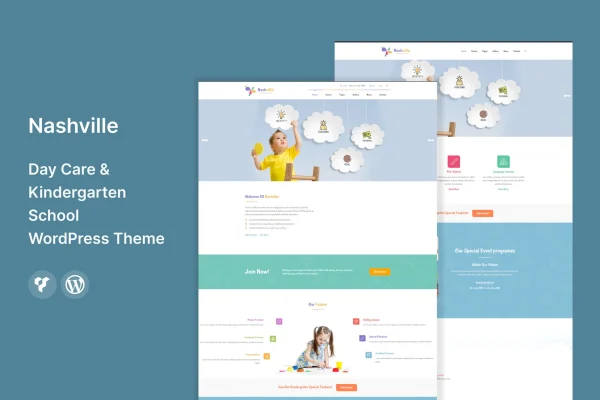
Nashville is a WordPress theme built for daycares, kindergartens and early childhood education centers. It gives your school a colorful, friendly website where parents can find your programs, meet your teachers, check upcoming events and send enrollment questions.
- Version
- 1.4
- Released
- Aug 13, 2024
- Developer
- template_path
- Type
- WordPress theme
- Licence
- GPL
- Included in
- Every plan, or $3.99 on its own
What’s new in Nashville 1.4
Version 1.4 · Aug 13, 2024
Latest
What it does
Parents researching childcare want clear answers fast: what programs you run, who teaches their kids and how to get in touch. This theme is laid out around those questions. It has dedicated sections for staff and services, so you can introduce your teachers and describe each daycare program, plus space to promote activities, holidays and classes. Contact forms give families a simple way to ask about enrollment or reach your team without hunting for a phone number.
The design is bright and playful, suited to a center that wants to feel warm and approachable while still looking trustworthy. You can change colors, fonts and layouts without writing code, and Google Fonts and icon support give you plenty of typography and visual options. The layout is responsive, so pages adjust to desktops, tablets and phones. Because the theme is translation ready, it also works for centers that serve families in more than one language.
Best for
- Daycare centers that want a friendly, colorful website
- Kindergartens and preschools presenting teachers and programs
- Freelancers building sites for early childhood education clients
Features
Playful early learning design
A colorful, cheerful look made for daycares and kindergartens, aimed at feeling welcoming to parents and children alike.
Customization without code
Adjust colors, fonts and layouts through the theme's options so the site matches your center's branding and educational approach.
Staff and services sections
Dedicated areas let you introduce your teachers and describe the different daycare programs you offer, helping parents learn who will care for their kids.
Event promotion
Promote upcoming activities, holidays and classes so parents stay informed about what is happening at your center.
Contact forms for inquiries
Built-in contact forms give families an easy way to send enrollment questions and other messages to your staff.
Responsive layout
Pages adapt to desktops, tablets and smartphones, so parents can browse your site on whatever device they have at hand.
Google Fonts and icons
Choose from a wide range of Google Fonts and icons to style headings, text and section graphics to suit your site.
Translation ready
The theme supports translation, so you can publish your content in the languages spoken by the families in your community.
Questions about Nashville
Can I show my teachers and programs on the site?
Yes. The theme includes dedicated sections for staff and services, so you can introduce your teachers and list the daycare programs you run. This gives parents a clear picture of who works with their children and what each program covers.
Will I need to know code to change the design?
No. The theme lets you customize colors, fonts and layouts without coding. You can also pick from Google Fonts and a set of icons to match your center's branding.
Does it work on phones and tablets?
Yes. The layout is responsive, so your pages adjust to desktops, tablets and smartphones. That matters for busy parents who often check schedules and event details from their phones.
Can I run my site in another language?
The theme is translation ready, which means you can translate it and publish content in the languages your families use. This is helpful for centers serving multilingual or diverse communities.
Is Nashville free?
The code of Nashville is licensed under the GPL, so anyone may use, change and share it. GPL Feast is a paid service: a plan or a single purchase gives you the download and automatic updates. The developer's own support, licence key and online services are not included.
Which version of Nashville is this?
Version 1.4, released Aug 13, 2024. New versions appear here when the developer publishes them, and members get them as automatic updates.
How do I update Nashville?
Install the free GPL Feast Updater on your site and connect it with your API key. It installs new versions of Nashville automatically and keeps a backup, so you can roll back.






