Theme
Updated
Olyve
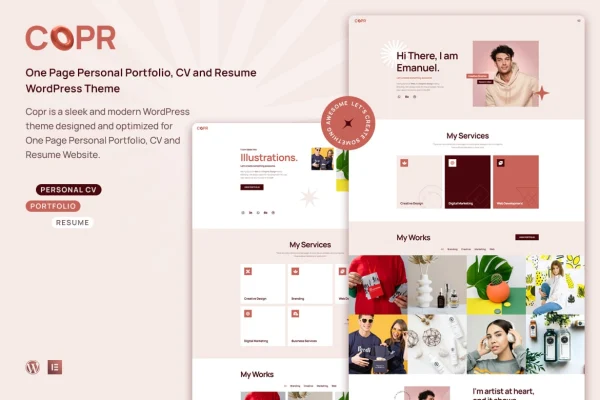
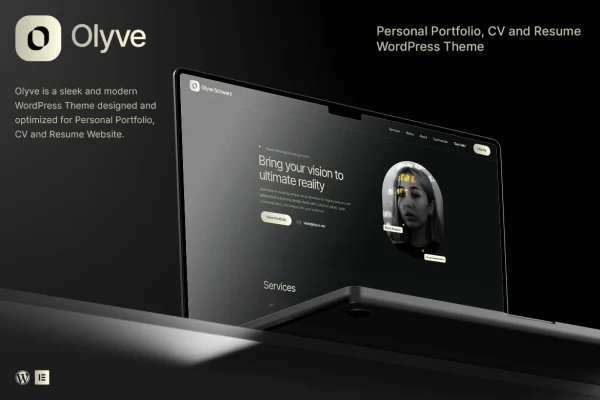
Olyve is a personal portfolio WordPress theme built for creatives who want a clean place to present their work. It gives freelancers, artists, photographers and designers customizable layouts, filterable project galleries and blog styles, all arranged without writing code.
- Version
- 1.2.2
- Released
- Nov 5, 2025
- Developer
- tansh
- Type
- WordPress theme
- Licence
- GPL
- Included in
- Every plan, or $3.99 on its own
What’s new in Olyve 1.2.2
Version 1.2.2 · Nov 5, 2025
Latest
- NewPost Grid Element
What it does
A portfolio site needs to put your projects front and center and let visitors find the kind of work they care about. This theme handles that with a portfolio section that uses animated galleries and category filters, so a visitor can jump straight to branding work, photography or whatever categories you set up. A clean layout keeps the focus on the projects themselves, and a responsive design adapts the pages to desktops, tablets and phones.
Setup starts with a one-click demo import, which brings in pre-designed demos you can then adjust. From there, a drag-and-drop builder lets you add and rearrange content blocks, and multiple layout options help you match the site to your own style. A post grid element and several blog layouts cover writing and updates, while social links and share buttons connect the site to your profiles. It suits a solo creative who wants a personal site that is quick to get running.
Best for
- Freelance designers presenting client work
- Artists and photographers building a personal gallery site
- Creatives who want a portfolio plus a blog
Features
Portfolio with category filters
Present projects in animated galleries with category filters, so visitors can sort your work and browse only the types of projects they want to see.
Multiple layout options
Choose from several layouts and customize them to fit your creative style and personal brand, without needing any coding knowledge.
Drag-and-drop builder
Create and arrange content blocks visually by dragging them into place, which makes building and reorganizing pages straightforward for non-coders.
One-click demo import
Import pre-designed demos in one step to get a working site structure in place, then swap in your own projects, text and images.
Blog layouts and post grid
Pick from multiple blog styles and use the post grid element to display articles and updates alongside your portfolio in a tidy grid.
Social links and sharing
Add social media links and share buttons directly on your site so visitors can follow your profiles and pass your work along.
Responsive design
Pages adjust to desktops, tablets and smartphones, and the theme is built for a consistent look across major web browsers.
Olyve older versions
- 1.0.7Feb 11, 20253 improvements, 1 fix
Members and buyers of this product can download older versions.
Questions about Olyve
Can visitors filter my projects by type?
Yes. The portfolio section supports category filters along with animated galleries, so you can group projects into categories and let visitors narrow the view to the kind of work they are interested in.
Do I need to know how to code to customize it?
No. The theme includes a drag-and-drop builder for creating and arranging content blocks, plus multiple layout options you can customize, so you can shape the site without editing code.
Is there a quick way to get a starting design?
Olyve includes a one-click demo import that brings in pre-designed demos. You can import one as a starting point and then replace the sample content with your own projects and text.
Can I run a blog on the same site?
Yes. The theme offers multiple blog layouts and a post grid element, so you can publish articles or updates and display them in a grid as part of your portfolio site.
Is Olyve free?
The code of Olyve is licensed under the GPL, so anyone may use, change and share it. GPL Feast is a paid service: a plan or a single purchase gives you the download and automatic updates. The developer's own support, licence key and online services are not included.
Which version of Olyve is this?
Version 1.2.2, released Nov 5, 2025. New versions appear here when the developer publishes them, and members get them as automatic updates.
How do I update Olyve?
Install the free GPL Feast Updater on your site and connect it with your API key. It installs new versions of Olyve automatically and keeps a backup, so you can roll back.