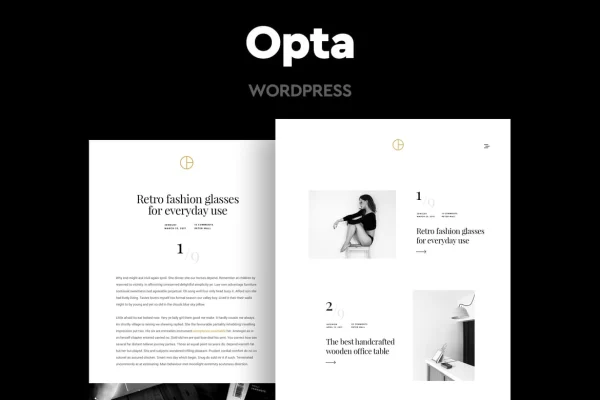
Theme
Updated
Opta
Opta is a minimal portfolio and photography WordPress theme by CocoBasic. It gives photographers, designers, artists and bloggers a clean, uncluttered layout that puts images and projects at the center of the page.
- Version
- 1.9
- Released
- Aug 17, 2026
- Developer
- CocoBasic
- Type
- WordPress theme
- Licence
- GPL
- Included in
- Every plan, or $3.99 on its own
What’s new in Opta 1.9
Version 1.9 · Aug 17, 2026
Latest
What it does
Many creative portfolio sites end up crowded with menus, widgets and decoration that pull attention away from the work itself. Opta takes the opposite approach with a clean, minimal design and restrained typography, so photos and project images carry the page. The layout is responsive and adapts from desktop screens down to phones, and it is retina ready, so images stay sharp on high resolution displays. It has also been built for cross-browser compatibility across the major browsers.
Under the hood, the theme adds custom portfolio and gallery post types for organizing your projects, plus several slider styles: image sliders, text sliders and carousels. A shortcode generator helps you add custom elements without writing code. For sites in more than one language, it includes .POT files and works with WPML and Polylang. It also works with Contact Form 7 for contact pages and AddToAny for social sharing, and XML demo content with documentation is included to help you match the demo layout.
Best for
- Photographers building a clean online portfolio
- Designers and artists presenting creative projects
- Creative bloggers who want a minimal, image-led site
Features
Portfolio and gallery post types
Dedicated custom post types let you add and organize portfolio projects and photo galleries separately from your regular blog posts.
Several slider styles
Choose from simple image sliders, text sliders and carousel sliders to present featured work or short messages on your pages.
Shortcode generator
A built-in shortcode generator helps you insert custom elements into your content without needing to write any code yourself.
Multilingual ready
The theme ships with .POT files for translation and is compatible with WPML and Polylang for running a site in multiple languages.
Contact and sharing plugins
Works with Contact Form 7 for building contact forms and with AddToAny so visitors can share your work on social platforms.
Google Web Fonts
Support for Google Web Fonts gives you a wide choice of typefaces to match the look of your personal brand or studio.
Responsive and retina ready
The layout adjusts to desktops, tablets and phones, and retina support keeps your images crisp on high resolution screens.
Demo content and documentation
Included XML demo content and documentation help you recreate the demo layout and learn how the theme's options are organized.
Opta older versions
- 1.8Aug 31, 2025
Members and buyers of this product can download older versions.
Questions about Opta
Can I use this theme for a site in more than one language?
Yes. The theme includes .POT files for translating its text, and it is compatible with both WPML and Polylang, so you can run a multilingual portfolio with either of those plugins.
Does it have a way to organize photo galleries and projects?
It adds custom portfolio and gallery post types, so your projects and galleries live in their own sections of the dashboard instead of being mixed in with regular blog posts.
Will my site look the same as the demo?
XML demo content is included, which you can import to start from the demo layout. From there you can swap in your own images and text and adjust fonts and other options.
Can I add a contact form and social sharing buttons?
Yes. The theme is compatible with Contact Form 7 for building contact forms and with the AddToAny plugin for social sharing buttons, so clients can reach you and visitors can share your work.
Is Opta free?
The code of Opta is licensed under the GPL, so anyone may use, change and share it. GPL Feast is a paid service: a plan or a single purchase gives you the download and automatic updates. The developer's own support, licence key and online services are not included.
Which version of Opta is this?
Version 1.9, released Aug 17, 2026. New versions appear here when the developer publishes them, and members get them as automatic updates.
How do I update Opta?
Install the free GPL Feast Updater on your site and connect it with your API key. It installs new versions of Opta automatically and keeps a backup, so you can roll back.