Theme
Updated
PIMP
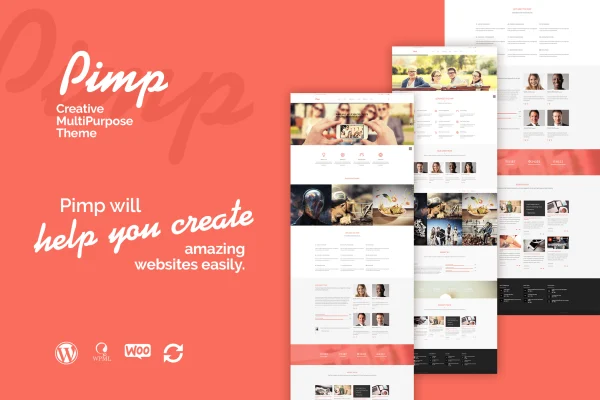
PIMP - Creative MultiPurpose Theme is a WordPress theme by themeton built for creatives, businesses, agencies and bloggers. It pairs a drag-and-drop page builder with prebuilt layouts and LESS styling, so you can shape portfolios, corporate sites or online stores without writing code.
- Version
- 1.7
- Developer
- themeton
- Type
- WordPress theme
- Licence
- GPL
- Included in
- Every plan, or $3.99 on its own
What’s new in PIMP 1.7
Version 1.7
Latest
What it does
A multipurpose theme is useful when one site needs to do several jobs, or when you build different kinds of sites for clients. This theme gives you a drag-and-drop page builder with 33 elements and more than 15 prebuilt layouts, so you can start from a ready structure and adjust it. Content tools cover blog layouts, portfolio and service sections, image sliders with device frames, accordions, carousels, counters and progress bars.
Styling runs on LESS, and changes compile when you save a page, which keeps visual tweaks quick to check. The layout is responsive and retina ready for phones, tablets and desktops. It works with WooCommerce for selling products, WPML for multilingual sites, and WPBakery Page Builder (Visual Composer), and it is built on the Bootstrap framework. Audio and video can come from YouTube, Vimeo, SoundCloud or your own hosting.
Best for
- Designers and creatives building portfolio sites
- Agencies and businesses needing a corporate website
- Bloggers or shops wanting WooCommerce and multilingual options
Features
Drag-and-drop page builder
Build pages visually with 33 content elements and more than 15 prebuilt layouts, so you can assemble a site without touching code.
LESS styling on save
Adjust the visual style through LESS, with changes compiled automatically when you save a page so you can check results right away.
Responsive and retina ready
Layouts adapt to smartphones, tablets and desktops, and graphics are prepared for high-resolution retina screens.
Plugin compatibility
Works with WooCommerce for online stores, WPML for multilingual content, and WPBakery Page Builder (Visual Composer), on top of the Bootstrap framework.
Portfolio and service elements
Present creative work and business services with several layout options for portfolio and service sections.
Multimedia embeds
Add audio and video from YouTube, Vimeo or SoundCloud, or use self-hosted files, to bring media into your pages.
Library of 550 icons
Choose from over 550 vector icons to mark sections, highlight information and add visual cues across your layouts.
Varied content blocks
Use blog layouts, image sliders with device frames, accordions, carousels, counters and progress bars to organize page content.
Questions about PIMP
Can I use this theme to run an online store?
Yes. The theme is compatible with WooCommerce, so you can add product listings and a shop to your site while keeping the same design and page builder tools for the rest of your pages.
Do I need to know how to code to build pages?
No. The drag-and-drop page builder includes 33 elements and over 15 prebuilt layouts, letting you build and arrange pages visually. LESS styling is available if you want deeper control over the look.
Does it support multilingual websites?
It is compatible with WPML, the multilingual plugin for WordPress, so you can translate your content and offer the site in more than one language.
What kinds of media can I add to pages?
You can embed audio and video from YouTube, Vimeo and SoundCloud or use self-hosted files. There are also image sliders with device frames, carousels and more than 550 vector icons.
Is PIMP free?
The code of PIMP is licensed under the GPL, so anyone may use, change and share it. GPL Feast is a paid service: a plan or a single purchase gives you the download and automatic updates. The developer's own support, licence key and online services are not included.
Which version of PIMP is this?
Version 1.7. New versions appear here when the developer publishes them, and members get them as automatic updates.
How do I update PIMP?
Install the free GPL Feast Updater on your site and connect it with your API key. It installs new versions of PIMP automatically and keeps a backup, so you can roll back.