Theme
Updated
Pullingo
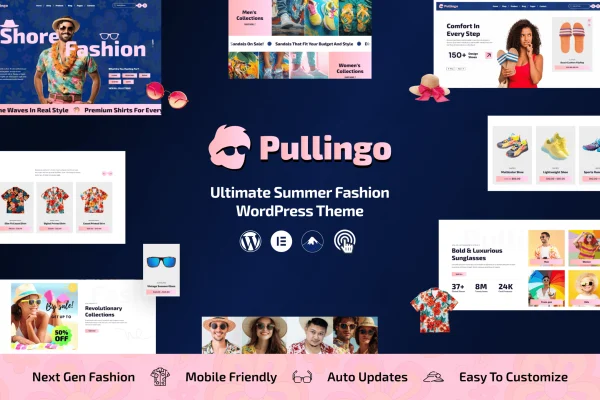
Pullingo is a multipurpose WooCommerce theme for building online stores. It gives you a clean, modern layout, a set of pre-built demo designs and customization options, so you can shape a shop around your products and brand without writing code.
- Version
- 1.0.6
- Released
- Jul 11, 2026
- Developer
- venusweb
- Type
- WordPress theme
- Licence
- GPL
- Included in
- Every plan, or $3.99 on its own
What’s new in Pullingo 1.0.6
Version 1.0.6
Latest
- ImprovedCompatible: Latest WordPress Version
- ImprovedCompatible: Latest Elementor Version
- FixedBugs updated
What it does
Setting up an online store means getting product pages, navigation and branding right before you sell anything. This theme handles that groundwork by pairing WooCommerce with ready-made demo layouts you can import in one click. Pick a demo that fits your shop, bring in its content, and then adjust the design to suit your brand. The layout is responsive, so the store adapts to desktops, tablets and phones.
Customization runs through a drag-and-drop builder and theme options, with separate controls for the header and footer so you can set your logo, menus and site-wide links. Shoppers get product filters for categories, price, ratings and other specifications, which helps on larger catalogs. It also supports right-to-left languages and multilingual setups, and it suits shops ranging from fashion boutiques to tech gadget stores and multivendor marketplaces.
Best for
- Fashion boutiques and apparel shops on WooCommerce
- Tech and gadget stores with large product catalogs
- Multivendor marketplaces and multilingual or RTL-language stores
Features
WooCommerce integration
Built to work with WooCommerce, so you can manage products and handle payments through the plugin most WordPress stores already rely on.
Multiple pre-built layouts
A range of modern demo templates gives you a starting design for your store, which you can then adjust to match your brand.
One-click demo import
Replicate any of the demo versions in a single step to get a working store structure in place before you add your own products.
Drag-and-drop customization
A drag-and-drop builder and customizable options let you change the look of your store pages without any coding skills.
Advanced product filters
Customers can narrow your catalog by categories, price, ratings and other specifications, making it easier to find the right product.
Customizable header and footer
Adjust the header and footer to set your branding, menus and navigation links across every page of the store.
Responsive design
Layouts adapt to screens of all sizes, from desktop monitors to smartphones, so shoppers can browse and buy on any device.
RTL and multi-language support
Compatible with right-to-left languages and multilingual setups, which suits stores selling to customers in more than one language.
Pullingo older versions
- 1.0.3Dec 12, 20241 improvement, 1 fix
Members and buyers of this product can download older versions.
Questions about Pullingo
Does this theme require WooCommerce?
The theme is built around WooCommerce and uses it for product management and payment processing. If you plan to sell products, you will need WooCommerce running alongside the theme to get the store features.
Can I customize the design without knowing how to code?
Yes. Pullingo includes a drag-and-drop builder and customizable options, plus separate controls for the header and footer. You can change layouts, branding and navigation without editing any code.
Will it work for a store in Arabic or another right-to-left language?
The theme supports right-to-left languages and multilingual setups. That makes it a reasonable fit for stores serving customers who read RTL scripts or for shops offering content in several languages.
What kinds of stores is it suited for?
It is a multipurpose theme, so it adapts to many niches. The description mentions boutique fashion stores, tech gadget shops and multivendor marketplaces, and the multiple demo layouts give you different starting points for each.
Is Pullingo free?
The code of Pullingo is licensed under the GPL, so anyone may use, change and share it. GPL Feast is a paid service: a plan or a single purchase gives you the download and automatic updates. The developer's own support, licence key and online services are not included.
Which version of Pullingo is this?
Version 1.0.6, released Jul 11, 2026. New versions appear here when the developer publishes them, and members get them as automatic updates.
How do I update Pullingo?
Install the free GPL Feast Updater on your site and connect it with your API key. It installs new versions of Pullingo automatically and keeps a backup, so you can roll back.
More from venusweb