Theme
Updated
Saasten
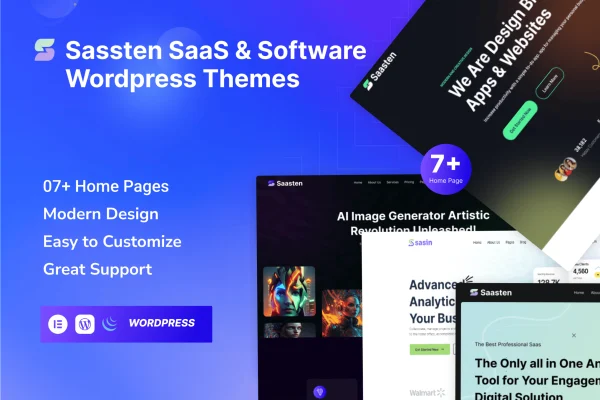
Saasten is a WordPress theme built for SaaS and software businesses. It gives you a clean, modern layout for landing pages that present your app, features, pricing and services. It suits software developers and tech startups who want a professional product site without writing code.
- Version
- 1.0
- Released
- Aug 13, 2024
- Developer
- ThemeDox
- Type
- WordPress theme
- Licence
- GPL
- Included in
- Every plan, or $3.99 on its own
What’s new in Saasten 1.0
Version 1.0 · Aug 13, 2024
Latest
What it does
Software companies often need a site that explains a product clearly: what it does, what it costs and why people trust it. Building those pages from scratch takes time. This theme starts you off with a clean, modern design and ready-made sections for the things a SaaS page usually needs, such as call-to-action areas, pricing tables, feature blocks, testimonials, team profiles, an FAQ and a contact form.
The layout is responsive, so pages adapt to desktops, tablets and phones. Theme options let you change colors, fonts and layouts without touching code, which helps you match the site to your brand. Saasten also works with Elementor and WooCommerce, so you can build pages visually and add store features if your product needs them. It fits app launches, software promotion pages and general startup websites.
Best for
- SaaS companies launching or promoting a product
- Software developers building app landing pages
- Tech startups needing a professional company website
Features
Clean, modern design
A tidy, professional look suited to software products, with layouts that keep your features and services clear and easy for visitors to read.
Responsive layout
Pages adjust to desktops, tablets and smartphones, so visitors can browse your product site comfortably on whatever device they use.
Theme options for styling
Adjust colors, fonts and layouts through the theme options to match your brand identity, with no coding knowledge required.
Pricing and call-to-action sections
Built-in pricing tables, call-to-action areas and feature sections give you the standard building blocks of a SaaS landing page.
Pre-built content blocks
Ready-to-use blocks for testimonials, team profiles, FAQ and contact forms help you assemble supporting pages faster.
Elementor compatibility
The theme supports Elementor, so you can edit and arrange your pages visually with a page builder you may already know.
WooCommerce support
Compatibility with WooCommerce lets you add shop features to your site if you want to sell products or plans directly.
Questions about Saasten
Can I build a pricing page for my software with this theme?
Yes. The theme includes pricing table sections along with call-to-action areas and feature blocks, so you can lay out plans and the reasons to choose them on a landing page.
Do I need to know how to code to customize it?
No. The theme options let you change colors, fonts and layouts without coding. It also supports Elementor, so you can edit page content visually with a page builder.
Will the site look right on phones and tablets?
The layout is responsive, so pages adapt to desktops, tablets and smartphones. Visitors get a layout sized for their screen whichever device they use to view your product.
Which sections come ready to use?
Saasten includes pre-built blocks for testimonials, team profiles, FAQ and contact forms, plus pricing tables, feature sections and call-to-action areas common on SaaS websites.
Is Saasten free?
The code of Saasten is licensed under the GPL, so anyone may use, change and share it. GPL Feast is a paid service: a plan or a single purchase gives you the download and automatic updates. The developer's own support, licence key and online services are not included.
Which version of Saasten is this?
Version 1.0, released Aug 13, 2024. New versions appear here when the developer publishes them, and members get them as automatic updates.
How do I update Saasten?
Install the free GPL Feast Updater on your site and connect it with your API key. It installs new versions of Saasten automatically and keeps a backup, so you can roll back.