
Theme
Updated
Saasweb
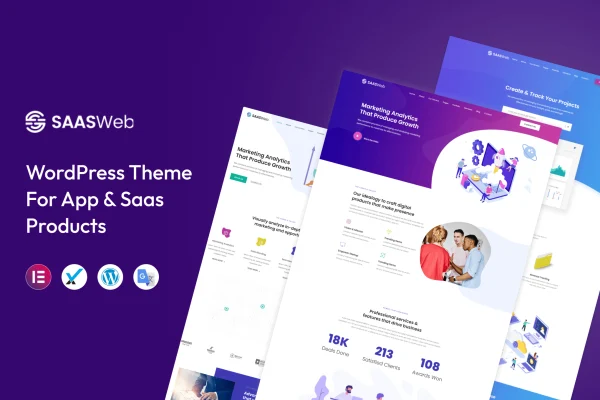
Saasweb is a WordPress theme built for app developers and SaaS product companies that need a clean, modern website. It gives you customizable templates, multiple homepage and inner page layouts, and a responsive design so you can present your product clearly on any screen.
- Version
- 2.9
- Released
- Apr 19, 2024
- Developer
- template_path
- Type
- WordPress theme
- Licence
- GPL
- Included in
- Every plan, or $3.99 on its own
What’s new in Saasweb 2.9
Version 2.9 · Apr 19, 2024
Latest
What it does
Software teams often need a site that explains a product, highlights its features and looks polished, without spending weeks on custom design. This theme is aimed squarely at that job. It ships with templates and layouts shaped around app and SaaS presentation, so you start from pages that already fit the kind of content you plan to publish. You then adjust the layouts to match your brand and point visitors toward the product features that matter most to you.
The theme uses simplified customization panels and straightforward controls, which makes it practical for people who are not developers to set up and maintain the site. Layouts adapt to desktops, tablets and phones, and the graphics are retina-ready for sharp display on high-resolution screens. It works with popular plugins including WooCommerce, Contact Form 7 and WPML, so you can add a shop, contact forms or multilingual content as your site grows. It is built with clean code.
Best for
- SaaS companies building a product marketing website
- Mobile app developers presenting a new or existing app
- Freelancers and agencies creating sites for software clients
Features
Customizable templates
Tailor the included templates to your brand identity and give prominent space to the product features you want visitors to notice first.
Multiple homepage layouts
Choose from several homepage designs and inner page layouts to structure your content the way you want and keep navigation clear.
Responsive design
Pages adjust to desktops, tablets and smartphones, so your product pages stay readable and usable on whatever device a visitor uses.
Retina-ready graphics
Graphics and modern design elements are prepared for high-resolution screens, keeping visuals crisp on retina displays and newer phones.
WooCommerce compatibility
The theme works with WooCommerce, letting you add a store to sell products or subscriptions alongside your app or SaaS marketing pages.
Contact Form 7 and WPML support
Add contact or inquiry forms with Contact Form 7 and translate your site into other languages using WPML.
Simple customization panels
Simplified panels and clear controls let non-developers change settings, adjust layouts and keep the site maintained over time.
Questions about Saasweb
Is this theme only for SaaS companies?
It is designed for app developers and SaaS product companies, and its templates are shaped around presenting software products. The layouts are customizable, so you can adapt them to related tech businesses, but the overall design is focused on app and SaaS promotion.
Can I sell products on a site built with Saasweb?
Yes. The theme is compatible with WooCommerce, so you can add a store to your site. This lets you sell items or plans alongside the marketing pages that explain your app or SaaS product.
Does it support multilingual websites?
The theme works with WPML, a popular plugin for translating WordPress sites. With WPML in place, you can offer your product pages in more than one language for an international audience.
Do I need coding skills to customize it?
No coding is required for typical changes. The theme provides simplified customization panels and clear controls intended for non-developers, so you can adjust layouts, match your branding and maintain the site yourself.
Is Saasweb free?
The code of Saasweb is licensed under the GPL, so anyone may use, change and share it. GPL Feast is a paid service: a plan or a single purchase gives you the download and automatic updates. The developer's own support, licence key and online services are not included.
Which version of Saasweb is this?
Version 2.9, released Apr 19, 2024. New versions appear here when the developer publishes them, and members get them as automatic updates.
How do I update Saasweb?
Install the free GPL Feast Updater on your site and connect it with your API key. It installs new versions of Saasweb automatically and keeps a backup, so you can roll back.






