
Theme
Updated
Sinco
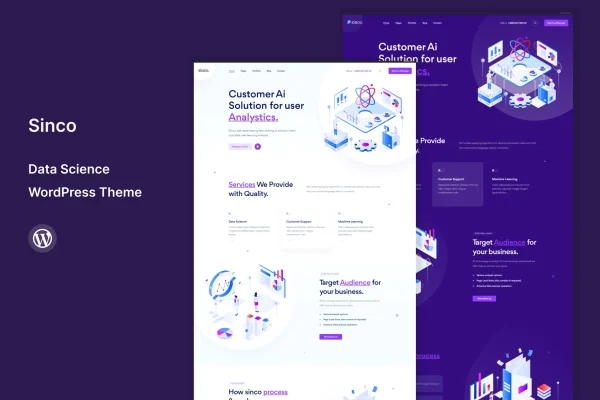
Sinco is a WordPress theme built for data science professionals, analysts and tech enthusiasts. It gives you a modern, professional layout for presenting projects, case studies, technical skills and blog posts, so you can run a personal portfolio, a writing-focused blog or a company website from one design.
- Version
- 1.5
- Released
- Aug 13, 2024
- Developer
- template_path
- Type
- WordPress theme
- Licence
- GPL
- Included in
- Every plan, or $3.99 on its own
What’s new in Sinco 1.5
Version 1.5 · Aug 13, 2024
Latest
What it does
People who work in data science often need a site that can hold more than a résumé. They want room for project write-ups, visualizations, case studies and longer articles. Sinco is designed around that need, with customizable portfolio sections for projects and case studies, areas for highlighting skills, and built-in blog functionality for tutorials, insights and industry news. The layout is fully responsive, so pages adapt to desktops, tablets and smartphones, and the theme is built to display consistently across major web browsers.
Getting started is simpler with the one-click demo import, which loads pre-built demo content you can replace with your own. From there, the theme customizer lets you change colors, fonts and layouts without writing code, and multiple header and footer options help you shape navigation and branding. The theme is listed as compatible with Elementor, Contact Form 7 and WooCommerce, so you can add page building, contact forms or a shop if your site calls for them.
Best for
- Data scientists building a personal project portfolio
- Analytics consultants and tech bloggers sharing tutorials
- Small data and analytics companies needing a business site
Features
Customizable portfolio sections
Present data science projects, visualizations and case studies in dedicated layouts that you can adjust to fit the work you want to highlight.
Built-in blog
Publish tutorials, insights and industry news alongside your portfolio, giving readers a reason to return and see how you think about problems.
Fully responsive layout
Pages adjust to desktops, tablets and smartphones, so project pages and articles stay readable whatever screen a visitor uses.
No-code customizer
Change colors, fonts and layouts through the theme customizer without touching code, which keeps branding changes quick and simple.
Multiple header and footer options
Choose from several header and footer designs to set up navigation and branding that suit a personal site or a company website.
One-click demo import
Load pre-built demo content in a single step, then swap in your own projects, text and images instead of building pages from scratch.
Popular plugin compatibility
Works with Elementor, Contact Form 7 and WooCommerce, letting you add visual page editing, contact forms or an online store.
Questions about Sinco
Can I use this theme for a company site instead of a personal portfolio?
Yes. The theme is intended for personal portfolios, professional blogs and business websites. Multiple header and footer options and the customizer let you adjust branding and navigation to match a company identity rather than an individual one.
Does it work with Elementor?
The theme is listed as compatible with Elementor, along with Contact Form 7 and WooCommerce. That means you can use Elementor for page editing, add contact forms, or set up a store if you want to sell products or services.
Do I need coding skills to change the design?
No. The theme customizer lets you personalize colors, fonts and layouts without coding knowledge. You can also start from the pre-built demo content using the one-click import and then edit it to suit your own projects.
Will my project pages look right on phones?
The layout is fully responsive, so portfolio sections, case studies and blog posts adapt to desktops, tablets and smartphones. The theme is also built to display consistently across major web browsers.
Is Sinco free?
The code of Sinco is licensed under the GPL, so anyone may use, change and share it. GPL Feast is a paid service: a plan or a single purchase gives you the download and automatic updates. The developer's own support, licence key and online services are not included.
Which version of Sinco is this?
Version 1.5, released Aug 13, 2024. New versions appear here when the developer publishes them, and members get them as automatic updates.
How do I update Sinco?
Install the free GPL Feast Updater on your site and connect it with your API key. It installs new versions of Sinco automatically and keeps a backup, so you can roll back.






