Theme
Updated
Softo
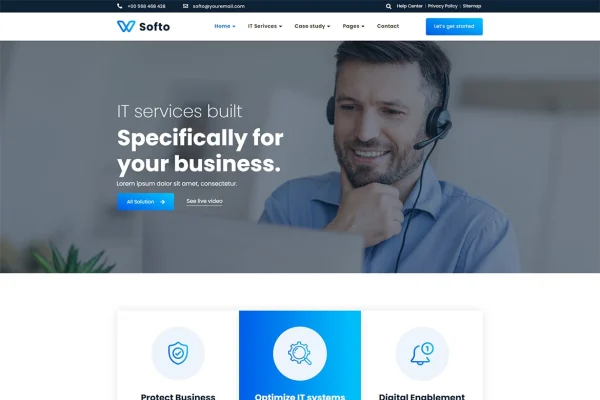
Softo is a WordPress theme by Themesflat built for IT solutions and services businesses. It gives tech companies, software providers, startups and consultancies a ready site structure with pages for services, projects, company background and blog posts, all editable in Elementor.
- Version
- 1.0.3
- Developer
- themesflat
- Type
- WordPress theme
- Licence
- GPL
- Included in
- Every plan, or $3.99 on its own
What’s new in Softo 1.0.3
Version 1.0.3
Latest
What it does
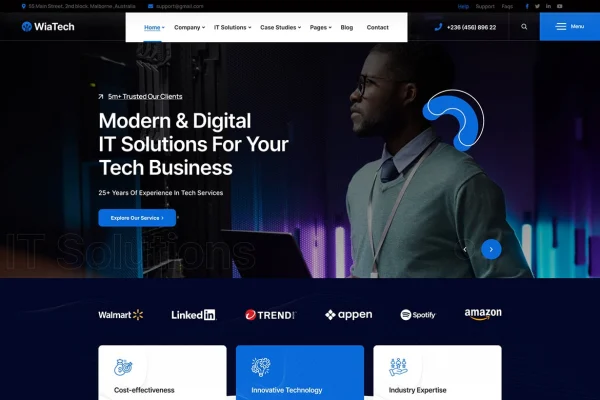
Tech businesses often need a site that explains technical services clearly and backs them up with past projects and client feedback. This theme is aimed squarely at that need. It includes specialized page templates for Services, Service Details, About Us, Projects and Blog, so you start with layouts that match how IT firms usually present themselves. Demo content tailored to IT solutions and services can be imported, giving you a working starting point to replace with your own text and images.
Pages are built and edited visually with Elementor, and the theme is compatible with Elementor Pro as well. It sits on the Bootstrap framework, uses a fully responsive layout with retina-ready graphics and icons, and is built to work across major browsers. WPML support lets you run the site in more than one language. Sketch source files are included for designers who want to adjust the visual design before building. It suits SEO agencies, consultancies and software teams alike.
Best for
- IT companies and software service providers
- Tech startups and technology consultancies
- SEO agencies presenting services and past projects
Features
IT-focused page templates
Includes dedicated layouts for Services, Service Details, About Us, Projects and Blog pages, covering the core content most IT and tech service sites need to present.
Importable demo content
Pre-built demo content tailored for IT solutions and services can be imported, giving you a full sample site to adapt instead of building every page from scratch.
Elementor and Elementor Pro
Compatible with Elementor and Elementor Pro, so you can build and customize pages visually with drag and drop editing and no coding required.
Multilingual sites with WPML
Supports WPML, letting you create a multilingual version of your site for clients who speak different languages.
Responsive, retina-ready design
The layout adapts to desktops, tablets and smartphones, and high-resolution graphics and icons stay sharp on modern high-density displays.
Bootstrap framework base
Built on the Bootstrap framework, which gives developers a familiar foundation for layout and further custom development work.
Cross-browser compatibility
Designed to display and function correctly across all major web browsers, so visitors see a consistent site regardless of what they use.
Sketch design files
Comes with Sketch source files, useful for designers who want to rework the theme's visuals or plan changes before editing the live site.
Questions about Softo
Can I edit the pages without writing code?
Yes. The theme is compatible with Elementor and Elementor Pro, so you can build and change pages with a visual drag and drop editor. The imported demo content gives you existing layouts to edit rather than starting from a blank page.
Which page layouts come with the theme?
It includes specialized templates for Services, Service Details, About Us, Projects and Blog pages. These cover how most IT and tech service businesses present their offerings, background, completed work and articles.
Can I build a site in more than one language?
Yes. The theme supports WPML, which lets you create multilingual versions of your pages so visitors can read your content in their own language.
Will the site look right on phones and high-resolution screens?
The theme uses a fully responsive design that adapts to desktops, tablets and smartphones. Its graphics and icons are retina ready, so they stay crisp on high-density displays, and it is built to work across major browsers.
Is Softo free?
The code of Softo is licensed under the GPL, so anyone may use, change and share it. GPL Feast is a paid service: a plan or a single purchase gives you the download and automatic updates. The developer's own support, licence key and online services are not included.
Which version of Softo is this?
Version 1.0.3. New versions appear here when the developer publishes them, and members get them as automatic updates.
How do I update Softo?
Install the free GPL Feast Updater on your site and connect it with your API key. It installs new versions of Softo automatically and keeps a backup, so you can roll back.