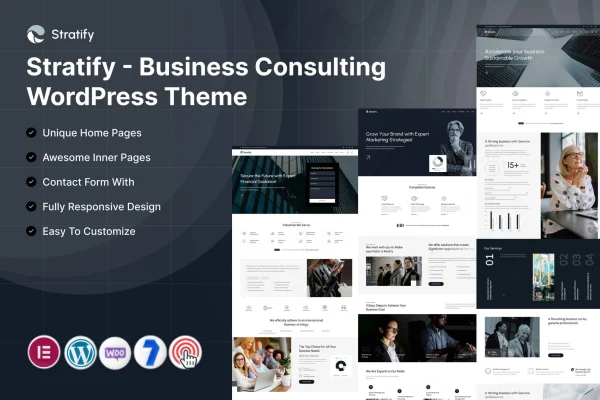
Theme
Updated
Stratify
Stratify is a WordPress theme by ThemeMascot built for business consulting firms and independent consultants. It gives you a clean, professional layout for presenting your services, team, case studies and client testimonials, and it works with Elementor so you can adjust pages without writing code.
- Version
- 7.0
- Released
- Feb 11, 2025
- Developer
- ThemeMascot
- Type
- WordPress theme
- Requires
- Elementor
- Licence
- GPL
- Included in
- Every plan, or $3.99 on its own
What’s new in Stratify 7.0
Version 7.0 · Feb 11, 2025
Latest
What it does
Consultants need a website that explains what they do, shows past work and makes it easy for prospective clients to get in touch. This theme is set up around those needs. It includes pre-built demo templates designed for consulting firms, which you can import and then adapt with your own text, images and branding. Sections for services, portfolios and case studies are ready to fill in, along with a testimonials slider for client feedback.
The theme requires Elementor, which handles drag-and-drop page editing. Alongside it, a theme options panel lets you change colors, fonts, header styles and layouts so the site stays consistent with your brand. The design is responsive across phones, tablets and desktops. It also includes contact and lead forms, works with WooCommerce if you want to sell consulting packages, courses or digital products, and is translation and WPML ready for multilingual sites.
Best for
- Business consulting firms presenting services and case studies
- Independent consultants building a professional web presence
- Consultancies selling packages, courses or digital products
Features
Consulting demo templates
Ready-made demos tailored to consulting firms can be imported and then adapted, giving you a working starting point instead of building every page from scratch.
Elementor page editing
Pages are built with Elementor's drag-and-drop editor, so you can rearrange sections and change content visually without touching any code.
Theme options panel
Adjust colors, fonts, header styles and layouts from a central options panel to keep the whole site consistent with your brand identity.
Service and portfolio sections
Dedicated sections let you present your consulting services, case studies and success stories so visitors can see what you offer and what you have done.
Client testimonials slider
Display client feedback in a rotating slider, giving visitors a quick look at what past clients have said about working with you.
Contact and lead forms
Built-in contact forms let visitors reach you directly from the site and help you collect inquiries from prospective clients.
WooCommerce compatibility
Works with WooCommerce, so you can add a shop for selling consulting packages, courses or digital products alongside your service pages.
Translation and WPML ready
The theme is prepared for translation and works with WPML, so you can run your consulting site in more than one language.
Questions about Stratify
Do I need Elementor to use this theme?
Yes. The theme requires Elementor, which is used for drag-and-drop page editing. The demo templates and page layouts are built to be customized in Elementor, so you can change sections and content without coding.
Can I sell consulting packages or courses with it?
Yes. Stratify is compatible with WooCommerce, so you can add a store to sell consulting packages, courses or digital products. Your shop can sit alongside your service pages, case studies and contact forms on the same site.
Can I change the look to match my brand?
Yes. A theme options panel lets you adjust colors, fonts, header styles and layouts. Combined with Elementor editing and the importable demo templates, you can shape the site to fit your firm's brand identity.
Will it work for a multilingual consulting site?
The theme is translation ready and works with WPML, so you can offer your site in multiple languages for clients in different regions.
Is Stratify free?
The code of Stratify is licensed under the GPL, so anyone may use, change and share it. GPL Feast is a paid service: a plan or a single purchase gives you the download and automatic updates. The developer's own support, licence key and online services are not included.
Which version of Stratify is this?
Version 7.0, released Feb 11, 2025. New versions appear here when the developer publishes them, and members get them as automatic updates.
How do I update Stratify?
Install the free GPL Feast Updater on your site and connect it with your API key. It installs new versions of Stratify automatically and keeps a backup, so you can roll back.
What does Stratify need?
Stratify needs Elementor installed and active.