Theme
Updated
Terminus
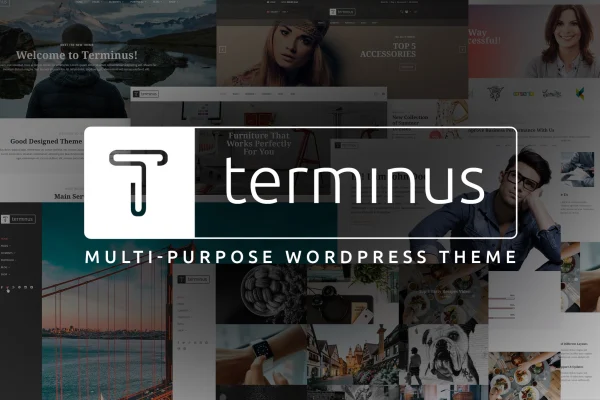
Terminus by Monkeysan is a multi-purpose WordPress theme with a clean, professional design. It is built on WPBakery Page Builder, so you can lay out pages with drag and drop, and it works for agencies, blogs, portfolios, corporate sites and online stores.
- Version
- 1.5.1
- Released
- May 22, 2026
- Developer
- Monkeysan
- Type
- WordPress theme
- Licence
- GPL
- Included in
- Every plan, or $3.99 on its own
What’s new in Terminus 1.5.1
Version 1.5.1 · May 22, 2026
Latest
- ImprovedPlugins
- ImprovedDemo data
- FixedFixed small issues
What it does
Many site owners need one theme that can handle a company page, a blog, a portfolio or a shop without switching designs for each project. This theme takes that multi-purpose approach. Its layouts are responsive and retina ready, so pages adapt to desktops, tablets and phones, and it is built to display consistently across major browsers. A library of pre-designed blocks, sections and design elements keeps styling consistent while you mix and match content.
Page building runs through WPBakery Page Builder, which gives you a drag-and-drop interface for creating custom layouts without writing code. The theme is compatible with WooCommerce for product pages, cart and checkout, and it is WPML ready for multilingual sites. Revolution Slider and Layer Slider are included for visual sliders, mega menus help organize larger navigation, and Font Awesome icons plus Contact Form 7 cover icons and contact forms.
Best for
- Agencies and corporate businesses needing a professional site
- Bloggers and creatives building portfolios
- Small online stores running WooCommerce
Features
WPBakery drag-and-drop building
Build custom page layouts with WPBakery Page Builder's drag-and-drop interface, arranging sections and elements without touching any code.
Responsive and retina ready
Layouts adapt to different screen sizes and resolutions, so pages display properly on desktops, tablets and mobile phones.
WooCommerce compatible
Set up an online store using WooCommerce, with styled product pages, shopping cart and checkout that match the rest of your site.
Revolution and Layer sliders
Revolution Slider and Layer Slider are included, letting you create sliders and visual sections that highlight featured content or products.
WPML ready for translations
The theme works with WPML, so you can build multilingual versions of your site for visitors who speak different languages.
Mega menu support
Create customizable mega menus to organize navigation on larger sites with many pages, categories or product sections.
Icons and contact forms
Font Awesome supplies scalable icons and Contact Form 7 integration lets you add contact forms to pages for visitor inquiries.
Pre-designed blocks and sections
A wide selection of ready-made design elements, sections and blocks helps you assemble pages quickly while keeping styling consistent.
Questions about Terminus
Which page builder does Terminus use?
The theme is built on WPBakery Page Builder. You get a drag-and-drop interface for arranging rows, sections and design elements, so you can create custom layouts without coding. The theme also includes a library of pre-designed blocks to speed up page building.
Can I run an online store with this theme?
Yes. It is WooCommerce compatible, with styled product pages, shopping cart and checkout. That makes it a fit for shops alongside other content like a blog or company pages, all using the same design.
Does it support multilingual websites?
The theme is WPML ready, which means you can use WPML to create translated versions of your pages and content for visitors in different languages.
Are sliders included?
Revolution Slider and Layer Slider are both included. You can use them to build sliders and visual sections for homepages, product highlights or portfolio work.
Is Terminus free?
The code of Terminus is licensed under the GPL, so anyone may use, change and share it. GPL Feast is a paid service: a plan or a single purchase gives you the download and automatic updates. The developer's own support, licence key and online services are not included.
Which version of Terminus is this?
Version 1.5.1, released May 22, 2026. New versions appear here when the developer publishes them, and members get them as automatic updates.
How do I update Terminus?
Install the free GPL Feast Updater on your site and connect it with your API key. It installs new versions of Terminus automatically and keeps a backup, so you can roll back.
You might also like