Theme
Updated
The Next Mag
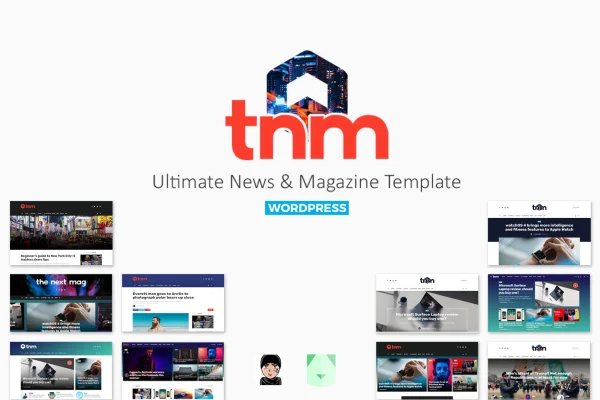
The Next Mag is a WordPress theme by bkninja built for news portals, online magazines and content-heavy blogs. It gives you a clean, modern layout and a drag-and-drop composer for building your homepage from content modules, so you can arrange stories without writing code.
- Version
- 5.9.9
- Released
- Aug 10, 2026
- Developer
- bkninja
- Type
- WordPress theme
- Licence
- GPL
- Included in
- Every plan, or $3.99 on its own
What’s new in The Next Mag 5.9.9
Version 5.9.9 · Aug 10, 2026
Latest
What it does
Running a news or magazine site means showing a lot of posts at once while keeping them easy to browse. This theme handles that with a homepage made of sections, and each section can hold multiple content modules. You build and rearrange those modules through the BKNinja Composer Plugin using drag and drop, which lets you shape the front page around your categories, whether you cover technology, breaking news, trends or products.
To get started quickly, you can import one of the included demos with a single click and then adjust it to fit your brand. Mega menus display category posts right inside the navigation, and Ajax loading brings in more posts without a full page reload. The layout is responsive, so articles adapt to desktops, tablets and phones, and the theme is built on the Bootstrap framework.
Best for
- Online news portals publishing many stories daily
- Technology and product review magazines
- Content-rich blogs that need magazine-style homepages
Features
Drag-and-drop homepage composer
The BKNinja Composer Plugin lets you build and rearrange your homepage from content modules with drag and drop, with no code required.
One-click demo import
Import a ready-made demo in a single click to get a working magazine layout in place, then customize it to match your publication.
Multiple modules per section
Combine several content modules inside one section to mix post grids, lists and featured stories into varied, content-rich layouts.
Mega menus for categories
Mega menus display category posts directly in your navigation, helping readers spot recent articles before they even open a category page.
Ajax post loading
New posts load dynamically on the page without a full reload, so readers can keep browsing your archive of stories smoothly.
Responsive layout
Pages adjust to desktops, tablets and smartphones, keeping headlines and articles readable on whatever screen your audience uses.
Built on Bootstrap
The theme uses the Bootstrap framework as its foundation, giving the layout a familiar, structured grid for organizing your content.
The Next Mag older versions
- 5.9.8Sep 28, 2023
Members and buyers of this product can download older versions.
Questions about The Next Mag
Can I design my homepage without coding?
Yes. The theme works with the BKNinja Composer Plugin, which lets you build your homepage by dragging and dropping content modules into sections. You can place multiple modules in each section and rearrange them as your content needs change.
Does it come with prebuilt demo layouts?
It does. The theme includes a set of demos suited to different niches, and each one can be imported with a single click. That gives you a complete starting layout that you can then adjust to fit your own brand and categories.
Will my site work well on phones?
The layout is fully responsive, so it adapts to desktops, tablets and smartphones. Your headlines, menus and articles reshape to fit smaller screens, which keeps reading comfortable for visitors on mobile devices.
How does it help readers find more content?
Mega menus show category posts directly in the navigation, and Ajax loading pulls in additional posts without reloading the page. Together they make it easier for readers to move through your categories and archive.
Is The Next Mag free?
The code of The Next Mag is licensed under the GPL, so anyone may use, change and share it. GPL Feast is a paid service: a plan or a single purchase gives you the download and automatic updates. The developer's own support, licence key and online services are not included.
Which version of The Next Mag is this?
Version 5.9.9, released Aug 10, 2026. New versions appear here when the developer publishes them, and members get them as automatic updates.
How do I update The Next Mag?
Install the free GPL Feast Updater on your site and connect it with your API key. It installs new versions of The Next Mag automatically and keeps a backup, so you can roll back.