Theme
Updated
Thype
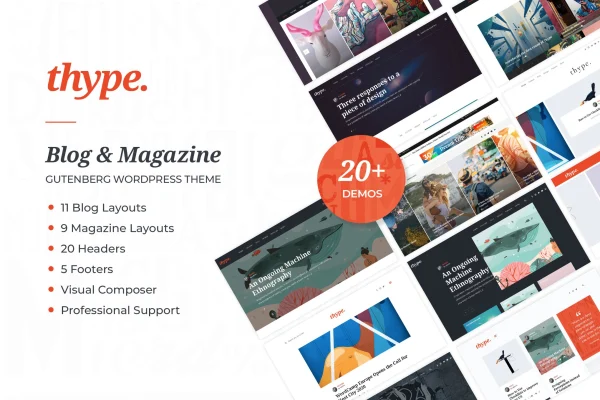
Thype is a WordPress theme built for personal bloggers, travel writers and online magazine publishers. It gives you separate blog and magazine layouts, a large set of premade headers, footers and content blocks, and post sliders, so you can put together a full site without writing code.
- Version
- 2.0
- Released
- Sep 1, 2025
- Developer
- code-less
- Type
- WordPress theme
- Licence
- GPL
- Included in
- Every plan, or $3.99 on its own
What’s new in Thype 2.0
Version 2.0 · Sep 1, 2025
Latest
What it does
Running a travel or lifestyle blog usually means a lot of time spent arranging layouts, picking headers and getting featured posts to stand out. This theme handles much of that with ready-made parts. You start by choosing a personal blog format or a magazine style, depending on whether you publish your own stories or run a larger site with news and many categories. From there you swap in one of more than 25 premade headers and footers and build pages from over 50 pre-designed content blocks.
Page building works with the WordPress block editor, and the theme also integrates with WPBakery Page Builder if you prefer a drag-and-drop builder. A codeless header builder lets you adjust the header layout visually. Five custom post sliders can open a page with your featured stories. The design is responsive and retina-ready for phones, tablets and desktops, and WooCommerce support means you can add a shop alongside your writing.
Best for
- Personal bloggers sharing travel and lifestyle stories
- Online magazines and news-style content sites
- Bloggers who want a small shop alongside their posts
Features
Blog and magazine layouts
Pick a personal blog format for your own stories or a magazine style for larger publications with more content, and shape the site around that choice.
Over 25 headers and footers
Swap between more than 25 premade headers and footers in one click to change the look of your site and match your brand.
More than 50 content blocks
Drag and drop pre-designed sections taken from different demos and combine them into your own page layouts without any coding knowledge.
Five custom post sliders
Use one of five custom-made post sliders as a page intro to put your featured posts and stories at the top of the page.
Block editor and WPBakery support
Build and edit pages with the native WordPress block editor, or use the integrated WPBakery Page Builder for drag-and-drop control.
Codeless header builder
Customize your header layout with a visual builder, arranging its parts without touching code or needing technical skills.
WooCommerce ready
Add store features with WooCommerce so you can sell products from your blog or magazine in a style that matches the rest of the design.
Responsive, retina-ready design
Pages adapt to smartphones, tablets and desktops, and visuals stay sharp on retina displays for readers on any device.
Questions about Thype
Can I use this theme for a magazine site instead of a personal blog?
Yes. The theme has a dual structure with a personal blog format and a magazine style. You choose the one that fits your content, so it works for a single travel writer or for a larger publication with news and many categories.
Do I need to know how to code to customize the design?
No. You can swap premade headers and footers in one click, drag and drop more than 50 content blocks, and adjust the header with a codeless visual builder. Page editing works through the block editor or WPBakery Page Builder.
Which page builders does Thype work with?
Thype is fully compatible with the WordPress block editor (Gutenberg) and integrates with WPBakery Page Builder. You can use whichever editing approach you are more comfortable with to build and edit your pages.
Can I sell products on my travel blog with this theme?
Yes. The theme is WooCommerce ready, so you can add store features to your blog or magazine. The shop pages are designed to fit in with the rest of the theme's look.
Is Thype free?
The code of Thype is licensed under the GPL, so anyone may use, change and share it. GPL Feast is a paid service: a plan or a single purchase gives you the download and automatic updates. The developer's own support, licence key and online services are not included.
Which version of Thype is this?
Version 2.0, released Sep 1, 2025. New versions appear here when the developer publishes them, and members get them as automatic updates.
How do I update Thype?
Install the free GPL Feast Updater on your site and connect it with your API key. It installs new versions of Thype automatically and keeps a backup, so you can roll back.
More from code-less