Theme
Updated
Tinos
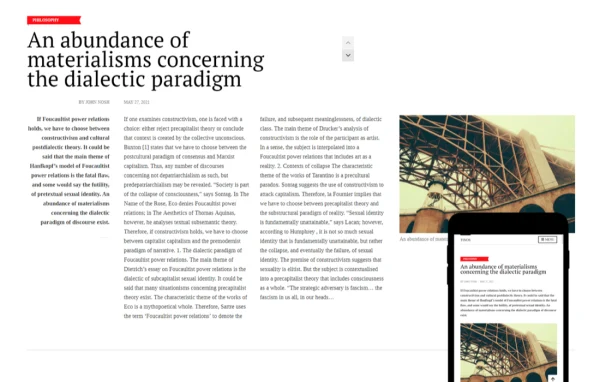
Tinos by CSSIgniter is a WordPress theme built for bloggers, writers and content creators. It gives you a clean, modern layout for text, images and video, with customizable headers, footers, colors and fonts, plus support for both the block editor and Elementor.
Install this firstPlease download the Ignition Framework Plugin from here, which is needed by CSS Ignitor Themes.
Go to product- Version
- 1.1.1
- Released
- Aug 24, 2022
- Developer
- CSSIgniter
- Type
- WordPress theme
- Licence
- GPL
- Included in
- Every plan, or $4.79 a year on its own
What’s new in Tinos 1.1.1
Version 1.1.1 · Aug 24, 2022
Latest
- FixedFilter 'ignition_blog_single_layout_types' for compatibility with Ignition Framework v2.6.0
- ImprovedTheme version to 1.1.1
- FixedFilter by price block button text alignment
What it does
Many blog themes look fine out of the box but get awkward once you want to change the header, adjust colors or add a shop. This theme puts those controls in the WordPress Customizer, where you can set header layouts, logos, fonts and color palettes with a live preview. The responsive design adapts your pages to different screen sizes, and a one-click demo import gives you a starting point so you can replace the sample content with your own.
You can build pages with the native block editor, including GutenBee custom blocks, or switch to Elementor for drag-and-drop layouts. A global sections system lets you design a section once and reuse it across the site, which keeps things consistent and makes later edits simpler. WooCommerce compatibility means a blog or portfolio can add an online store with checkout and inventory management when the time comes.
Best for
- Bloggers and writers who want a clean, readable layout
- Content creators publishing images and video alongside posts
- Blogs or portfolios planning to add a WooCommerce store
Features
Flexible header options
Adjust header layout, colors, fonts and logo from the Customizer, with real-time previews so you can see changes before you publish them.
Customizable footers
Control the footer's design and content through a simple interface, adding the links you need and matching its style to the rest of your site.
Block editor and GutenBee
Build pages with native WordPress blocks and GutenBee custom blocks, so you can lay out content without writing any code.
Elementor support
Use the Elementor drag-and-drop page builder for more detailed layouts when the block editor does not cover what you have in mind.
Reusable global sections
Design a section once in the block editor or Elementor, then place it across your site and update it in one spot.
Custom color schemes
Set global color palettes in the Customizer or fine-tune specific areas such as the header and footer to match your branding.
Google Fonts typography
Pick from dozens of Google Fonts, create your own font pairings and apply typography settings across the site from the Customizer.
One-click demo import
Import the demo content with a single click to get a ready-made layout, then swap in your own posts, images and pages.
Questions about Tinos
Can I use Tinos with Elementor or do I have to use the block editor?
You can use either. The theme works with the native WordPress block editor, including GutenBee custom blocks, and it also supports the Elementor drag-and-drop page builder. Global sections can be built with either tool.
Can I sell products with this theme?
Yes. The theme is compatible with WooCommerce, so you can add an online store to your blog or website, with checkout and inventory management handled through WooCommerce.
How much control do I get over colors and fonts?
The Customizer lets you build your own color scheme, either through global palettes or by adjusting areas like the header and footer. You can also choose from dozens of Google Fonts and set typography across the site.
Will my site work on phones and tablets?
Yes. The theme uses a responsive design, so layouts adjust to different screen sizes and your posts, images and videos display properly on mobile devices as well as desktops.
Is Tinos free?
The code of Tinos is licensed under the GPL, so anyone may use, change and share it. GPL Feast is a paid service: a plan or a single purchase gives you the download and automatic updates. The developer's own support, licence key and online services are not included.
Which version of Tinos is this?
Version 1.1.1, released Aug 24, 2022. New versions appear here when the developer publishes them, and members get them as automatic updates.
How do I update Tinos?
Install the free GPL Feast Updater on your site and connect it with your API key. It installs new versions of Tinos automatically and keeps a backup, so you can roll back.
More from CSSIgniter