
Theme
Updated
TopTech
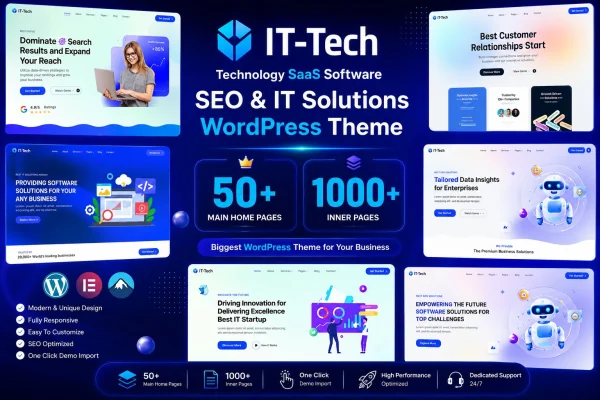
TopTech is a WordPress theme by Dreamit-Solution built for technology and IT solution businesses. It gives tech startups, IT consultants and software developers a professional site with ready sections for services and projects, plus layouts and colors you can adjust to match your brand.
- Version
- 1.0.0
- Released
- Feb 11, 2025
- Developer
- Dreamit-Solution
- Type
- WordPress theme
- Licence
- GPL
- Included in
- Every plan, or $3.99 on its own
What’s new in TopTech 1.0.0
Version 1.0.0 · Feb 11, 2025
Latest
What it does
Technology companies need a site that explains what they offer and points to work they have already delivered. This theme is built around that job. It includes pre-built portfolio and services sections, so you can present your IT solutions and past projects in a clear structure. Layouts, colors and content can be customized to fit your brand, and a theme options panel lets you manage the look of the site without editing code.
Getting started is quicker with the one-click demo import, which brings in demo content and layouts you can then replace with your own. The design is responsive, so pages adapt to desktops, tablets and phones. The theme is described as compatible with Elementor, WooCommerce and Contact Form 7, which covers page building, a shop and contact forms. It suits IT service firms, software studios and tech startups that want a professional business site.
Best for
- IT consulting and managed service companies
- Tech startups needing a professional business website
- Software developers and agencies presenting their projects
Features
Pre-built services sections
Ready-made sections for presenting your IT solutions and services, so visitors can quickly see what your company offers and how it can help them.
Portfolio sections for projects
Built-in portfolio sections let you display completed projects and case work, giving potential clients a clear view of your experience.
Customizable layouts
Adjust page structures, sections, colors and content so the site reflects your brand identity instead of looking like the default demo.
One-click demo import
Import the demo content and layouts in one step, then swap in your own text and images to get a working site in place faster.
Theme options panel
Manage the appearance and content settings of your website from a central options panel, without needing to write or edit any code.
Responsive design
Pages adapt to different screen sizes, so your site displays properly for visitors on desktops, tablets and smartphones.
Popular plugin compatibility
Works with Elementor for page building, WooCommerce for selling products and Contact Form 7 for adding contact and inquiry forms.
Questions about TopTech
Can I show my past projects with this theme?
Yes. The theme includes pre-built portfolio sections designed for displaying projects, alongside services sections for describing your IT solutions. Together they help clients understand your expertise and the kind of work you have delivered.
Does it work with Elementor and WooCommerce?
The theme is described as compatible with Elementor, WooCommerce and Contact Form 7. That means you can build and edit pages with Elementor, add a store with WooCommerce and set up contact forms with Contact Form 7.
Do I need coding skills to customize the design?
No. Layouts, colors and content can be adjusted through the theme options panel and customizable sections, so you can change the site's appearance without touching code. The demo import also gives you a finished starting point to edit.
Will my site look right on phones?
The theme uses a fully responsive design, so layouts adjust to the screen they are viewed on. Visitors browsing on smartphones, tablets or desktops all get a version of the site that fits their device.
Is TopTech free?
The code of TopTech is licensed under the GPL, so anyone may use, change and share it. GPL Feast is a paid service: a plan or a single purchase gives you the download and automatic updates. The developer's own support, licence key and online services are not included.
Which version of TopTech is this?
Version 1.0.0, released Feb 11, 2025. New versions appear here when the developer publishes them, and members get them as automatic updates.
How do I update TopTech?
Install the free GPL Feast Updater on your site and connect it with your API key. It installs new versions of TopTech automatically and keeps a backup, so you can roll back.