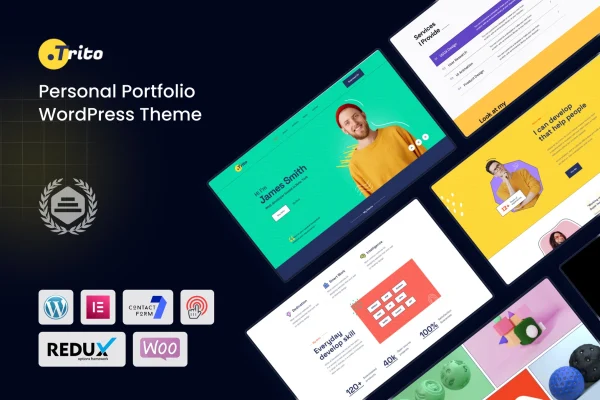
Theme
Updated
Trito
Trito is a one-page personal portfolio WordPress theme for developers, designers and other creative professionals. It is built on the Elementor page builder, so you can arrange your projects, skills and experience on a single scrolling page without writing code.
- Version
- 1.0
- Developer
- shtheme
- Type
- WordPress theme
- Licence
- GPL
- Included in
- Every plan, or $3.99 on its own
What’s new in Trito 1.0.0
Version 1.0.0 · May 11, 2023
Latest
- NewFirst release.
What it does
A portfolio site needs to present your work, your skills and your background clearly, and many people would rather not build that layout from scratch. This theme gives you a single-page structure where visitors scroll through each section in order. It suits freelancers, agency professionals and anyone who wants an online CV that reads cleanly on desktops, tablets and phones, with retina support for sharp images and text on high-resolution screens.
Editing happens in Elementor with drag and drop, and a one-click demo importer loads sample content you can replace with your own text, images and branding. The code is organized in clear layers, and the package includes CSS, JS, HTML, LESS and SASS files for developers who want deeper changes. The theme is compatible with plugins such as WooCommerce, WPML, Gravity Forms, BuddyPress, bbPress and Easy Digital Downloads, so you can add a shop, multilingual content or forms later.
Best for
- Developers and designers presenting personal projects
- Freelancers wanting a single-page online CV
- Creative professionals building a personal brand site
Features
One-page portfolio layout
Projects, skills and experience sit on a single smooth-scrolling page, which keeps navigation simple for visitors moving through your work.
Built on Elementor
Layouts are created and edited with the Elementor drag-and-drop interface, so you can change sections and content without touching code.
One-click demo importer
Import the demo content in one step, then swap in your own projects, text and branding to get a working portfolio quickly.
Responsive and retina ready
The design adapts to desktops, tablets and mobile devices, and supports retina displays for crisp images and text on high-resolution screens.
Wide plugin compatibility
Works with WooCommerce, WPML, Gravity Forms, BuddyPress, bbPress and Easy Digital Downloads, letting you add selling, translation, forms or community features.
Source files for developers
CSS, JS, HTML, LESS and SASS files are included, giving developers the material they need for advanced styling and code changes.
Clean, organized code
Well-organized layers and a tidy code structure make it easier to personalize the site, even if you are not a coding expert.
Detailed documentation
Documentation is included to guide you through the theme's options and features as you set up and adjust your portfolio.
Questions about Trito
Do I need Elementor to use this theme?
Yes. The theme is built on the Elementor page builder, and you edit its layouts through the Elementor drag-and-drop interface. That lets you rearrange sections and update content without writing code.
Can I sell products from my portfolio site?
The theme is compatible with WooCommerce and Easy Digital Downloads, so you can add a store or sell digital products alongside your portfolio. It also works with WPML for multilingual content and Gravity Forms for forms.
Is it a multi-page theme or a single page?
It is designed around a one-page layout. Your projects, skills and experience appear on one smooth-scrolling page, which keeps navigation straightforward and works well as an online CV or personal portfolio.
Can a developer customize it beyond Elementor?
Yes. The theme includes CSS, JS, HTML, LESS and SASS files, and its code is cleanly organized. Developers can use these files for advanced styling and structural changes beyond what the page builder offers.
Is Trito free?
The code of Trito is licensed under the GPL, so anyone may use, change and share it. GPL Feast is a paid service: a plan or a single purchase gives you the download and automatic updates. The developer's own support, licence key and online services are not included.
Which version of Trito is this?
Version 1.0. New versions appear here when the developer publishes them, and members get them as automatic updates.
How do I update Trito?
Install the free GPL Feast Updater on your site and connect it with your API key. It installs new versions of Trito automatically and keeps a backup, so you can roll back.