Theme
Updated
Upking
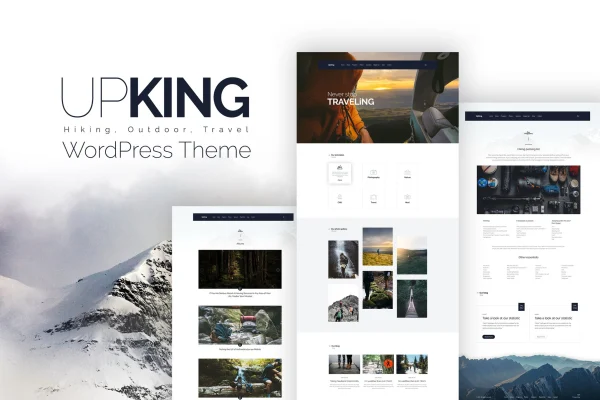
Upking is a WordPress theme built for hiking clubs, outdoor sports groups and organizers of adventure events. It gives you a library of pre-built blocks, a drag-and-drop page builder and support for event, shop and translation plugins, so you can run a club site without writing code.
- Version
- 1.4
- Developer
- themeton
- Type
- WordPress theme
- Licence
- GPL
- Included in
- Every plan, or $3.99 on its own
What’s new in Upking 1.4
Version 1.4
Latest
What it does
Outdoor clubs usually need a site that does several jobs at once: list upcoming hikes, share trip photos and stories, take inquiries and sometimes sell gear or tickets. This theme is designed around those needs. It comes with more than 300 pre-built blocks and layouts aimed at hiking and sports sites, plus a drag-and-drop Visual Composer builder with more than 60 elements made for the sports niche. You assemble pages from these pieces instead of starting from a blank screen.
Beyond page building, the theme works with popular event calendar plugins for displaying hikes and competitions, WooCommerce for an online store, WPML for multilingual sites and Contact Form 7 for inquiry and booking forms. Revolution Slider, a mega menu, header and footer builders and over 600 Google Fonts help with branding. It is responsive and retina ready, and child theme and multisite support make it practical for developers and agencies handling client sites.
Best for
- Hiking clubs and walking groups
- Outdoor and extreme sports event organizers
- Agencies building sites for adventure sports clients
Features
Over 300 pre-built blocks
A library of more than 300 content blocks and layouts geared toward hiking and sports sites lets you put together pages quickly and change them as your club grows.
Drag-and-drop page building
Visual Composer integration with more than 60 elements made for the sports niche lets you arrange and customize layouts visually, with no coding required.
Revolution Slider included
More than 20 slider designs built with Revolution Slider help you feature upcoming trips, events or club announcements at the top of your pages.
Mega menu and header builders
Build navigation with a mega menu and choose from 20 customizable header and footer layouts to match the look of your club or brand.
Event calendar compatibility
Works with popular event plugins so you can list and display upcoming hikes, meetups, competitions and other sporting events for your members.
WooCommerce store support
Compatible with WooCommerce, so you can sell hiking gear, club merchandise or event tickets directly from the same site.
Multilingual and translation ready
WPML compatibility and translation readiness let you offer your site in more than one language for members and visitors from different countries.
Flexible blog and post formats
Multiple blog styles, one-page layouts and post formats for galleries, video and audio give you several ways to share trip reports, tips and news.
Questions about Upking
Can I use Upking to promote and list our club hikes?
Yes. The theme is compatible with popular event calendar plugins, so you can display upcoming hikes, meetups and competitions. Combined with sliders and pre-built blocks, you can feature your next trips prominently on the home page and other pages.
Do I need coding skills to build pages with this theme?
No. Pages are built with the Visual Composer drag-and-drop builder, which includes more than 60 sports-focused elements, along with over 300 pre-built blocks and layouts. You arrange and edit content visually instead of writing code.
Can we sell gear or event tickets on the site?
Yes. The theme is WooCommerce compatible, so you can set up an online store for hiking gear, club merchandise or event tickets alongside your regular club pages.
Will the site work for members who speak different languages?
The theme is translation ready and compatible with WPML, which lets you run a multilingual version of your site so visitors can read your content in their own language.
Is Upking free?
The code of Upking is licensed under the GPL, so anyone may use, change and share it. GPL Feast is a paid service: a plan or a single purchase gives you the download and automatic updates. The developer's own support, licence key and online services are not included.
Which version of Upking is this?
Version 1.4. New versions appear here when the developer publishes them, and members get them as automatic updates.
How do I update Upking?
Install the free GPL Feast Updater on your site and connect it with your API key. It installs new versions of Upking automatically and keeps a backup, so you can roll back.