Theme
Updated
Yogava
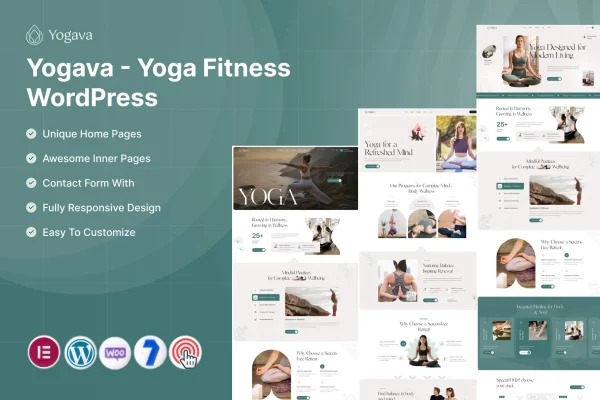
Yogava is a WordPress theme by ThemeMascot built for yoga studios, fitness centers and wellness bloggers. It gives you pre-built layouts and sections for presenting classes, schedules, events and client feedback, so visitors can see what you offer and sign up for sessions from your site.
- Version
- 1.0
- Released
- Feb 11, 2025
- Developer
- ThemeMascot
- Type
- WordPress theme
- Requires
- Elementor
- Licence
- GPL
- Included in
- Every plan, or $3.99 on its own
What’s new in Yogava 1.0
Version 1.0 · Feb 11, 2025
Latest
What it does
A yoga or fitness website has to answer a few questions quickly: what classes run, when they happen, how to book and what other clients think. This theme covers those needs with a class schedule display, booking and appointment forms, an event calendar for workshops and retreats, and a testimonials section. It works with Elementor, which it requires, and you can adjust colors, fonts and layouts through the theme customizer without writing code.
You start from one of several pre-built layouts designed for yoga studios and wellness blogs, then shape it to fit your brand. The design is responsive, so pages adapt to desktop, tablet and mobile screens. If you want to sell merchandise, yoga accessories or digital wellness products, the theme is compatible with WooCommerce. It is also translation ready, which helps if you serve clients in more than one language.
Best for
- Yoga studios publishing class schedules and taking bookings
- Fitness centers promoting workshops, retreats and events
- Wellness bloggers who also sell products or sessions
Features
Class schedule display
Show and manage your yoga and fitness class timetables so clients can check what is running and plan their visits ahead of time.
Booking and appointment forms
Let clients sign up for classes or individual sessions directly from your website through built-in booking and appointment forms.
Pre-built layouts
Pick from several customizable layouts made for yoga studios and wellness blogs, then adjust them to suit your own content and style.
Event calendar
Promote workshops, retreats and special fitness events in a clean calendar view that visitors can browse to find upcoming dates.
Client testimonials section
Display reviews and feedback from your clients in a dedicated section so new visitors can read about other people's experiences.
Theme customizer controls
Change colors, fonts and layouts with a live preview in the theme customizer, with no coding skills needed to make adjustments.
WooCommerce compatibility
Set up an online store with WooCommerce to sell merchandise, yoga accessories or digital wellness products alongside your class information.
Responsive and translation ready
Pages adapt to desktop, tablet and mobile screens, and the theme can be translated so your site works in multiple languages.
Questions about Yogava
Can clients book classes through a site built with this theme?
Yes. The theme includes booking and appointment forms that let clients sign up for classes or sessions directly on your website, and a class schedule display so they can see available times before booking.
Do I need a page builder to use Yogava?
The theme requires Elementor. Alongside Elementor, you can use the theme customizer to change colors, fonts and layouts in real time without writing any code.
Can I sell yoga accessories or merchandise with it?
Yes. The theme is compatible with WooCommerce, so you can add an online store for merchandise, yoga accessories or digital wellness products next to your class and event pages.
Will the site work for retreats and special events?
It includes an event calendar for promoting workshops, retreats and other special fitness events, giving visitors a clear view of upcoming dates in one place.
Is Yogava free?
The code of Yogava is licensed under the GPL, so anyone may use, change and share it. GPL Feast is a paid service: a plan or a single purchase gives you the download and automatic updates. The developer's own support, licence key and online services are not included.
Which version of Yogava is this?
Version 1.0, released Feb 11, 2025. New versions appear here when the developer publishes them, and members get them as automatic updates.
How do I update Yogava?
Install the free GPL Feast Updater on your site and connect it with your API key. It installs new versions of Yogava automatically and keeps a backup, so you can roll back.
What does Yogava need?
Yogava needs Elementor installed and active.