Theme
Updated
Younger Blogger
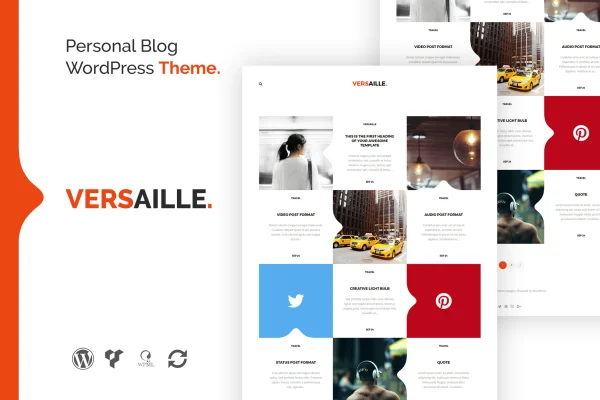
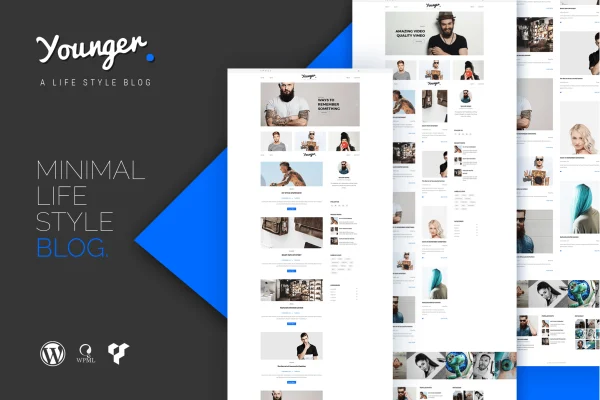
Younger Blogger is a personal blog WordPress theme by themeton, built for individual writers who want a clean, minimal place to publish. It gives you several blog and header layouts, a page builder and live customization so your posts stay at the center of the design.
- Version
- 1.1
- Developer
- themeton
- Type
- WordPress theme
- Licence
- GPL
- Included in
- Every plan, or $3.99 on its own
What’s new in Younger Blogger 1.1
Version 1.1
Latest
What it does
Many blog themes pile on options until the writing gets lost. This theme takes a minimalist approach, keeping the focus on your articles and images so readers can move through your posts without distractions. It suits personal blogs about writing, photography, lifestyle, travel or any niche where clear, simple presentation matters. The layout sits on a responsive 1170px grid, so pages keep a balanced structure on desktops, tablets and phones, and retina ready graphics stay sharp on high resolution screens.
Setup starts with a one-click demo data import, which gives you a ready-made design to adjust instead of a blank page. From there you can pick from seven blog layouts and three header layouts, then tweak colors, fonts and layouts in the live customizer while previewing changes. Visual Composer handles drag-and-drop page building, and Revolution Slider 7 lets you feature posts and images in animated sliders. The theme is compatible with WPML for multilingual sites and WooCommerce if you want to sell products, and layered PSD files are included for design work in Photoshop.
Best for
- Personal bloggers sharing stories, ideas and articles
- Photography, lifestyle and travel blogs
- Writers who prefer a clean, minimal reading layout
Features
Seven blog layouts
Choose from seven different blog layouts to present your posts in the format that best fits your writing style and how your readers like to browse.
Three header layouts
Pick one of three header layouts to give your blog a distinct look that matches your personal brand.
Visual Composer page builder
Build and adjust your blog pages with drag-and-drop editing through Visual Composer, without writing any code.
Revolution Slider 7 included
Feature selected posts and images in animated sliders built with Revolution Slider 7, a good fit for a homepage or featured section.
One-click demo import
Import the demo content in one click to get a working layout in place quickly, then swap in your own posts and images.
Live customizer options
Change colors, fonts and layouts while watching a real-time preview, so you can see each adjustment before you save it.
Instagram feed display
Show your Instagram content on your blog through the built-in Instagram feed integration, linking your posts with your social profile.
WPML and WooCommerce compatibility
Run your blog in multiple languages with WPML, or add a shop with WooCommerce, while keeping the same theme design.
Questions about Younger Blogger
What kinds of blogs does Younger Blogger suit?
It is designed for individual bloggers. The minimal design works well for personal blogs centered on articles, photography, lifestyle or travel, and for any niche that values simple, readable presentation over heavy visual effects.
Will my blog look right on phones and tablets?
Yes. The theme is responsive and built on a 1170px grid system, so layouts adapt across desktops, tablets and smartphones. It is also retina ready, which keeps graphics sharp on high resolution displays.
Can I run a multilingual blog or sell products with this theme?
The theme is compatible with WPML, so you can publish your blog in more than one language. It also works with WooCommerce if you want to add a shop alongside your posts.
How much can I customize the design without coding?
Quite a lot. You can choose among seven blog layouts and three header layouts, adjust colors, fonts and layouts in the live customizer, and build pages with Visual Composer using drag and drop. Layered PSD files are included for deeper design changes in Photoshop.
Is Younger Blogger free?
The code of Younger Blogger is licensed under the GPL, so anyone may use, change and share it. GPL Feast is a paid service: a plan or a single purchase gives you the download and automatic updates. The developer's own support, licence key and online services are not included.
Which version of Younger Blogger is this?
Version 1.1. New versions appear here when the developer publishes them, and members get them as automatic updates.
How do I update Younger Blogger?
Install the free GPL Feast Updater on your site and connect it with your API key. It installs new versions of Younger Blogger automatically and keeps a backup, so you can roll back.