Plugin
Updated
Auto Movie
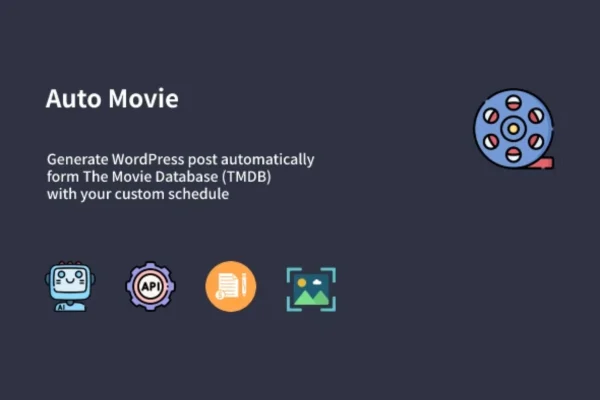
Auto Movie is a WordPress plugin that generates movie posts automatically from The Movie Database (TMDB) feed. You set up keyword campaigns, choose how and when posts are published, and the plugin creates movie content for your site in the background.
- Version
- 1.0.1
- Released
- Jun 8, 2022
- Type
- WordPress plugin
- Licence
- GPL
- Included in
- Every plan, or $3.99 on its own
What’s new in Auto Movie 1.0.1
Version 1.0.1 · Jun 8, 2022
Latest
- ImprovedOptimize content duplicate check features before publish new post
- FixedThe campaigns generated post tags issues
What it does
Running a movie blog or entertainment site means adding a steady stream of new movie posts, and writing each one by hand takes time. This plugin pulls movie data from the TMDB feed and turns it into WordPress posts based on the keywords you choose. You can run unlimited keyword and scraper campaigns, including long-tail keywords, and use Google Suggest API keyword suggestions to find terms worth targeting.
The plugin works through WP-Cron, so campaigns run on the schedule you set. You decide whether it creates posts, pages or attachments, which status they get (published, draft, private or pending) and which user is listed as the author. Duplicate content checks help keep posts unique, a caching system cuts down repeat work during scraping, and a log records campaign activity and cron jobs. It can also convert movie-related RSS feeds into posts.
Best for
- Movie blogs that want regular new posts
- Film review and entertainment portal sites
- Site owners running several movie-themed WordPress blogs
Features
Posts from the TMDB feed
Generates WordPress posts automatically using movie data from The Movie Database (TMDB) feed, so new movie content appears on your site without manual writing.
Unlimited keyword campaigns
Run as many keyword and scraper campaigns as you need, with support for long-tail keywords, so each blog gets content matched to its own topics.
Google Suggest keyword ideas
Built-in keyword suggestions from the Google Suggest API help you find search terms to add to your campaigns.
Duplicate content checks
The plugin checks for duplicates before publishing, which helps keep each generated movie post unique on your site.
Scheduling with WP-Cron
Set a timeline for your campaigns and WP-Cron handles publishing in the background, so posts go out on schedule without you stepping in.
Post type and status control
Choose whether campaigns create posts, pages or attachments, and set their status to published, draft, private or pending.
Author assignment
Pick which WordPress user is credited as the author of generated posts, keeping attribution consistent across your site.
Activity logs and RSS import
Logs record campaign activity and WP-Cron jobs for easier troubleshooting, and an RSS to post feature turns movie-related feeds into WordPress posts.
Questions about Auto Movie
Where does the movie content come from?
The plugin generates posts from The Movie Database (TMDB) feed, based on the keywords you set in your campaigns. It can also convert movie-related RSS feeds into WordPress posts, giving you a second source of content.
Can I review posts before they go live?
Yes. You can set the status of generated content to draft or pending instead of published, which lets you check and edit posts before they appear. Private status is also available, and you can choose posts, pages or attachments as the output.
Will it create the same movie post twice?
The plugin includes duplicate content checks that are meant to stop repeat posts from being published, so your site keeps unique entries even when several campaigns overlap on similar keywords.
How do I know if a campaign ran correctly?
A logging system records scraper campaign activity and WP-Cron jobs. You can look through the log to see what ran and when, which makes it easier to spot and fix problems with a schedule or campaign.
Is Auto Movie free?
The code of Auto Movie is licensed under the GPL, so anyone may use, change and share it. GPL Feast is a paid service: a plan or a single purchase gives you the download and automatic updates. The developer's own support, licence key and online services are not included.
Which version of Auto Movie is this?
Version 1.0.1, released Jun 8, 2022. New versions appear here when the developer publishes them, and members get them as automatic updates.
How do I update Auto Movie?
Install the free GPL Feast Updater on your site and connect it with your API key. It installs new versions of Auto Movie automatically and keeps a backup, so you can roll back.
You might also like