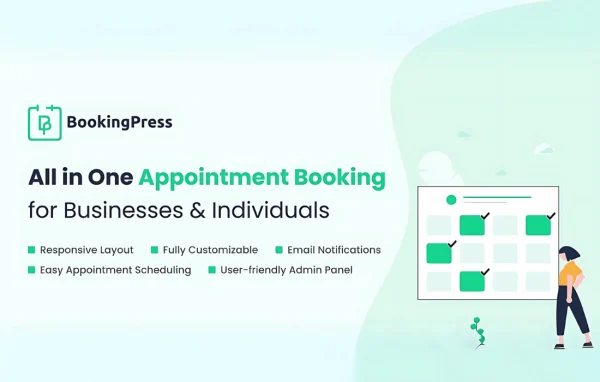
Plugin
Updated
BookingPress Appointment Booking
BookingPress Appointment Booking is a WordPress plugin by Repute Infosystems for taking appointments online. Customers choose a service, pick an open time slot, pay and get email or SMS confirmations, while you manage staff and schedules from your dashboard.
- Version
- 1.6.7
- Released
- Oct 12, 2026
- Developer
- BookingPress
- Type
- WordPress plugin
- Licence
- GPL
- Included in
- Every plan
What’s new in BookingPress Appointment Booking 1.6.7
Version 1.6.7
Latest
- ImprovedMinor bug fixes & improvements
What it does
Scheduling by phone or email takes time and leads to mix-ups, double bookings and missed appointments. This plugin moves the whole process onto your website. Customers see the services you offer, each with its own duration and price, then choose from the time slots that are actually open. They can pay online during booking, and automatic email and SMS messages handle confirmations, reminders and cancellations so both clients and staff know what is happening.
On the management side, you can assign appointments to different team members, adjust booking form fields to collect the details you need, and view your schedule on a visual calendar that syncs with Google Calendar. The booking interface is responsive, so it works on phones as well as desktops, and it is designed to fit into any WordPress theme. Support for multiple languages and time zones helps if your clients are spread across regions. It suits salons, clinics, consultants and other businesses that sell time.
Best for
- Salons, spas and beauty studios taking online appointments
- Clinics and health practices managing patient bookings
- Consultants and coaches selling scheduled sessions
Features
Multiple staff members
Assign appointments to different team members so each person has their own schedule and the workload is shared across your staff.
Customizable booking forms
Change the booking fields to gather the client information your business needs, such as contact details or notes about the appointment.
Real-time availability
Customers only see time slots that are open, which helps prevent double bookings and keeps your calendar accurate.
Online payments
Accept payments through multiple payment gateways during the booking process, so appointments can be confirmed as soon as payment goes through.
Email and SMS notifications
Send automatic confirmations, reminders and cancellation messages to customers and staff by email or SMS to keep everyone informed.
Services with durations and prices
Set up different services, each with its own duration and price, and let customers choose the one they want when booking.
Google Calendar sync
Sync bookings with Google Calendar and manage your schedule from a visual calendar view inside WordPress.
Languages and time zones
Offer booking in multiple languages and let the plugin adjust times for clients in different time zones.
Questions about BookingPress Appointment Booking
Can customers pay when they book an appointment?
Yes. The plugin connects to multiple payment gateways, so customers can pay online while booking. Each service can have its own price and duration, and payment lets the booking be confirmed right away.
Does it work for a business with several staff members?
It does. You can add multiple staff members and assign appointments to each of them. This keeps individual schedules separate and helps spread bookings across your team.
Will my calendar stay in sync with Google Calendar?
BookingPress Appointment Booking can sync bookings with Google Calendar, and it also gives you a visual calendar in WordPress for viewing and organizing appointments.
How are customers reminded about their appointments?
Automatic email and SMS notifications go out for confirmations, reminders and cancellations. Staff can receive updates too, which helps cut down on missed appointments and back-and-forth messages.
Is BookingPress Appointment Booking free?
The code of BookingPress Appointment Booking is licensed under the GPL, so anyone may use, change and share it. GPL Feast is a paid service: a plan gives you the download and automatic updates. The developer's own support, licence key and online services are not included.
Which version of BookingPress Appointment Booking is this?
Version 1.6.7, released Oct 12, 2026. New versions appear here when the developer publishes them, and members get them as automatic updates.
How do I update BookingPress Appointment Booking?
Install the free GPL Feast Updater on your site and connect it with your API key. It installs new versions of BookingPress Appointment Booking automatically and keeps a backup, so you can roll back.
More from BookingPress