Plugin
Updated
Divi Advanced Content Toggle Module
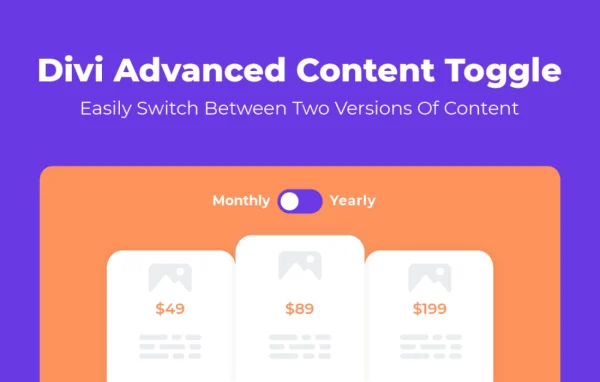
Divi Advanced Content Toggle Module by Aspen Grove Studios is a plugin for Divi-enabled WordPress websites. It adds a module that shows two alternative versions of content, and visitors switch between them with a toggle. It works well for pricing comparisons, before-and-after displays and alternative messages.
- Version
- 1.0.2
- Released
- Aug 1, 2024
- Developer
- WP Zone
- Type
- WordPress plugin
- Licence
- GPL
- Included in
- Every plan, or $3.99 a year on its own
What’s new in Divi Advanced Content Toggle Module 1.0.2
Version 1.0.2 · Aug 1, 2024
Latest
- ImprovedDestroySelect on best effort basis.
What it does
Some pages need to present two options in the same spot: monthly and yearly pricing, a before and after view, or two versions of a service description. Stacking both on the page makes it long and harder to scan. This module places the two versions behind a single toggle switch, so visitors see one at a time and flip to the other with a click. The setup happens inside the Divi Builder, and no coding knowledge is needed to put it together.
Each side of the toggle can hold a saved Divi Library layout, a WordPress shortcode, custom HTML, images, text or icons. A drag-and-drop builder lets you assemble image, text and icon content directly in the module. You pick from five toggle switch designs, style the primary and secondary labels separately, and choose from ten transition animations such as fade, rotate, shake and bounce. Font, color and spacing controls help the switch match the rest of your site.
Best for
- Divi sites showing monthly and yearly pricing plans
- Agencies building comparison or before-and-after sections in Divi
- Businesses presenting alternative services or messages on one page
Features
Two content versions
Display a primary and a secondary version of content in one module, with a toggle switch that lets visitors move between them for comparisons or alternatives.
Five toggle switch designs
Choose from five toggle switch styles, then customize the chosen design so it fits the look of your Divi site.
Divi Library layouts
Load saved Divi Library layouts directly into either side of the toggle, so you can switch between full designed sections.
Shortcodes and custom HTML
Insert WordPress shortcodes or custom HTML to bring in dynamic content such as calendars, menus, forms or output from other plugins.
Independent label styling
Set the primary and secondary labels separately, with control over text, icons, colors, positioning and font styling.
Ten transition animations
Animate the change between content versions using one of ten effects, including fade, rotate, shake and bounce.
Drag-and-drop content builder
Build toggle content from images, text and icons with a custom drag-and-drop builder, with no code required.
Divi Advanced Content Toggle Module older versions
- 1.0.1Apr 18, 20232 fixes, 1 removal
Members and buyers of this product can download older versions.
Questions about Divi Advanced Content Toggle Module
Does this work with any WordPress theme?
It is built for Divi-enabled WordPress websites. The module works inside the Divi Builder and can pull in saved Divi Library layouts, so you need Divi on your site to use it.
What kind of content can I put in each side of the toggle?
Each side can hold a Divi Library layout, a WordPress shortcode, custom HTML, images, text or icons. Shortcodes and HTML let you include things like calendars, menus or forms from other plugins.
Can I change how the toggle switch looks?
Yes. There are five switch designs to start from, plus controls for fonts, colors and spacing. The primary and secondary labels can each have their own text, icons, colors, position and font styling.
Do I need to know how to code to set it up?
No. You configure the module in the Divi Builder and can assemble content with the drag-and-drop builder. Custom HTML is available if you want it, but it is optional.
Is Divi Advanced Content Toggle Module free?
The code of Divi Advanced Content Toggle Module is licensed under the GPL, so anyone may use, change and share it. GPL Feast is a paid service: a plan or a single purchase gives you the download and automatic updates. The developer's own support, licence key and online services are not included.
Which version of Divi Advanced Content Toggle Module is this?
Version 1.0.2, released Aug 1, 2024. New versions appear here when the developer publishes them, and members get them as automatic updates.
How do I update Divi Advanced Content Toggle Module?
Install the free GPL Feast Updater on your site and connect it with your API key. It installs new versions of Divi Advanced Content Toggle Module automatically and keeps a backup, so you can roll back.
More from WP Zone