Plugin
Updated
Divi Footer Editor
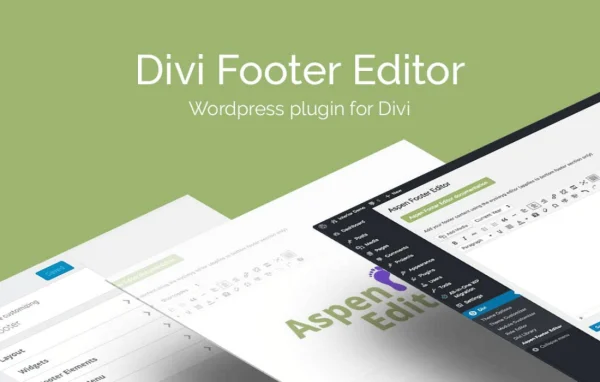
Divi Footer Editor by Aspen Grove Studios is a WordPress plugin for sites running the Divi or Extra theme. It gives you a visual editor for building one footer that appears across your whole site, with room for text, links, images, videos and automatic dates.
- Version
- 2.1.7
- Released
- Mar 11, 2020
- Developer
- WP Zone
- Type
- WordPress plugin
- Licence
- GPL
- Included in
- Every plan, or $3.99 a year on its own
What’s new in Divi Footer Editor 2.1.7
Version 2.1.7 · Mar 11, 2020
Latest
- SecurityFix CSRF vulnerability
What it does
The default footer in many themes leaves little room for anything beyond a short credit line. This plugin replaces that with a WYSIWYG editing console that looks and works much like the standard WordPress page and post editor. If you have written a post in WordPress, the controls will feel familiar, so you can add contact details, company credentials, legal notices or promotional text without touching code.
Once you design the footer, it displays site-wide on every page of your Divi or Extra site, so visitors see the same information wherever they land. You can add hyperlinks to important pages or social profiles, embed images and videos, and use date shortcodes so items like copyright years stay current on their own. If you know CSS, you can add custom styles to fine-tune the look and match your brand.
Best for
- Websites built on the Divi theme
- Sites running the Extra theme
- Freelancers and agencies building Divi sites for clients
Features
WYSIWYG footer editing console
Design and style your footer visually in an editor modeled on the WordPress page and post editor, so no coding skills are needed.
Built for Divi and Extra
Works with both the Divi and Extra themes, helping your footer fit in with the design of the rest of your site.
Site-wide footer display
Create one footer design and it appears automatically across all pages of your site, giving visitors a consistent experience.
Custom text and credentials
Add company details, contact information, legal notices or promotional messages so visitors can find the essentials at the bottom of any page.
Image and video embeds
Place images and videos directly in your footer to add logos, badges or short clips alongside your text content.
Hyperlink support
Include clickable links to key pages, social media profiles or other resources to help visitors move around your site.
Dynamic date shortcodes
Insert shortcodes that display dates automatically, so details like the current year in a copyright line never need manual edits.
Custom CSS styling
Users comfortable with code can add their own CSS to give the footer a more distinctive, branded appearance.
Questions about Divi Footer Editor
Does this work with themes other than Divi?
The plugin is designed specifically for the Divi and Extra themes. Its footer output is built to integrate with those two themes, so it is best suited to sites that use one of them.
Do I need to know how to code to use it?
No. The footer is built in a visual WYSIWYG editor that closely resembles the regular WordPress post and page editor. CSS is available as an option if you want extra styling control, but it is not required.
Will the footer show on every page?
Yes. You design a single footer and it displays site-wide across all pages of your Divi or Extra website, so you only need to manage it in one place.
Can I keep the copyright year current automatically?
Yes. The plugin includes dynamic date shortcodes you can place in your footer text, so dates such as the current year update on their own without manual editing.
Is Divi Footer Editor free?
The code of Divi Footer Editor is licensed under the GPL, so anyone may use, change and share it. GPL Feast is a paid service: a plan or a single purchase gives you the download and automatic updates. The developer's own support, licence key and online services are not included.
Which version of Divi Footer Editor is this?
Version 2.1.7, released Mar 11, 2020. New versions appear here when the developer publishes them, and members get them as automatic updates.
How do I update Divi Footer Editor?
Install the free GPL Feast Updater on your site and connect it with your API key. It installs new versions of Divi Footer Editor automatically and keeps a backup, so you can roll back.
More from WP Zone