Plugin
Updated
Divi Icon Party
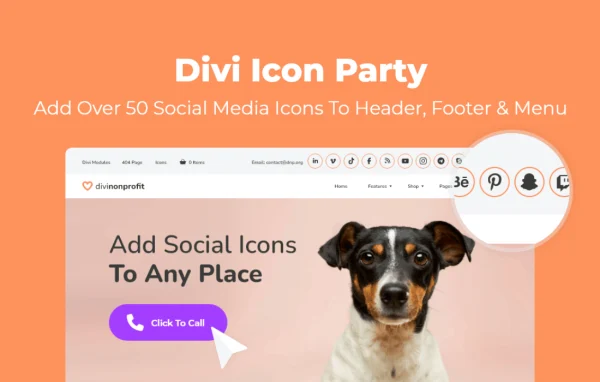
Divi Icon Party is a WordPress plugin from Aspen Grove Studios that adds more than 50 social media icons to the Divi website builder. It lets you place those icons in menus, headers, footers and the Social Media Follow module, and it adds clickable email and phone icons too.
- Version
- 1.1.12
- Released
- May 23, 2025
- Developer
- WP Zone
- Type
- WordPress plugin
- Licence
- GPL
- Included in
- Every plan, or $3.99 a year on its own
What’s new in Divi Icon Party 1.1.12
Version 1.1.12 · May 23, 2025
Latest
- ImprovedUpdate Font Awesome
- NewAdd Bluesky icon
What it does
Divi ships with a limited set of social media icons, so sites that are active on platforms like TikTok, Discord, Spotify or Tumblr often end up with gaps in their header or footer. This plugin fills those gaps by adding over 50 extra social icons that you can use alongside the defaults. The icon set also includes Bluesky, and the plugin works with Font Awesome icons.
The icons work inside Divi's own tools. You can add them through the Divi Theme Options and Divi Builder modules, placing them in the primary menu, secondary menu, header, footer or the native Social Media Follow module. Styling happens in the Divi interface, where you adjust fonts, colors, size and spacing so the icons match the rest of your design. Clickable email and phone icons give visitors a direct way to get in touch.
Best for
- Divi sites linking to many social platforms
- Local businesses wanting tap to call and email icons
- Freelancers and agencies building client sites with Divi
Features
More than 50 social icons
Adds over 50 social media icons beyond Divi's defaults, including Tumblr, TikTok, Discord, Spotify and Bluesky, so you can link to the platforms you actually use.
Icons in menus
Place social icons in the primary and secondary menus of your Divi site, putting your profile links right in the main navigation.
Header and footer placement
Add icons to the header or footer of your site so visitors can find your social profiles on every page.
Social Media Follow module support
The new icons appear inside Divi's native Social Media Follow module, so you can use them anywhere you build with that module.
Clickable email icon
Add an email icon that opens the visitor's default email client when clicked, giving people a quick way to write to you.
Tap to call phone icon
Insert a phone icon that visitors on any device can tap to dial your business number, which suits businesses that take calls.
Styling from the Divi interface
Adjust icon fonts, colors, sizing and spacing directly in Divi, keeping the icons consistent with your brand and layout.
Divi Icon Party older versions
- 1.1.11Oct 24, 20232 improvements
- 1.1.10Apr 18, 20231 new
Members and buyers of this product can download older versions.
Questions about Divi Icon Party
Does this plugin work without Divi?
It is built specifically for Divi. The icons are added through the Divi Theme Options and Divi Builder modules, including the Social Media Follow module, so it is meant for sites that run the Divi website builder.
Which social networks are included?
The plugin adds more than 50 social media icons beyond Divi's defaults. Examples named for the icon set include Tumblr, TikTok, Discord, Spotify and Bluesky, along with many others.
Where on my site can I put the icons?
You can place icons in the primary menu, secondary menu, header and footer, and inside Divi's Social Media Follow module. That lets you show social links in navigation, site-wide areas, or within specific page layouts.
Can I change how the icons look?
Yes. From the Divi interface you can adjust the icons' fonts, colors, sizing and spacing, so they fit your site's design rather than looking like an add-on.
Is Divi Icon Party free?
The code of Divi Icon Party is licensed under the GPL, so anyone may use, change and share it. GPL Feast is a paid service: a plan or a single purchase gives you the download and automatic updates. The developer's own support, licence key and online services are not included.
Which version of Divi Icon Party is this?
Version 1.1.12, released May 23, 2025. New versions appear here when the developer publishes them, and members get them as automatic updates.
How do I update Divi Icon Party?
Install the free GPL Feast Updater on your site and connect it with your API key. It installs new versions of Divi Icon Party automatically and keeps a backup, so you can roll back.
More from WP Zone