
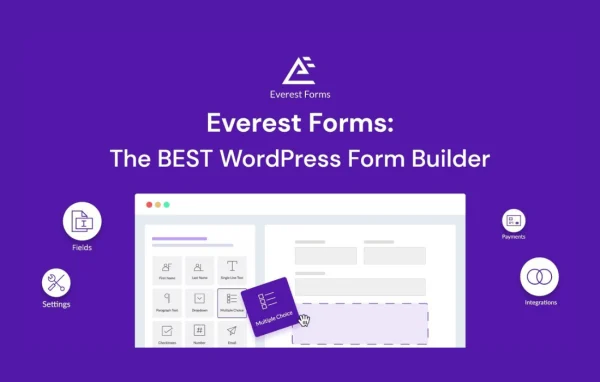
Plugin
Updated
Everest Forms Post Submissions
This plugin is an extension for Everest Forms by WPEverest that lets people submit posts from the front end of your WordPress site. Contributors can create and edit content without ever logging into the admin dashboard, while you decide how each submission is handled.
- Version
- 1.0.11
- Released
- Apr 8, 2026
- Developer
- Everest Forms
- Type
- WordPress plugin
- Requires
- Everest Forms
- Licence
- GPL
- Included in
- Every plan, or $0.79 on its own
What’s new in Everest Forms Post Submissions 1.0.11
Version 1.0.11 · Apr 8, 2026
Latest
- FixedNested select tags in field map settings dropdowns.
What it does
Accepting guest posts or user content usually means creating accounts and handing out dashboard access, which many site owners would rather avoid. This extension solves that by turning a regular Everest Forms form into a post submission form. Contributors fill it out on a normal page of your site, and the entry becomes a WordPress post. You choose whether new submissions land as drafts, wait as pending review, or go live right away, so editorial control stays with you.
Forms are built with the Everest Forms drag-and-drop builder, which means the Everest Forms plugin is required. You map form fields to post fields such as the title, content, excerpt, featured image and custom fields. Submissions can target standard posts or custom post types like portfolios, events or listings, and they can be assigned categories, tags and custom taxonomies. Contributors can also return to edit their posts from the front end, and CAPTCHA support helps keep spam out.
Best for
- Blogs that accept guest posts
- Community and news sites with many contributors
- Directories or portfolios built on custom post types
Features
Front-end post creation
Visitors submit posts through a form on your site, so contributors never need access to the WordPress backend to send in content.
Custom post type support
Point submissions at standard blog posts or at custom post types such as portfolios, events or product listings, depending on your site's needs.
Categories, tags and taxonomies
Submitted content can be assigned categories, tags and custom taxonomies, which keeps incoming posts organized to match your site's structure.
Post status control
Set new submissions to save as a draft, wait as pending review, or publish immediately, so you decide how content reaches your readers.
Flexible field mapping
Connect form fields to post fields including title, content, excerpt, featured image and custom fields so each submission is captured in the right place.
Front-end post editing
Contributors can go back and update or modify their submitted posts from the front end, keeping their content current without dashboard access.
CAPTCHA spam protection
Built-in anti-spam measures, including CAPTCHA integration, help filter out unwanted or automated submissions before they reach your review queue.
Drag-and-drop form building
Design submission forms with the Everest Forms drag-and-drop builder and adjust them to match your content guidelines. Forms also work on mobile devices.
Everest Forms Post Submissions older versions
- 1.0.10Apr 11 fix
- 1.0.8Jan 29, 20251 fix
- 1.0.7Aug 23, 20241 fix
Members and buyers of this product can download older versions.
Questions about Everest Forms Post Submissions
Do I need Everest Forms for this to work?
Yes. This is an extension for Everest Forms, so the core plugin needs to be active on your site. You build your submission forms with its drag-and-drop builder, and this extension adds the ability to turn form entries into WordPress posts.
Can I review posts before they go live?
You can. Submissions can be saved as drafts or set to pending review, which lets you check and edit them before publishing. If you trust your contributors, you can also choose to publish submissions immediately instead.
Will it work with my custom post types and taxonomies?
It supports custom post types along with categories, tags and custom taxonomies. That means you can collect things like events, portfolio items or listings, and assign them to the right terms so they fit your existing site structure.
Can contributors upload a featured image?
Yes. Field mapping lets you assign form fields to post fields, including the featured image, title, content, excerpt and custom fields. Contributors can also edit their submitted posts later from the front end.
Is Everest Forms Post Submissions free?
The code of Everest Forms Post Submissions is licensed under the GPL, so anyone may use, change and share it. GPL Feast is a paid service: a plan or a single purchase gives you the download and automatic updates. The developer's own support, licence key and online services are not included.
Which version of Everest Forms Post Submissions is this?
Version 1.0.11, released Apr 8, 2026. New versions appear here when the developer publishes them, and members get them as automatic updates.
How do I update Everest Forms Post Submissions?
Install the free GPL Feast Updater on your site and connect it with your API key. It installs new versions of Everest Forms Post Submissions automatically and keeps a backup, so you can roll back.
What does Everest Forms Post Submissions need?
Everest Forms Post Submissions needs Everest Forms installed and active.
More from Everest Forms






