
Plugin
Updated
Everest Forms User Registration
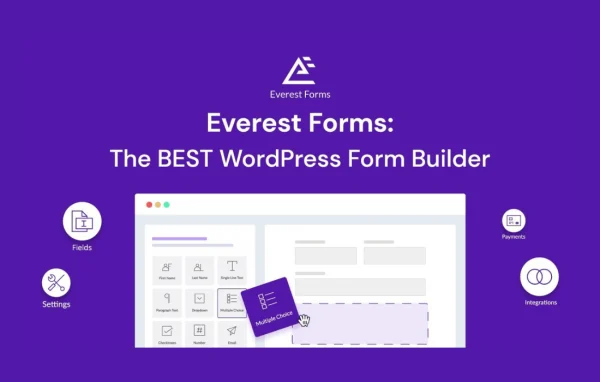
This plugin is an add-on by WPEverest that turns Everest Forms into a user registration tool. You build signup forms with a drag-and-drop builder, choose the fields you need, and new users get a default WordPress role as soon as they register.
- Version
- 1.1.4
- Released
- May 23, 2024
- Developer
- Everest Forms
- Type
- WordPress plugin
- Requires
- Everest Forms
- Licence
- GPL
- Included in
- Every plan, or $0.79 on its own
What’s new in Everest Forms User Registration 1.1.4
Version 1.1.4 · May 23, 2024
Latest
- FixedString translation in Everest Forms User Registration login template.
- FixedRedirection issue after user registration.
What it does
The default WordPress registration form asks for very little and offers few ways to change it. If you run a site where people sign up, you often need extra details from them and a clear way to control what they can access. This add-on lets you design your own registration forms inside Everest Forms, so you can collect the information that matters to your site without writing code.
You place fields such as text, email, radio buttons, dropdowns and checkboxes using the drag-and-drop builder, then set the user role new members receive. After a successful registration, confirmation emails go to both the administrator and the new user. CAPTCHA support helps keep fake signups out, and the forms adapt to mobile screens. It works alongside your existing Everest Forms setup, which it requires, and also includes a login template.
Best for
- Membership sites that need custom signup details
- Online communities with role-based access
- E-learning platforms registering new students
Features
Drag-and-drop form builder
Create and arrange registration forms visually, placing and ordering fields without touching any code, so site owners of any skill level can build signup pages.
Flexible field types
Collect the details you need with text, email, radio button, dropdown and checkbox fields, among other field types available in the builder.
Default user role assignment
Choose a WordPress user role that new registrants receive automatically, giving you control over permissions and site access from the moment they sign up.
Admin and user email notices
Send automatic confirmation emails after registration, with separate notifications going to site administrators and to the person who just registered.
CAPTCHA spam protection
Add CAPTCHA and other anti-spam tools to your registration forms to help block fake accounts and bot signups.
Mobile-friendly forms
Registration forms are responsive, so they display and work properly on phones and tablets as well as desktop screens.
Redirect after registration
Send new users to a chosen page once they finish registering, and offer a matching login template for returning members.
Questions about Everest Forms User Registration
Do I need Everest Forms for this to work?
Yes. This is an extension for Everest Forms, so the core Everest Forms plugin must be active on your site. The registration features are added inside that form builder and work with your existing Everest Forms configuration.
Can I control what new users can access?
You can set a default WordPress user role for each registration form. Anyone who signs up through that form receives the role automatically, which lets you manage their permissions and access from the start.
Will administrators know when someone registers?
Yes. After a successful registration, the plugin can send a notification email to administrators and a confirmation email to the new user, so both sides know the account has been created.
How does it deal with spam registrations?
You can add CAPTCHA and other anti-spam tools to your registration forms. These checks help stop bots and fake signups before they create accounts on your site.
Is Everest Forms User Registration free?
The code of Everest Forms User Registration is licensed under the GPL, so anyone may use, change and share it. GPL Feast is a paid service: a plan or a single purchase gives you the download and automatic updates. The developer's own support, licence key and online services are not included.
Which version of Everest Forms User Registration is this?
Version 1.1.4, released May 23, 2024. New versions appear here when the developer publishes them, and members get them as automatic updates.
How do I update Everest Forms User Registration?
Install the free GPL Feast Updater on your site and connect it with your API key. It installs new versions of Everest Forms User Registration automatically and keeps a backup, so you can roll back.
What does Everest Forms User Registration need?
Everest Forms User Registration needs Everest Forms installed and active.
More from Everest Forms






