Plugin
Updated
Feeds for YouTube Pro
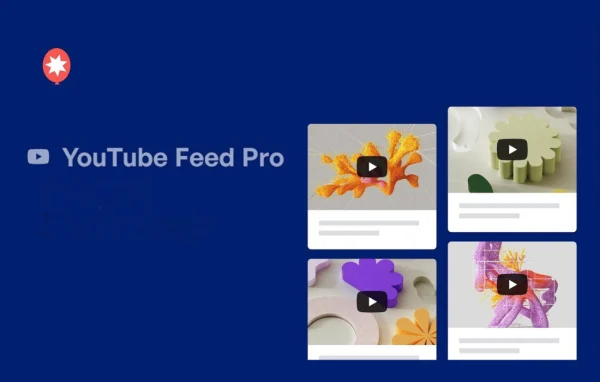
Feeds for YouTube Pro by Smash Balloon is a WordPress plugin that pulls videos from YouTube and displays them on your site as customizable feeds. Once you connect a channel, new videos, playlists and live streams appear on your pages automatically, with no coding required.
- Version
- 2.9.0
- Released
- Sep 11, 2026
- Developer
- Smash Balloon
- Type
- WordPress plugin
- Licence
- GPL
- Included in
- Every plan, or $5.59 a year on its own
What’s new in Feeds for YouTube Pro 2.9.0
Version 2.9.0
Latest
- ImprovedRedesigned the related-videos end screen as a full-player overlay, with a responsive grid of related videos, a title caption under each one, correctly proportioned thumbnails, and a Replay button to restart the video that just finished.
- ImprovedThe Call to Action now appears only when a video ends. It previously also appeared when a video was paused.
- FixedThe Call to Action no longer covers the player while a video is playing, so the play, pause, and seek controls stay usable throughout.
- FixedColour settings left empty in the feed customizer no longer appear as blank boxes; the swatch again shows its empty-state fill.
What it does
Embedding YouTube videos one at a time gets tedious, and every new upload means another trip into the editor. This plugin connects to your YouTube channel and keeps a feed on your site filled with your latest content. You can show videos from channels, playlists, favorites, and upcoming or live streams, and the feed refreshes on its own. That makes it a good fit for creators who publish often, businesses that share product videos, and anyone who wants video content on their site without managing each embed by hand.
Layout and behavior are set through a feed customizer with over 100 options, including Grid, Gallery, List and Carousel layouts. You can filter videos by keywords in titles or descriptions, run several feeds at once or combine them into one stream, and choose what happens when a video ends, such as pointing viewers to a product page, another video or a custom link. Feeds are responsive, text strings are translatable, and developers can adjust the HTML output through built-in templates and hooks.
Best for
- YouTube creators who want their videos on their own site
- Businesses sharing product demos, tutorials or video reviews
- Agencies building client sites with embedded video feeds
Features
Multiple layout styles
Choose from Grid, Gallery, List and Carousel layouts, then adjust the look of your feed with over 100 customization options to match your site's design.
Several content sources
Display videos from YouTube channels, playlists, favorites, and upcoming or live streams, so your site can reflect whatever type of content you publish.
Actions when videos end
Send viewers to a product page, another video or a custom link when a video finishes, or show a grid of related videos with a Replay button.
Keyword video filtering
Filter which videos appear by matching keywords in their titles or descriptions, so each feed shows only the content that fits the page.
Multiple and combined feeds
Run several YouTube feeds on your site at the same time, or merge multiple sources into a single combined stream of videos.
Player loading on interaction
YouTube players load only when visitors engage with the feed, rather than loading every player as soon as the page opens.
GDPR consent plugin support
The plugin works with popular GDPR consent plugins and offers privacy-compliant feed display options to help respect visitor consent choices.
Templates and hooks for developers
Built-in templates and hooks let developers change the feed's HTML output or adjust settings in code, and all text strings can be translated.
Feeds for YouTube Pro older versions
- 2.8.2Aug 251 new, 1 fix
- 2.6.5May 72 fixes
- 2.6.3Mar 131 improvement
- 2.6.1Jan 20
- 2.6.0Jul 2, 2025
- 2.5.1Jan 26, 2025
- 2.4.2Dec 2, 2024
- 2.4.1Oct 24, 2024
- 2.4.0Oct 3, 2024
- 2.2.4Feb 17, 2024
Members and buyers of this product can download older versions.
15 older versions in all. If you need one that is not listed, ask support.
Questions about Feeds for YouTube Pro
Can I show a playlist instead of my whole channel?
Yes. You can build feeds from channels, playlists, favorites, and upcoming or live streams. You can also run several feeds at once or combine sources into a single stream, and filter videos by keywords in their titles or descriptions.
Do I need to know how to code to set up a feed?
No coding is required. You connect your YouTube channel and design the feed through the customizer. Developers who want deeper control can still use the built-in templates and hooks to change the HTML output or adjust settings programmatically.
What can happen when a viewer finishes watching a video?
You can set a call to action that appears when a video ends, directing viewers to a product page, another video or a custom link. There is also an end screen that shows a responsive grid of related videos with captions and a Replay button.
Will the feeds work on mobile devices and in other languages?
Feeds are responsive, so they adapt to different screen sizes. All text strings are translatable, which lets you present your feed in the language your visitors use.
Is Feeds for YouTube Pro free?
The code of Feeds for YouTube Pro is licensed under the GPL, so anyone may use, change and share it. GPL Feast is a paid service: a plan or a single purchase gives you the download and automatic updates. The developer's own support, licence key and online services are not included.
Which version of Feeds for YouTube Pro is this?
Version 2.9.0, released Sep 11, 2026. New versions appear here when the developer publishes them, and members get them as automatic updates.
How do I update Feeds for YouTube Pro?
Install the free GPL Feast Updater on your site and connect it with your API key. It installs new versions of Feeds for YouTube Pro automatically and keeps a backup, so you can roll back.
More from Smash Balloon