Plugin
Updated
SmashBalloon – Custom Instagram Feeds Pro
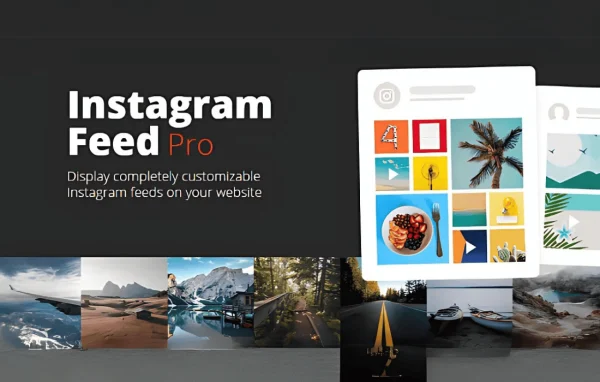
Instagram Feed Pro is a WordPress plugin by Smash Balloon that pulls your Instagram content onto your website. You can display user, hashtag, reel, tagged and shoppable feeds, style them to match your site, and choose which posts appear.
- Version
- 6.14.1
- Released
- Oct 13, 2026
- Developer
- Smash Balloon
- Type
- WordPress plugin
- Licence
- GPL
- Included in
- Every plan, or $5.59 a year on its own
What’s new in SmashBalloon – Custom Instagram Feeds Pro 6.14.1
Version 6.14.1
Latest
- FixedFeed Analytics now records clicks on Reels opened in Swipe View.
- FixedThe Support Tool's hashtag diagnostic has been updated ahead of an Instagram API change on October 27, 2026, so it keeps working after that date.
What it does
Many site owners post regularly on Instagram, but those photos and videos rarely make it onto their website without manual copying or clumsy embeds. This plugin connects your Instagram account and builds feeds that appear on your pages automatically. You pick a feed type, such as your own posts, a hashtag, Reels or tagged posts, or you combine several. Over a dozen pre-built templates and feed themes give you a starting layout, and you can then adjust the design so the feed blends in with your site or stands out.
Once a feed is live, you keep control from the WordPress admin. Visual moderation lets you hide or highlight specific posts, and shoppable feeds link individual posts to product pages or any custom URL. Images are cached locally and served at optimized sizes, and backup caching keeps posts visible if Instagram is unavailable. An analytics dashboard shows engagement data inside WordPress, and dashboard alerts flag problems affecting your feeds. You can place as many feeds as you like across the site, each with its own settings.
Best for
- Bloggers who share photos and videos on Instagram
- Small businesses linking Instagram posts to products
- Marketers running several feeds across one website
Features
Multiple feed types
Display user feeds, hashtag feeds, Instagram Reels or tagged posts, or combine several sources into one feed on your site.
Shoppable feeds
Link individual Instagram posts to product pages or any custom URL so visitors can click through from a photo to the item it shows.
Templates and feed themes
Start from over a dozen pre-built feed templates and themes, then customize the layout and styling to match your brand.
Visual post moderation
Choose which posts appear in a feed by hiding or highlighting specific photos and videos, with no code required.
Local image caching
Images are stored locally and served at optimized sizes, and backup caching keeps posts showing even when Instagram has downtime.
Analytics inside WordPress
An analytics dashboard lets you review engagement with your social content directly in the WordPress admin area.
Swipeable Reels viewer
Reels can open in a full-screen, swipeable viewer that plays with sound, and you can switch this view on or off in the settings.
Unlimited feed instances
Embed as many feeds as you need across your website, giving each one its own content source and display style.
SmashBalloon – Custom Instagram Feeds Pro older versions
- 6.14.0Sep 303 new, 3 fixes
- 6.13.1Sep 242 fixes
- 6.13.0Aug 311 new, 2 improvements, 5 fixes
- 6.12.0Aug 11
- 6.11.4Jul 23
- 6.11.2Jun 17
- 6.11.1Jun 11
- 6.11.0May 19
- 6.10.2Apr 29
- 6.10.1Mar 12
Members and buyers of this product can download older versions.
21 older versions in all. If you need one that is not listed, ask support.
Questions about SmashBalloon – Custom Instagram Feeds Pro
Can I show posts from a hashtag instead of my own account?
Yes. Along with user feeds, the plugin supports hashtag feeds, Instagram Reels and tagged posts. You can also combine these sources into a single feed if you want a mix of your own content and posts from others.
Can I stop certain Instagram posts from appearing on my site?
Yes. Visual moderation lets you hide specific posts or highlight the ones you want people to notice. It works from a visual interface, so you can manage what appears in each feed without editing any code.
Will my feed still display if Instagram goes down?
The plugin includes backup caching, so previously loaded posts stay visible even when Instagram experiences downtime. Images are also cached locally on your site, and dashboard alerts let you know if something is affecting your feeds.
Can I link Instagram posts to products in my store?
Yes. Shoppable feeds let you attach a link to individual posts, pointing to a product page or any custom URL you choose. Visitors who click a post are taken straight to that page.
Is SmashBalloon – Custom Instagram Feeds Pro free?
The code of SmashBalloon – Custom Instagram Feeds Pro is licensed under the GPL, so anyone may use, change and share it. GPL Feast is a paid service: a plan or a single purchase gives you the download and automatic updates. The developer's own support, licence key and online services are not included.
Which version of SmashBalloon – Custom Instagram Feeds Pro is this?
Version 6.14.1, released Oct 13, 2026. New versions appear here when the developer publishes them, and members get them as automatic updates.
How do I update SmashBalloon – Custom Instagram Feeds Pro?
Install the free GPL Feast Updater on your site and connect it with your API key. It installs new versions of SmashBalloon – Custom Instagram Feeds Pro automatically and keeps a backup, so you can roll back.
More from Smash Balloon