Plugin
Updated
Floater for Elementor
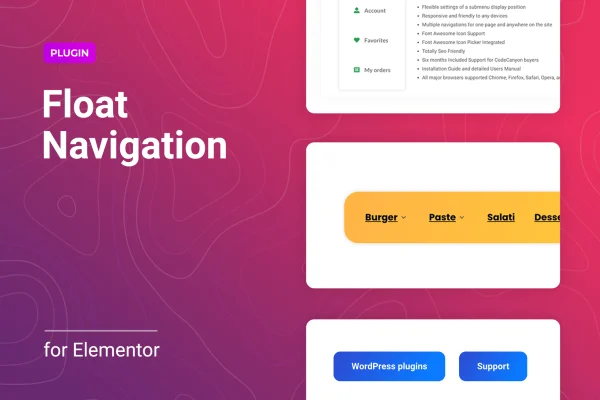
Floater for Elementor is a WordPress plugin that adds sticky or floating navigation menus to pages built with Elementor. The menus stay visible as visitors scroll, so your main links are always within reach. You can use existing WordPress menus or build custom menu items.
- Version
- 1.0.10
- Released
- Jan 14, 2026
- Type
- WordPress plugin
- Requires
- Elementor
- Licence
- GPL
- Included in
- Every plan, or $3.99 on its own
What’s new in Floater for Elementor 1.0.10
Version 1.0.10 · Jan 14, 2026
Latest
- SecurityFixed plugin security issues
What it does
On long pages, a standard header menu scrolls out of view, and visitors have to scroll back up to find their way around. This plugin solves that by keeping navigation on screen. It works inside Elementor, which it requires, so you place and configure menus with drag and drop in the same editor you already use for your layouts. No coding is needed to get a menu in place and styled.
You can add as many floating or sticky menus as a page needs and set them in different positions. Each menu can pull from a native WordPress menu or use custom items you define. Submenus have their own settings for position, X and Y offset and animation. Responsive controls let you decide which devices show each menu, and styling options cover colors, fonts and spacing so the menus match your design.
Best for
- Elementor sites with long scrolling pages
- Designers building custom navigation for client sites
- Site owners wanting menus that stay visible on mobile
Features
Unlimited floating menus
Add any number of floating or sticky menus to a page and place them in multiple positions to suit your layout.
WordPress or custom menus
Use the native menus you already manage in WordPress, or build custom menu items inside the floating block for more control.
Submenu position and offset
Set where submenus appear, top or bottom, and fine tune their placement with X and Y offset values.
Submenu animation effects
Choose animation effects for how submenus open, giving your floating navigation a bit of motion when visitors interact with it.
Per device visibility
Control whether each menu shows on desktop, tablet or mobile, so navigation works well on every screen size.
Styling for colors and fonts
Adjust colors, fonts and spacing so the sticky menu fits your site's branding and the rest of your Elementor design.
Drag and drop in Elementor
Place and configure menus directly in the Elementor editor with drag and drop, with no code required.
Retina-ready visuals
Menus are built to look crisp and clear on high resolution screens such as modern laptops and phones.
Floater for Elementor older versions
- 1.0.9Jan 61 improvement
Members and buyers of this product can download older versions.
Questions about Floater for Elementor
Do I need Elementor to use this plugin?
Yes. The plugin is built for Elementor and requires it. You set up and place your sticky or floating menus from within the Elementor editor using drag and drop.
Can I use the menus I already created in WordPress?
Yes. You can pull in a native WordPress menu, or you can create custom menu items inside the floating block if you want a different set of links than your main menu.
Can I show different menus on mobile and desktop?
The plugin includes responsive display controls for desktop, tablet and mobile. You can choose which devices show each menu, and since you can add multiple menus, you can set up separate ones for different screen sizes.
How much control do I have over submenus?
Submenus have their own settings. You can set them to appear at the top or bottom, adjust their X and Y offset, and pick animation effects for how they open.
Is Floater for Elementor free?
The code of Floater for Elementor is licensed under the GPL, so anyone may use, change and share it. GPL Feast is a paid service: a plan or a single purchase gives you the download and automatic updates. The developer's own support, licence key and online services are not included.
Which version of Floater for Elementor is this?
Version 1.0.10, released Jan 14, 2026. New versions appear here when the developer publishes them, and members get them as automatic updates.
How do I update Floater for Elementor?
Install the free GPL Feast Updater on your site and connect it with your API key. It installs new versions of Floater for Elementor automatically and keeps a backup, so you can roll back.
What does Floater for Elementor need?
Floater for Elementor needs Elementor installed and active.
You might also like