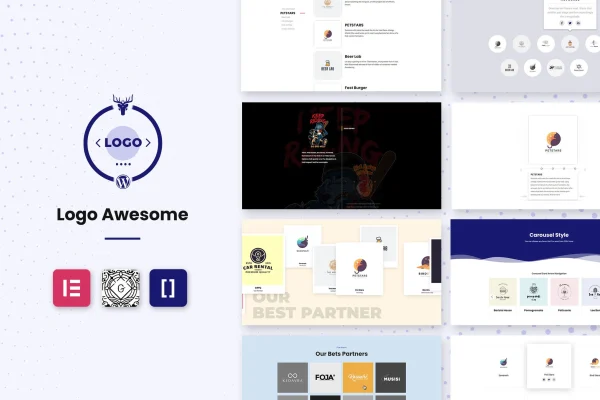
Plugin
Updated
Logo Awesome Pro
Logo Awesome Pro is a WordPress plugin for displaying client, partner and brand logos on your site. It builds logo grids and carousels with a choice of styles and hover effects, and you can place them with a shortcode, the Gutenberg editor or Elementor.
- Version
- 1.0.5
- Released
- Sep 22, 2021
- Type
- WordPress plugin
- Requires
- Elementor
- Licence
- GPL
- Included in
- Every plan, or $3.99 on its own
What’s new in Logo Awesome Pro 1.0.5
Version 1.0.5 · Sep 22, 2021
Latest
- ImprovedLicense verification request limit
What it does
Many sites need a tidy way to show who they work with: clients, sponsors, partners or featured brands. Placing logo images by hand usually leads to uneven sizes, awkward spacing and layouts that break on phones. This plugin gives you a dedicated logo display tool instead. You add your logos, pick a style from more than 30 options, and choose between a grid of one to four columns or a scrolling carousel that responds to touch on mobile devices.
Each logo can link to a partner's website or a social media profile, so visitors can follow up on the companies you feature. More than 200 hover options let you add motion when someone points at a logo. Displays adapt to different screen sizes, the plugin is translation ready for multilingual sites, and it has been tested in modern browsers such as Chrome, Firefox, Safari and Edge. The plugin lists Elementor as a requirement, and it also works with Gutenberg and shortcodes.
Best for
- Agencies and freelancers displaying client logos
- Businesses highlighting partners, sponsors or featured brands
- Elementor users building trust sections on landing pages
Features
More than 200 hover options
Pick from over 200 hover animations that play when visitors move their cursor over a logo, giving your logo section some interactive movement.
Over 30 display styles
Choose from more than 30 styles, including grid and carousel layouts, to match the look of the section where your logos appear.
Flexible grid columns
Set logo grids to one, two, three or four columns so the layout fits a full-width section, a sidebar area or anything in between.
Touch-friendly logo carousel
Show logos in a scrollable carousel that responds to touch and adapts to mobile screens, which suits long lists of clients or partners.
Shortcode, Gutenberg and Elementor
Place logo displays in pages and posts using a shortcode, the Gutenberg block editor or Elementor, depending on which editor you prefer.
Clickable logo links
Attach a link to each logo that sends visitors to a partner's website or a social media channel.
Responsive and translation ready
Logos resize to fit desktops, tablets and phones, and the plugin works with multilingual plugins for sites that serve audiences in several languages.
Questions about Logo Awesome Pro
Can I show logos in a carousel instead of a grid?
Yes. Logo Awesome Pro includes both grid and carousel layouts among its more than 30 styles. The carousel scrolls, responds to touch and adapts to mobile screens, while grids can be set from one to four columns.
Do I need Elementor to use this plugin?
Elementor is listed as a requirement. Once in place, you can add logo displays through Elementor, the Gutenberg editor or a shortcode, so you can work in whichever editor suits each page.
Can each logo link to a different website?
Yes. You can add a clickable link to every logo, pointing visitors to a partner's website or to a social media profile. This works well for sponsor lists, client sections and partner pages.
Will the logo displays work on a multilingual site?
The plugin is translation ready and compatible with multilingual plugins, so your logo sections can be shown appropriately to audiences in different languages. Displays are also responsive across screen sizes.
Is Logo Awesome Pro free?
The code of Logo Awesome Pro is licensed under the GPL, so anyone may use, change and share it. GPL Feast is a paid service: a plan or a single purchase gives you the download and automatic updates. The developer's own support, licence key and online services are not included.
Which version of Logo Awesome Pro is this?
Version 1.0.5, released Sep 22, 2021. New versions appear here when the developer publishes them, and members get them as automatic updates.
How do I update Logo Awesome Pro?
Install the free GPL Feast Updater on your site and connect it with your API key. It installs new versions of Logo Awesome Pro automatically and keeps a backup, so you can roll back.
What does Logo Awesome Pro need?
Logo Awesome Pro needs Elementor installed and active.
You might also like