Plugin
Updated
NEX-Forms ADD ON - Mailchimp
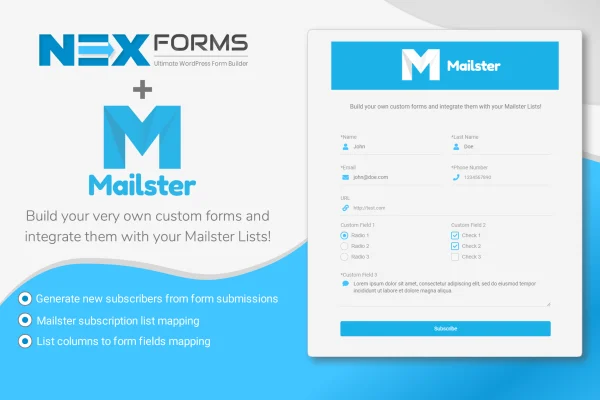
This is an add-on plugin for NEX-Forms that connects your WordPress forms to Mailchimp. When a visitor submits a form, their details are added to your chosen Mailchimp list automatically, with form fields mapped to the list columns you pick.
- Version
- 7.5.12.1
- Released
- May 2, 2023
- Developer
- NEX-Forms
- Type
- WordPress plugin
- Licence
- GPL
- Included in
- Every plan, or $1.59 on its own
What’s new in NEX-Forms ADD ON - Mailchimp 7.5.12.1
Version 7.5.12.1 · May 2, 2023
Latest
What it does
If you collect sign-ups or leads through NEX-Forms and also run your newsletter in Mailchimp, moving that data between the two by hand gets old fast. Exporting entries, cleaning them up and importing them into a list takes time and invites mistakes. This add-on closes that gap by updating your Mailchimp lists directly from form submissions, so new subscribers land where they belong without any copying or pasting on your part.
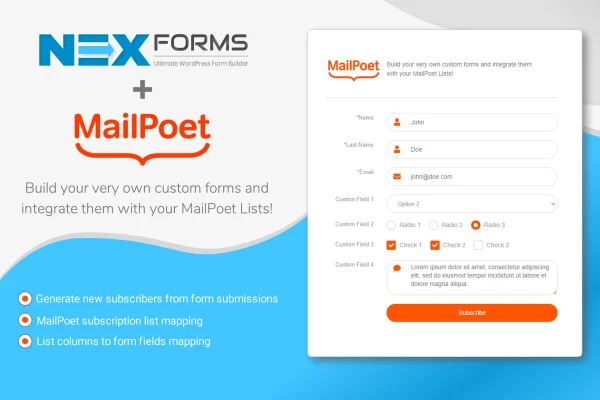
It works on top of the forms you have already built with NEX-Forms. You decide which form fields go to which Mailchimp list columns, and there is no limit on how many columns you can map. You can send subscribers to different Mailchimp lists, which helps when you keep separate audiences for different campaigns or groups. The forms stay responsive and retina ready, and documentation is included to help you set things up.
Best for
- Sites already using NEX-Forms for sign-up or contact forms
- Businesses growing a Mailchimp newsletter audience
- Agencies running segmented Mailchimp lists for clients
Features
Automatic list updates
Form submissions are added to your Mailchimp lists automatically, so you no longer need to export entries and import them into Mailchimp by hand.
Unlimited field mapping
Map any NEX-Forms field to a matching Mailchimp list column, with no cap on the number of columns you can connect for each form.
Multiple Mailchimp lists
Send subscribers to different Mailchimp lists, which suits sites that keep separate audiences for different campaigns or subscriber groups.
Works with existing forms
The add-on plugs into forms you have already built with NEX-Forms, so you can connect them to Mailchimp without rebuilding your form setup.
Responsive and retina ready
Forms display cleanly on phones, tablets and desktops, with crisp output on high resolution screens, so visitors can subscribe from any device.
Documentation included
Guides come with the add-on to walk you through connecting your forms to Mailchimp and setting up the field mapping you need.
Questions about NEX-Forms ADD ON - Mailchimp
Do I need NEX-Forms for this to work?
Yes. This is an add-on for NEX-Forms, so it connects forms built with that plugin to Mailchimp. It does not create forms on its own, and it works with the NEX-Forms setups you already have.
Can I choose which form fields go to Mailchimp?
Yes. You can map any NEX-Forms field to a matching Mailchimp list column, and there is no limit on the number of columns you map. This lets you store names, emails and other custom details exactly where you want them.
Can different forms send subscribers to different lists?
The add-on supports multiple Mailchimp lists, so you can direct subscribers to separate lists. That is handy when you keep different audiences for different campaigns, products or groups of subscribers.
Is NEX-Forms ADD ON - Mailchimp free?
The code of NEX-Forms ADD ON - Mailchimp is licensed under the GPL, so anyone may use, change and share it. GPL Feast is a paid service: a plan or a single purchase gives you the download and automatic updates. The developer's own support, licence key and online services are not included.
Which version of NEX-Forms ADD ON - Mailchimp is this?
Version 7.5.12.1, released May 2, 2023. New versions appear here when the developer publishes them, and members get them as automatic updates.
How do I update NEX-Forms ADD ON - Mailchimp?
Install the free GPL Feast Updater on your site and connect it with your API key. It installs new versions of NEX-Forms ADD ON - Mailchimp automatically and keeps a backup, so you can roll back.
More from NEX-Forms