
Plugin
Updated
Ninja Tables Pro
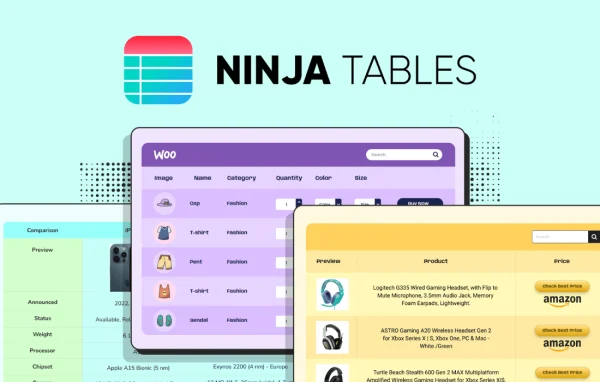
Ninja Tables Pro by WPManageNinja is a WordPress plugin for building responsive tables without writing code. It works on top of the free Ninja Tables plugin and adds a drag and drop builder, live Google Sheets data, WooCommerce product tables and detailed design controls.
- Version
- 5.2.18
- Released
- Oct 9, 2026
- Developer
- WPManageNinja
- Type
- WordPress plugin
- Requires
- Ninja Tables
- Licence
- GPL
- Included in
- Every plan, or $3.99 a year on its own
What’s new in Ninja Tables Pro 5.2.18
Version 5.2.18 · Oct 9, 2026
Latest
- NewExcel import and export support.
- NewFrontend Excel export support.
- NewStrikethrough font style in the Drag & Drop table builder.
- NewOpacity support in the Drag & Drop table builder's colour pickers.
- ImprovedTable Design preview.
- ImprovedGutenberg block now uses Block API v3.
- ImprovedDataTables toolbar alignment and colour contrast for accessibility.
- FixedRender styling in Datatables engine.
What it does
Many WordPress sites need to present structured information: pricing comparisons, product catalogs, schedules or data reports. The block editor's basic table tools fall short once you want styling, filtering or data that changes often. This plugin gives you a visual builder where you arrange rows, columns and cells, then adjust colors, backgrounds and fonts down to individual cells. Pre-made templates for pricing and comparison tables give you a starting point, and merging or splitting cells helps with more complex layouts.
Beyond layout, the plugin connects tables to data you already keep elsewhere. It can pull live data from Google Sheets, so a spreadsheet edit shows up in the table without logging into WordPress. Store owners can list WooCommerce products in customizable tables, and Fluent Forms submissions can feed into tables too. Import and export, including Excel files, help you move data in and out, and visitors can export tables to Excel from the front end. Conditional formatting, filters and custom CSS or JavaScript cover the finer details.
Best for
- WooCommerce stores listing products in comparison tables
- Sites publishing data kept in Google Sheets
- Agencies building pricing and comparison pages for clients
Features
Drag and drop table builder
Build and arrange tables visually with a drag and drop interface, including options like strikethrough text and color pickers with opacity control, with no coding required.
Google Sheets sync
Fetch live data from a Google Sheet so your table stays current when the spreadsheet changes, cutting down on manual edits inside WordPress.
WooCommerce product tables
Display WooCommerce products in organized, customizable tables, giving shoppers a compact way to browse and compare items in your store.
Excel import and export
Import and export tables in several formats, including Excel, and let site visitors export table data to Excel directly from the front end.
Conditional formatting and filters
Highlight specific values automatically based on rules you set, and add custom filters so visitors can narrow down large tables to what they need.
Merge and split cells
Combine or divide cells to build structured layouts such as grouped headers or multi-row entries that a plain grid cannot handle.
Media and image lightbox
Place images, videos and other media inside table cells, with a lightbox so visitors can view images at a larger size.
Custom CSS and JavaScript
Add your own CSS or JavaScript to adjust table styling and behavior beyond the built-in design settings.
Ninja Tables Pro older versions
- 5.2.17Sep 151 new, 2 improvements, 1 fix
- 5.2.16Aug 222 improvements, 3 fixes
- 5.2.15Aug 212 new, 3 improvements, 2 fixes
- 5.2.14Aug 2
- 5.2.11Jul 23
- 5.2.10Jul 10
- 5.2.9May 25
- 5.2.8Apr 17
- 5.2.7Feb 11
- 5.2.6Jan 27
Members and buyers of this product can download older versions.
28 older versions in all. If you need one that is not listed, ask support.
Questions about Ninja Tables Pro
Do I need the free Ninja Tables plugin as well?
Yes. This Pro plugin is an add-on that works alongside the free Ninja Tables plugin. The free version provides the base table system, and the Pro add-on layers on features like the drag and drop builder, Google Sheets sync, WooCommerce tables and advanced styling.
Can my table update automatically from a Google Sheet?
It can. The Google Sheets sync fetches live data from your spreadsheet, so when you change values in the sheet, the table on your site reflects them. You do not need to log into WordPress to update the content.
Will the tables work on phones and tablets?
Tables are responsive and built to display on devices from desktops to smartphones. You can also stack multiple tables on one page and use custom CSS if you want finer control over how a layout looks on smaller screens.
Can visitors save table data to a spreadsheet file?
Yes. The plugin supports front end Excel export, so visitors can save table data as an Excel file. On the admin side, you can also import and export tables in several formats, including Excel, for editing outside WordPress.
Is Ninja Tables Pro free?
The code of Ninja Tables Pro is licensed under the GPL, so anyone may use, change and share it. GPL Feast is a paid service: a plan or a single purchase gives you the download and automatic updates. The developer's own support, licence key and online services are not included.
Which version of Ninja Tables Pro is this?
Version 5.2.18, released Oct 9, 2026. New versions appear here when the developer publishes them, and members get them as automatic updates.
How do I update Ninja Tables Pro?
Install the free GPL Feast Updater on your site and connect it with your API key. It installs new versions of Ninja Tables Pro automatically and keeps a backup, so you can roll back.
What does Ninja Tables Pro need?
Ninja Tables Pro needs Ninja Tables installed and active.
More from WPManageNinja