Plugin
Updated
Slider Revolution FilmStrip Addon
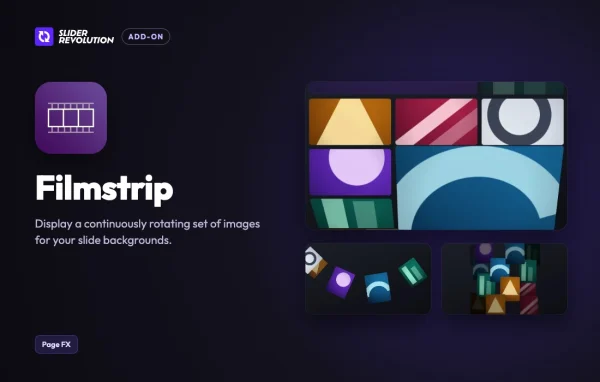
Slider Revolution Filmstrip Addon is a plugin from ThemePunch that extends Slider Revolution 7. It displays a continuously rotating set of images as slide backgrounds, so a slider can act as a moving gallery instead of a single still picture.
- Version
- 7.2.5
- Released
- Oct 14, 2026
- Developer
- Slider Revolution
- Type
- WordPress plugin
- Licence
- GPL
- Included in
- Every plan
What’s new in Slider Revolution FilmStrip Addon 7.2.5
Version 7.2.5 · Oct 14, 2026
Latest
- New3D Band, a new layout: your pictures fill a wall of rows that rolls away over a 3D drum at the bottom, the top or both. It runs on its own or with the page scroll, in even rows or with mixed tile sizes
What it does
Static slide backgrounds can feel flat when you want to show several photos at once. This add-on turns the background of a slide into a looping filmstrip of images that keeps moving. You choose the pictures and arrange them in the sequence you want, so the motion fits your brand or a specific campaign.
The add-on works inside Slider Revolution 7, so you keep building your sliders with the tools you already use. It needs the Slider Revolution plugin to run. It suits portfolios, creative sites and business pages that want movement behind their content without adding a separate gallery. A 3D Band layout is also included: your pictures fill a wall of rows that rolls away over a 3D drum.
Best for
- Photographers and creatives showing image-heavy portfolios
- Business sites wanting animated slider backgrounds
- Slider Revolution 7 users adding motion effects
Features
Continuous rotating filmstrip
Images loop as a steady, uninterrupted strip behind your slide content, adding movement to the background of a slider.
Built for Slider Revolution 7
It is an add-on made by ThemePunch for Slider Revolution 7, so it extends the sliders you already create with that plugin.
Customizable image sequence
Choose the images and arrange their order so the filmstrip matches your brand identity or the message of a particular campaign.
3D Band layout
Pictures fill a wall of rows that rolls away over a 3D drum at the bottom, the top or both.
Automatic or scroll-driven motion
The 3D Band layout can run on its own or move along with the page scroll, depending on the effect you want.
Even rows or mixed tiles
In the 3D Band layout, rows can be even, or you can mix tile sizes for a more varied wall of images.
Responsive display
The rotating filmstrip is designed to look right across different devices and screen sizes.
Beginner-friendly controls
Simple settings let you configure and adjust the filmstrip background quickly, even without much slider experience.
Questions about Slider Revolution FilmStrip Addon
Do I need Slider Revolution to use this add-on?
Yes. The Filmstrip add-on is made for Slider Revolution 7 by ThemePunch and needs the Slider Revolution plugin to run. It adds a new background effect to sliders built with that plugin.
What does the Filmstrip add-on do to a slide?
It displays a continuously rotating set of images as the slide background. You pick the images and their sequence, so the slide behaves like a moving gallery behind your text and other layers.
What is the 3D Band layout?
It is a layout where your pictures fill a wall of rows that rolls away over a 3D drum at the bottom, the top or both. It can run by itself or follow the page scroll.
Can I control how the images are arranged?
Yes. You choose the images and their order. In the 3D Band layout you can also pick even rows or mixed tile sizes to change how the wall of pictures looks.
Is Slider Revolution FilmStrip Addon free?
The code of Slider Revolution FilmStrip Addon is licensed under the GPL, so anyone may use, change and share it. GPL Feast is a paid service: a plan gives you the download and automatic updates. The developer's own support, licence key and online services are not included.
Which version of Slider Revolution FilmStrip Addon is this?
Version 7.2.5, released Oct 14, 2026. New versions appear here when the developer publishes them, and members get them as automatic updates.
How do I update Slider Revolution FilmStrip Addon?
Install the free GPL Feast Updater on your site and connect it with your API key. It installs new versions of Slider Revolution FilmStrip Addon automatically and keeps a backup, so you can roll back.
More from Slider Revolution