
Plugin
Updated
SnapOrbital Notes for LearnDash
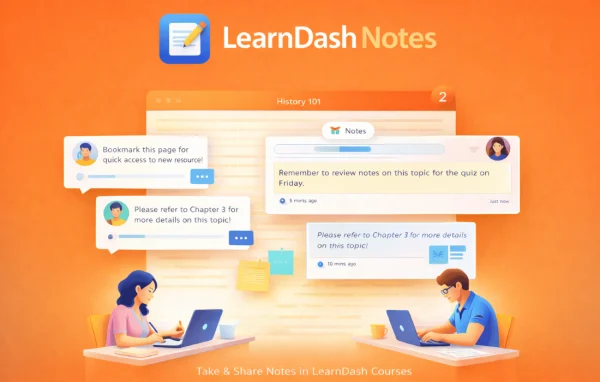
SnapOrbital Notes for LearnDash is a WordPress plugin by SnapOrbital that adds note-taking to LearnDash courses. Learners can write, save and come back to personal notes as they move through lessons, so their key points and reminders stay right where they study.
- Version
- 1.8
- Released
- Jan 14, 2026
- Developer
- SnapOrbital
- Type
- WordPress plugin
- Licence
- GPL
- Included in
- Every plan, or $6.39 a year on its own
What’s new in SnapOrbital Notes for LearnDash 1.8
Version 1.8
Latest
- FixedWrong Update Bug Fix
What it does
Students taking online courses often jot ideas in a separate app or on paper, then lose track of which note belongs to which lesson. This add-on keeps that work inside the course itself. Learners open a simple note area while they study, record key points, reflections or reminders, and save them to a private space tied to their account. Later they can return to those notes to review or edit them, which makes revision before a quiz or the next module much easier.
The plugin is built to work with LearnDash course structures and lessons, and it keeps the interface simple so note-taking does not pull attention away from the material. The layout is responsive, so learners can write and review notes on phones and tablets as well as desktops. For instructors, there is an optional insights feature that shows note-taking patterns, which can help when deciding which lessons need more explanation or a different approach.
Best for
- LearnDash course creators who want learners to take notes
- Corporate trainers running courses on WordPress
- Schools and academies using LearnDash for online classes
Features
Note-taking inside courses
Learners create and save notes directly within LearnDash courses, so they can capture ideas without leaving the lesson they are working on.
Private study records
Each student keeps thoughts, key points and reminders in a private space, building a personal record of their progress through the course.
Review and edit anytime
Saved notes stay accessible, and learners can open, review and update them whenever they want to revise earlier material.
Works with LearnDash structures
The add-on is compatible with LearnDash course structures and lessons, so it fits into existing courses without extra setup work.
Clean, simple interface
A plain note area keeps the focus on the lesson content and makes it easy for learners to write notes as a regular habit.
Responsive on any device
The note feature adapts to different screen sizes, letting learners take and read notes on mobile devices as well as computers.
Optional educator insights
Instructors can turn on insights into learner note-taking patterns and use that information to adjust course content.
Questions about SnapOrbital Notes for LearnDash
Are learner notes visible to other students?
No. Notes are kept in a private space for each learner, so students can record personal reflections, key points and reminders without others seeing them. Instructors can optionally view note-taking patterns through the educator insights feature.
Can students go back and change their notes later?
Yes. Learners can open their saved notes at any time to review them or make edits, which helps when revisiting earlier lessons or preparing for later parts of a course.
Will it work with my existing LearnDash courses?
The plugin is designed to be compatible with LearnDash course structures and lessons, so it can be added to courses you have already built without extra setup. It requires LearnDash to be running on your site.
Can learners use it on their phones?
Yes. The note-taking feature has a responsive design, so learners can write and review notes on phones and tablets as well as on desktop computers.
Is SnapOrbital Notes for LearnDash free?
The code of SnapOrbital Notes for LearnDash is licensed under the GPL, so anyone may use, change and share it. GPL Feast is a paid service: a plan or a single purchase gives you the download and automatic updates. The developer's own support, licence key and online services are not included.
Which version of SnapOrbital Notes for LearnDash is this?
Version 1.8, released Jan 14, 2026. New versions appear here when the developer publishes them, and members get them as automatic updates.
How do I update SnapOrbital Notes for LearnDash?
Install the free GPL Feast Updater on your site and connect it with your API key. It installs new versions of SnapOrbital Notes for LearnDash automatically and keeps a backup, so you can roll back.
You might also like