Plugin
Updated
Tactile, by Bonfire
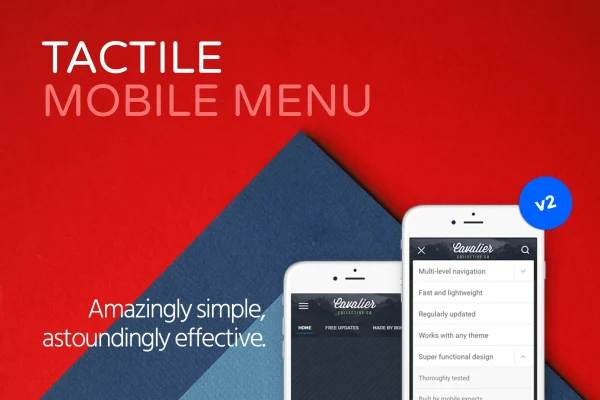
Tactile, by Bonfire is a WordPress plugin that builds a dedicated mobile menu for your site. It works alongside your theme's existing mobile menu or replaces it, giving phone and tablet visitors a touch-friendly way to move through your pages.
- Version
- 2.1
- Released
- May 2, 2023
- Type
- WordPress plugin
- Licence
- GPL
- Included in
- Every plan, or $3.99 on its own
What’s new in Tactile, by Bonfire 2.1
Version 2.1 · May 2, 2023
Latest
What it does
Many themes ship with a mobile menu that is hard to style or awkward to use on a small screen. This plugin gives you a separate menu built for touch devices. You can organize deep site structures with multi-level dropdowns, add a horizontal menu that visitors swipe through, and place a search field right inside the menu so people can look for content without leaving it.
Setup happens in a settings panel where you adjust the menu's appearance and behavior without writing code. You can add your logo to the menu for consistent branding, and the layout adapts to different screen sizes with retina-ready graphics. It is designed to be lightweight, and it fits sites that want better phone navigation without changing themes.
Best for
- Sites whose theme has a weak or limited mobile menu
- Content-heavy sites with deep, multi-level navigation
- Beginners who want mobile menu styling without code
Features
Multi-level dropdown menu
Organize larger navigation structures into nested dropdown levels so visitors can reach deeper pages from a compact menu on their phone.
Horizontal swipeable menu
Add a menu bar that scrolls sideways with a swipe, giving touch users a quick way to move between main sections.
Search inside the menu
Place a site-wide search field directly in the mobile menu so visitors can look up content without hunting for a separate search box.
Logo placement
Show your logo within the mobile menu to keep your branding visible and consistent when people browse on smaller screens.
Responsive and retina ready
The menu adapts to different smartphone and tablet screen sizes and displays crisp visuals on high-resolution displays.
Settings panel without code
Adjust how the menu looks and behaves from a settings panel, so beginners can customize it without touching any code.
Works with your theme
Run the menu alongside your theme's current mobile menu or use it in place of that menu entirely, depending on what your site needs.
Questions about Tactile, by Bonfire
Do I have to remove my theme's mobile menu to use this?
No. The plugin can run alongside your theme's existing mobile menu, or you can use it to replace that menu completely. That choice lets you keep what already works or switch to a new mobile navigation setup.
Can visitors search my site from the menu?
Yes. A search option is built into the menu, giving visitors access to site-wide search directly from the mobile navigation instead of making them scroll to find a separate search box.
Will it handle a menu with many nested pages?
It supports multi-level dropdowns, so you can organize nested pages into levels that open as visitors tap through. You can also add a horizontal swipeable menu for top-level sections.
Do I need coding skills to customize it?
No. Appearance and functionality are controlled through a settings panel designed for users without coding knowledge. You can adjust the menu and add your logo from there.
Is Tactile, by Bonfire free?
The code of Tactile, by Bonfire is licensed under the GPL, so anyone may use, change and share it. GPL Feast is a paid service: a plan or a single purchase gives you the download and automatic updates. The developer's own support, licence key and online services are not included.
Which version of Tactile, by Bonfire is this?
Version 2.1, released May 2, 2023. New versions appear here when the developer publishes them, and members get them as automatic updates.
How do I update Tactile, by Bonfire?
Install the free GPL Feast Updater on your site and connect it with your API key. It installs new versions of Tactile, by Bonfire automatically and keeps a backup, so you can roll back.
You might also like