Plugin
Updated
TFIcon Box Addon For Elementor
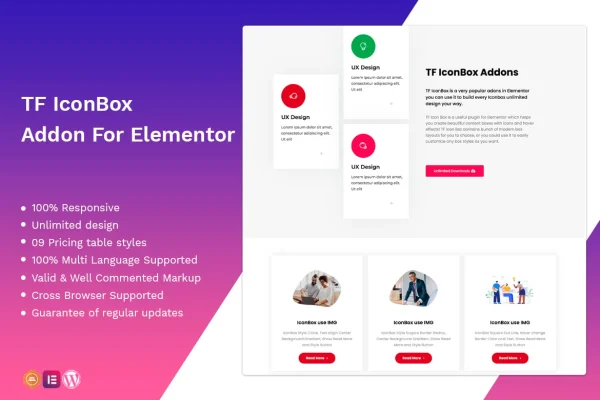
This is a WordPress plugin that adds an icon box widget to the Elementor page builder. It lets you build content boxes that pair an icon with text, then style them with modern layouts, hover effects and animations so features, services and other information stand out on the page.
- Version
- 1.0.3
- Released
- Apr 2, 2022
- Type
- WordPress plugin
- Requires
- Elementor
- Licence
- GPL
- Included in
- Every plan, or $3.99 on its own
What’s new in TFIcon Box Addon For Elementor 1.0.3
Version 1.0.3 · Apr 2, 2022
Latest
- FixedFixed bug on Elementor 3.6.1
What it does
Icon boxes are a common way to present services, product features or short facts, but building them by hand in a page builder can mean stacking several widgets and fiddling with spacing. TFIcon Box Addon For Elementor gives you a single widget for the job. You drop it into an Elementor layout, pick an icon, add your text and choose a box style. The plugin requires Elementor, and it works inside the editor you already use, so there is no coding involved.
The widget comes with a range of contemporary box layouts, and you can adjust the styling to match your brand. Hover effects and animations add some movement when visitors interact with the boxes. The boxes are responsive, so they adapt from desktop screens to phones, and the graphics are retina ready for sharp display on high-resolution screens. The plugin also works with WPML and other translation plugins, which helps on multilingual sites, and it is built for consistent display in Chrome, Firefox, Safari and Edge.
Best for
- Elementor users presenting services or product features
- Corporate and business websites with feature sections
- Multilingual sites built with WPML and Elementor
Features
Modern box layouts
Choose from a range of contemporary icon box layouts, or adjust the styling to create your own look that fits your brand.
Hover effects and animations
Add hover effects and animations to your icon boxes so they respond visually when visitors move over or interact with them.
Responsive design
Icon boxes adapt to different screen sizes, so they display properly on desktops, tablets and smartphones without separate builds.
Multilingual support
The widget works with WPML and other translation plugins, so you can translate icon box content for visitors in different languages.
Retina ready graphics
Icons and box elements are prepared for high-resolution displays, so they stay crisp on modern screens with dense pixels.
Cross browser compatibility
Icon boxes are built to look and work consistently across major browsers, including Chrome, Firefox, Safari and Edge.
Clean, commented markup
The plugin uses valid, well-commented code, which makes it easier to customize the output or troubleshoot layout issues.
Questions about TFIcon Box Addon For Elementor
Do I need Elementor to use this widget?
Yes. The plugin requires Elementor and adds its icon box widget to the Elementor editor. You build and style your icon boxes there, alongside the other widgets in your page layouts.
Can I change the look of the icon boxes?
Yes. You can pick from a range of modern box layouts and customize the styling to suit your brand. Hover effects and animations can also be added to give the boxes some visual interaction.
Will the icon boxes work on a translated site?
The widget is compatible with WPML and other translation plugins, so you can translate the text inside your icon boxes and serve them to visitors in different languages on a multilingual site.
How do the icon boxes look on phones?
The boxes use a responsive design that adapts to smaller screens, so they display properly on smartphones as well as desktops. The graphics are also retina ready for sharp display on high-resolution screens.
Is TFIcon Box Addon For Elementor free?
The code of TFIcon Box Addon For Elementor is licensed under the GPL, so anyone may use, change and share it. GPL Feast is a paid service: a plan or a single purchase gives you the download and automatic updates. The developer's own support, licence key and online services are not included.
Which version of TFIcon Box Addon For Elementor is this?
Version 1.0.3, released Apr 2, 2022. New versions appear here when the developer publishes them, and members get them as automatic updates.
How do I update TFIcon Box Addon For Elementor?
Install the free GPL Feast Updater on your site and connect it with your API key. It installs new versions of TFIcon Box Addon For Elementor automatically and keeps a backup, so you can roll back.
What does TFIcon Box Addon For Elementor need?
TFIcon Box Addon For Elementor needs Elementor installed and active.
You might also like